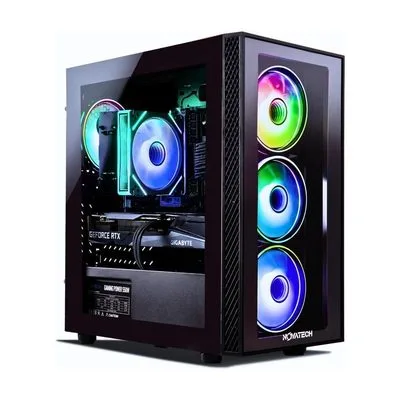

Seven of the Best Gaming PCs, Compared From $850 to $2,600
The old prebuilt tax is mostly gone if you know which configs to buy. Seven machines from a $750 esports…
Start with the monitor you already own and work backward from there. A card built for 4K is wasted money behind a 1080p 60Hz panel, and the reverse, a high-refresh screen fed by a weak GPU, is the more common mismatch.
Resolution and refresh rate should set the budget, not the other way around.
Prebuilt or self-built is mostly a question of what your time is worth and how much you want to learn. A prebuilt carries a single warranty and works out of the box, and its compromises are usually in the parts nobody lists prominently: power supply quality, case airflow, and whether the RAM is running in dual channel. Ask about those three specifically, because they decide whether the machine throttles under load.
Our gaming PC guides compile benchmarks published elsewhere, manufacturer specifications and verified buyer reviews, with attention to thermals, noise and upgrade headroom, since a machine you can drop a new GPU into in three years is worth more than its spec sheet suggests.
The old prebuilt tax is mostly gone if you know which configs to buy. Seven machines from a $750 esports…
Under a grand is where prebuilt builders hide their sins. We compared the sub-$1,200 market against expert benchmarks and thousands…

Two hundred dollars buys a real automatic movement, genuine shock resistance, or a solar cell that never needs a battery.…

Capacity, evenness and cleaning decide whether an air fryer is still in use in six months. Smart features are a…

We didn't rank these on whether the protein works. We ranked them on what's checkable: a named third-party certification, the…

Fitness tracking now spans $40 bands that nail the basics to smartwatches that read your heart rhythm. We compared accuracy…