The Best Tech Gadgets of 2026:Six Worth the Upgrade
Most gadgets are iterative. A few genuinely change how you listen, read, charge, or record. We compared expert reviews and long-term owner ratings to find the six electronics purchases of 2026 with the highest satisfaction per dollar.
By the BYB Editorial Team
Published July 28, 2026 · Prices checked OctoberOct 5, 2026
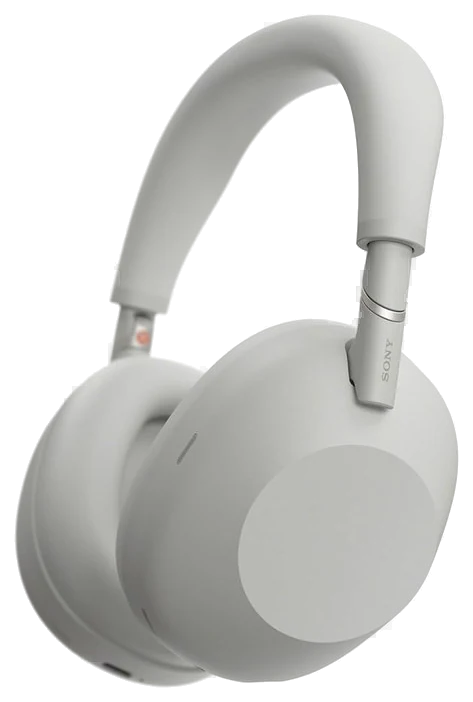
Sony WH-1000XM6$350–450The Sony WH-1000XM6, $350–450 — the gadget here most likely to change an ordinary Tuesday, because noise cancellation this good rearranges where you’re able to work.Check price
Already all-Apple
Apple AirPods Pro 3$190–250AirPods Pro 3, $190–250 — do most of that in a pocket.Check price
Want a screen that won’t fight for your attention
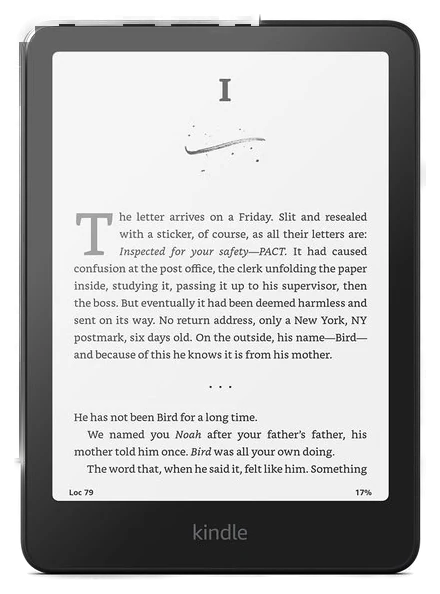
Kindle Paperwhite$160–200Kindle Paperwhite, $160–200 — the only screen in the house that doesn’t want your attention.Check price
We compiled reviews from The Verge, Wirecutter and RTINGS, plus long-term owner ratings, prioritizing devices with proven reliability over launch-week hype.How we chose·How we verify·Corrections logged publicly
Most gadgets are iterative. A few genuinely change how you listen, read, charge, or record. We compared expert reviews and long-term owner ratings to find the six electronics purchases of 2026 with the highest satisfaction per dollar.
How we choseWhat we compared, and how we rank
We compiled reviews from The Verge, Wirecutter and RTINGS, plus long-term owner ratings, prioritizing devices with proven reliability over launch-week hype. Prices are always moving, so every button and link pulls the live listing.
How we rank
Published specifications, verified owner reviews, and independent safety or standards data where it applies — weighted the same for every pick, never sponsored placement.
Sony’s 1000X line has traded the best-noise-canceling crown with Bose for a decade, and the WH-1000XM6 keeps it on Sony’s head. RTINGS puts a number on it: 9.8 out of 10 for noise isolation, on roughly 28 dB of measured attenuation, a figure nothing else on its test bench beats.
SoundGuys gets there by a different route, placing it alongside the AirPods Max well clear of the rest of the premium field on isolation. This generation pairs that with a more natural default tuning than the bass-forward XM5. That makes it the rare flagship reviewers describe as both quieter and better-sounding than its predecessor.
The daily-life details are what convert owners into evangelists: roughly 30 hours of battery with ANC on, multipoint pairing that holds your laptop and phone at once, speak-to-chat that pauses when you start talking, and a folding design that fits in a bag again. The companion app’s EQ is deep enough to reshape the sound entirely if the default is not yours.
The catch is the price, since list sits at $450, which is real money for headphones. Two consolations: the XM6 frequently sells well under list at Amazon, and if your budget lives closer to earbuds, the AirPods Pro 3 below cover the iPhone crowd for far less. If you fly, commute or share an office, this is the quality-of-life purchase in tech right now.
Strengths
Top noise-isolation score on RTINGS’ test bench
~30-hour battery with ANC on
More natural tuning than previous generations
Multipoint plus a useful EQ app
Tradeoffs
$450 list price is steep
Bulkier than earbuds for travel
No water resistance rating
Pick 2 of 6: No. 2Best for iPhone
2
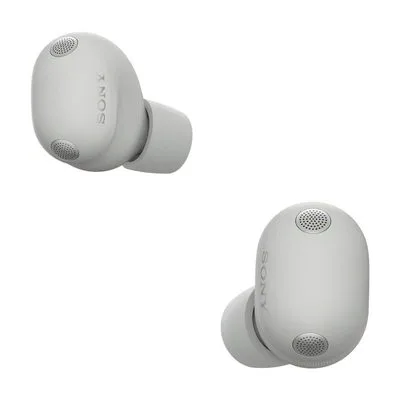
Apple AirPods Pro 3
Best for iPhone
The iPhone default, now with real health features
Get it if you own an iPhone and want earbuds that double as a hearing-health device, at a price that sits under list most weeks.
Skip it if you are on Android, where nearly all of the value evaporates. Buy the Sony above instead.
For iPhone owners the calculus stays short. Nothing else pairs, switches and integrates like AirPods, and the AirPods Pro 3 added the quietly historic part: FDA clearance as an over-the-counter hearing aid, with a clinically validated hearing test built into iOS, plus in-ear heart-rate sensing. That turns a commodity earbud into a health device millions of people already own.
The fundamentals leveled up too, and the noise-canceling leap is measured rather than marketed. SoundGuys recorded about 10 dB more attenuation than the AirPods Pro 2 across the audible band, roughly 90 percent of outside noise removed against the Pro 2’s 83 percent, and called it the best noise canceling it has ever measured in an earbud. RTINGS landed in the same place. The redesigned foam-infused tips seal more reliably, and battery life stretches to around eight hours with ANC on. IP57 dust and sweat resistance means workouts are fair game.
The limitation has not moved: most of the magic is iOS-only, so Android owners should look elsewhere, either to the Sony above or to its earbud siblings. Pricing is kinder than the $249 list, and they hover around $230 at Amazon most weeks and dip lower during sale events.
Strengths
FDA-cleared hearing-aid mode and heart-rate sensing
Instant pairing across Apple devices
Best earbud noise canceling SoundGuys has measured
Foam-infused tips with IP57 resistance
Tradeoffs
Most features are iOS-only
No hi-res codec for Android
EQ control lighter than Sony’s app
Pick 3 of 6: No. 3Best under $200
3
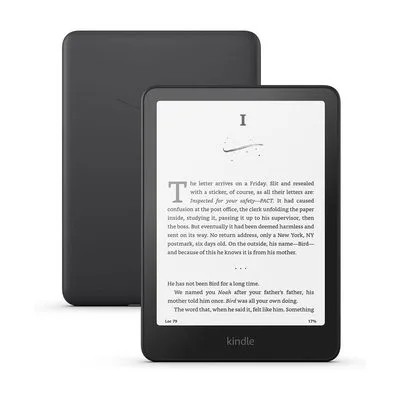
Kindle Paperwhite
Best under $200
The single-purpose device that survives the phone era
Get it if you want to read more books this year, and you buy it during one of the Prime Day or Black Friday drops rather than at list.
Skip it if your reading is mostly library borrows, where the Kobo Clara BW borrows natively and ships without lock-screen ads.
The Kindle Paperwhite endures because it does the opposite of every other screen you own. One job, no feed, no notifications, and a battery measured in weeks. E-ink reads like paper in full sun and glows gently at midnight, which are the two situations where phones and tablets fail readers completely.
The current generation is the best version of the idea yet: a bigger 7-inch warm-lit display, page turns Amazon rates 25% quicker than any previous Kindle, and waterproofing that makes the bath and the beach safe territory. TechRadar summed the generation up as faster and brighter and not much else, which is a fair description rather than a complaint about a device whose whole job is staying out of the way.
Owners report the same thing year after year, which is that they read more books because the device removes every excuse not to. Two things to know before buying. The base price includes lock-screen ads, removable for a small fee or ignorable, and the Paperwhite is frequently discounted well below its $160 list at Amazon, a headline deal every single Prime Day and Black Friday. If you buy one gadget on this page as a gift, make it this one.
Strengths
Weeks of battery, zero notifications
Glare-free screen readable in direct sun
Waterproof for bath and beach reading
Routinely 20–30% off at sale events
Tradeoffs
Locked to Amazon’s book ecosystem
Base model shows lock-screen ads
No color, so comics read better elsewhere
Also on the shortlist
Three more, in brief
Pick 4 of 6: No. 4Best for travel
4
Anker Prime Power Bank
Best for travel
Charging infrastructure in a pocket
Get it if you travel with a laptop and want one brick to replace the charger pile, and the weight is a fair trade for it.
Skip it if you only ever top up a phone. A $25 bank does that and weighs a quarter as much.
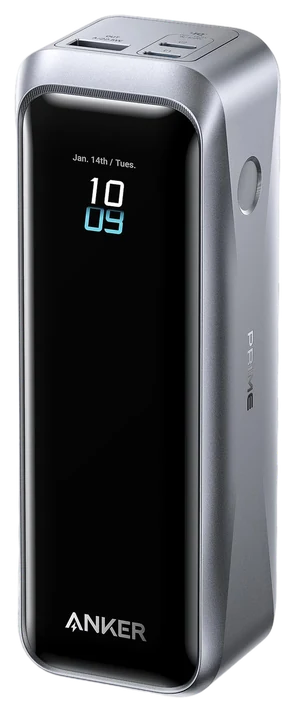
The Anker Prime power bank is what the category grew up into: 220 watts of total output that fast-charges a laptop and a phone at the same time, from a brick that still fits a jacket pocket. A small display shows real-time wattage, which is surprisingly useful for knowing whether your laptop is charging or just holding steady.
Twenty thousand milliamp-hours works out to roughly four phone fills, or one full laptop charge with change left over. Sustained output is where cheaper banks fold, advertising big numbers and then throttling once the heat builds. Popular Science found the Prime stayed composed under a long draw, taking an M2 MacBook Air from 47 to 75 percent in 23 minutes while the laptop was in active use, and staying cool enough not to worry about.
The trade-off is heft. This is a dense object, and at about 72 watt-hours it clears the 100Wh airline carry-on cap with room to spare. At about $180 at Amazon, replacing the sold-out 200-watt original, it replaces a wall of chargers for travelers. Desk-bound phone-only users can spend half as much.
Get it if you travel with a laptop and want one brick to replace the charger pile, and the weight is a fair trade for it.
Skip it if you only ever top up a phone. A $25 bank does that and weighs a quarter as much.
The Anker Prime power bank is what the category grew up into: 220 watts of total output that fast-charges a laptop and a phone at the same time, from a brick that still fits a jacket pocket. A small display shows real-time wattage, which is surprisingly useful for knowing whether your laptop is charging or just holding steady.
Read the full case
Twenty thousand milliamp-hours works out to roughly four phone fills, or one full laptop charge with change left over. Sustained output is where cheaper banks fold, advertising big numbers and then throttling once the heat builds. Popular Science found the Prime stayed composed under a long draw, taking an M2 MacBook Air from 47 to 75 percent in 23 minutes while the laptop was in active use, and staying cool enough not to worry about.
The trade-off is heft. This is a dense object, and at about 72 watt-hours it clears the 100Wh airline carry-on cap with room to spare. At about $180 at Amazon, replacing the sold-out 200-watt original, it replaces a wall of chargers for travelers. Desk-bound phone-only users can spend half as much.
Strengths
220W total output charges laptops properly
Live wattage display
Well under the 100Wh flight cap
Held output under load in Popular Science testing
Tradeoffs
Heavy in a pocket
Overkill for phone-only users
Premium price for the category
Pick 5 of 6: No. 5Best streaming box~$93–150
5
Roku Ultra
Budget pickBest streaming box
The neutral streaming box
Get it if your TV picture is fine but its menus crawl, and replacing the software beats replacing the panel.
Skip it if your TV is new and its built-in platform is good enough, or an ad-free home screen matters more to you than speed. Roku’s is not that.
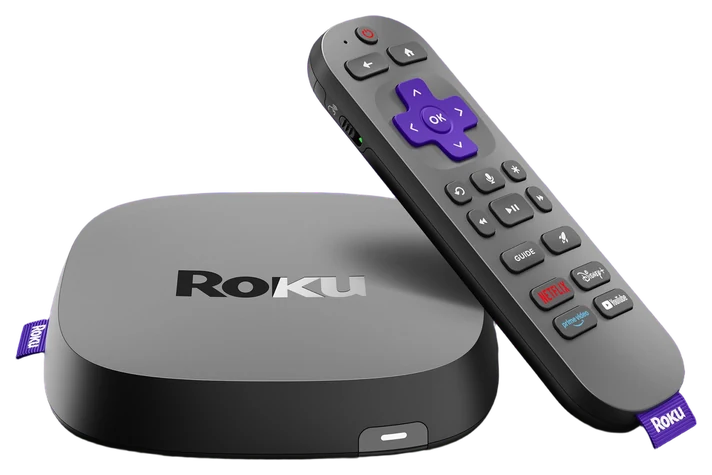
TV software ages far faster than TV panels, and the Roku Ultra is the $150 fix. Its real advantage is neutrality: Roku is not trying to sell you a phone, a subscription or a store, so every streaming service sits on the same footing, with no favoritism and no buried menus for the apps that did not pay. Be clear-eyed about the advertising, though. TechRadar and Tom’s Guide both came away from the current Ultra calling the Roku home screen ad-heavy, so the claim is least locked-in rather than least commercial.
The Ultra is Roku’s fastest box: instant cross-service search, a lost-remote finder that ends couch-cushion archaeology, Dolby Vision and Atmos passthrough, and none of the sluggishness that makes a five-year-old smart TV feel ancient. Setup is ten minutes, which is why it is the default recommendation for parents’ TVs everywhere.
The caveat is that if you bought a flagship TV in the last two years, its built-in platform is probably fine and this is redundant. For everyone else, the Ultra sells at or under $150 at Amazon most of the year and turns a slow TV into a fast one for about the cost of a mid-range soundbar.
Strengths
Makes old TVs feel new
Every service on equal footing, no ecosystem lock-in
Get it if your TV picture is fine but its menus crawl, and replacing the software beats replacing the panel.
Skip it if your TV is new and its built-in platform is good enough, or an ad-free home screen matters more to you than speed. Roku’s is not that.
TV software ages far faster than TV panels, and the Roku Ultra is the $150 fix. Its real advantage is neutrality: Roku is not trying to sell you a phone, a subscription or a store, so every streaming service sits on the same footing, with no favoritism and no buried menus for the apps that did not pay. Be clear-eyed about the advertising, though. TechRadar and Tom’s Guide both came away from the current Ultra calling the Roku home screen ad-heavy, so the claim is least locked-in rather than least commercial.
Read the full case
The Ultra is Roku’s fastest box: instant cross-service search, a lost-remote finder that ends couch-cushion archaeology, Dolby Vision and Atmos passthrough, and none of the sluggishness that makes a five-year-old smart TV feel ancient. Setup is ten minutes, which is why it is the default recommendation for parents’ TVs everywhere.
The caveat is that if you bought a flagship TV in the last two years, its built-in platform is probably fine and this is redundant. For everyone else, the Ultra sells at or under $150 at Amazon most of the year and turns a slow TV into a fast one for about the cost of a mid-range soundbar.
Strengths
Makes old TVs feel new
Every service on equal footing, no ecosystem lock-in
Lost-remote finder
Every service, no favoritism
Tradeoffs
Redundant on newer flagship TVs
Roku home screen still shows some ads
No game-streaming ambitions
Pick 6 of 6: No. 6Most fun per dollar~$425–500
6
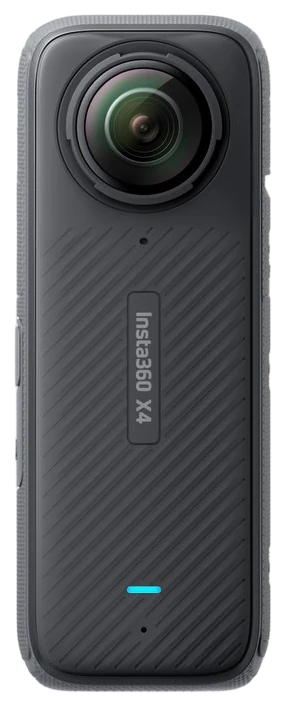
Insta360 X4
Upgrade pickMost fun per dollar
The camera that films everything, then lets you frame it later
Get it if you already edit video and the newer X5 flagship costs more than the trick is worth to you.
Skip it if you want point-and-shoot simplicity, or you shoot mostly in low light, which reviewers name as its weakest ground. Use your phone.
The Insta360 X4 trick still feels like cheating, and with Insta360 now selling the X5 flagship at $549.99, the X4 is the value route into it. Record everything in 360 degrees, then point the camera wherever you want after the fact, in the edit. For travel, sports and family chaos it beats a traditional action camera for one simple reason: you cannot miss the shot, because you captured every direction at once.
8K capture is what finally made the concept properly sharp, and the numbers show why: reframed 16:9 exports land at 2.7K where the older X3 managed 1080p, which is the line between usable and soft. TechRadar, which could not think of a more capable handheld 360 camera, credits the invisible-selfie-stick effect for the drone-like third-person shots and is equally clear about the weaknesses, naming low-light image quality, a visible stitch line and enormous files.
Know what you are signing up for, though. 360 footage requires an editing pass to become a normal video, and the files are enormous, so casual point-and-shoot people will be happier with a phone. For everyone who already edits, the X4 runs $425–500 at Amazon and replaces both an action cam and half a drone.
Strengths
Never miss the shot, then reframe afterward
8K makes reframed footage sharp
Invisible selfie stick = drone-like shots
Waterproof action-cam build
Tradeoffs
Every clip needs an editing pass
Huge file sizes
Costs more than basic action cams
Pick 6 of 6: No. 6Most fun per dollar~$425–500
Insta360 X4
The camera that films everything, then lets you frame it later
Get it if you already edit video and the newer X5 flagship costs more than the trick is worth to you.
Skip it if you want point-and-shoot simplicity, or you shoot mostly in low light, which reviewers name as its weakest ground. Use your phone.
The Insta360 X4 trick still feels like cheating, and with Insta360 now selling the X5 flagship at $549.99, the X4 is the value route into it. Record everything in 360 degrees, then point the camera wherever you want after the fact, in the edit. For travel, sports and family chaos it beats a traditional action camera for one simple reason: you cannot miss the shot, because you captured every direction at once.
Read the full case
8K capture is what finally made the concept properly sharp, and the numbers show why: reframed 16:9 exports land at 2.7K where the older X3 managed 1080p, which is the line between usable and soft. TechRadar, which could not think of a more capable handheld 360 camera, credits the invisible-selfie-stick effect for the drone-like third-person shots and is equally clear about the weaknesses, naming low-light image quality, a visible stitch line and enormous files.
Know what you are signing up for, though. 360 footage requires an editing pass to become a normal video, and the files are enormous, so casual point-and-shoot people will be happier with a phone. For everyone who already edits, the X4 runs $425–500 at Amazon and replaces both an action cam and half a drone.
Strengths
Never miss the shot, then reframe afterward
8K makes reframed footage sharp
Invisible selfie stick = drone-like shots
Waterproof action-cam build
Tradeoffs
Every clip needs an editing pass
Huge file sizes
Costs more than basic action cams
The best gadget for you isn’t the one with the flashiest demo, it’s the one that fits a thing you already do every day.
Buy for your routine, not the reveal: the common mistake is falling for a launch video and then never using the thing; picture the ordinary Tuesday you’d reach for it.
Check the ecosystem: some gear only shines inside one brand’s world, so make sure it plays nicely with the phone, laptop, and TV you already own.
Look at battery and charging: favor USB-C and a battery that lasts a real day, so you’re not tethered to a cable or hunting for a proprietary charger.
Weigh support and longevity: a gadget is only as good as its software updates and warranty, so check how long the maker keeps it current before you spend.
DJI Osmo Pocket 3 — a great little camera, but it’s a creator tool; if you’re not filming regularly it’ll live in a drawer.
Ray-Ban Meta smart glasses — fun and better than the first pair, but the short battery life and privacy questions keep them off a no-regrets list.
Nintendo Switch 2 — excellent, a different kind of buy; it’s a gaming platform you commit to, not a grab-and-go gadget.
GoPro Hero 13 Black — a superb action cam, but it overlaps with the 360 camera already here and most people don’t film enough to need a second rugged camera.
Tech buying FAQs
6 common questions, answered.
What’s the best tech gift under $200?
The Kindle Paperwhite. It is universally useful, personal without being intrusive, and the recipient uses it for years. The Roku Ultra is the runner-up for anyone with an aging TV.
Sony WH-1000XM6 or AirPods Pro 3?
Your phone decides it. iPhone owners get more total value from the AirPods integration and health features, and everyone else gets better sound, better ANC and better battery from the Sony over-ears. They also coexist well: over-ears for travel, buds for the gym.
Are 360 cameras better than a GoPro?
For action-sports purists who mount and forget, a GoPro is simpler. For everyone else, capturing everything and framing later means you never miss the moment, which is the entire point of a camera.
Which of these gadgets makes the best gift?
The safest gifts are the ones that need no setup and no account juggling, and the Kindle Paperwhite tops that list alongside the portable-speaker category. The Roku Ultra is the sleeper pick for parents with an aging TV, since it makes their existing set feel new for $150. Save the Insta360 for someone who already films things, because it rewards a little editing curiosity.
When do these products go on sale?
On a predictable calendar: Amazon Prime Day, Black Friday through Cyber Monday, and the weeks after a successor launches. Sony headphones and Kindles discount hard and often, with the Paperwhite routinely dropping 20 to 30%, while Apple products mostly see modest third-party discounts rather than official ones. If you are not in a hurry, waiting for one of those windows usually pays.
Should I buy this year’s model or last year’s on discount?
For headphones and TVs, last year’s flagship at a deep discount is often the smartest buy in tech, because the year-over-year changes are incremental. For anything with health sensors or an FDA-cleared feature, like the AirPods Pro 3, buy current, since those capabilities are exactly what the new generations add. E-readers barely change, so buy whichever Paperwhite is cheapest.
Sources
Who the write-ups above lean on, and where each one is cited.
TechRadarCited for Kindle Paperwhite, Roku Ultra and Insta360 X4, and in the buying advice.
RTINGSCited for Sony WH-1000XM6 and Apple AirPods Pro 3, and in the buying advice.
SoundGuysCited for Sony WH-1000XM6 and Apple AirPods Pro 3.
Tom’s GuideCited for Roku Ultra, and in the buying advice.
New guides, re-ranked picks and the month's notable changes. No weekly filler, ever.
Unsubscribe any time. Your address goes to our newsletter provider and nowhere else — see our privacy policy.
Manage Consent
To provide the best experiences, we use technologies like cookies to store and/or access device information. Consenting to these technologies will allow us to process data such as browsing behavior or unique IDs on this site. Not consenting or withdrawing consent, may adversely affect certain features and functions.
Functional
Always active
The technical storage or access is strictly necessary for the legitimate purpose of enabling the use of a specific service explicitly requested by the subscriber or user, or for the sole purpose of carrying out the transmission of a communication over an electronic communications network.
Preferences
The technical storage or access is necessary for the legitimate purpose of storing preferences that are not requested by the subscriber or user.
Statistics
The technical storage or access that is used exclusively for statistical purposes.The technical storage or access that is used exclusively for anonymous statistical purposes. Without a subpoena, voluntary compliance on the part of your Internet Service Provider, or additional records from a third party, information stored or retrieved for this purpose alone cannot usually be used to identify you.
Marketing
The technical storage or access is required to create user profiles to send advertising, or to track the user on a website or across several websites for similar marketing purposes.