The Best Tablets and E-readers:Four Screens for Four Different Jobs
The "best tablet" question is really four questions: couch computer, kids’ screen, reading device, or budget do-everything. We compared the winner in each lane so you buy the screen that matches the job.
By the BYB Editorial Team
Published July 28, 2026 · Updated · Prices checked OctoberOct 5, 2026
The "best tablet" question is really four questions: couch computer, kids’ screen, reading device, or budget do-everything. We compared the winner in each lane so you buy the screen that matches the job.
How we choseWhat we compared, and how we rank
We compiled performance testing, display measurements, and longevity/update-policy comparisons across ecosystems. Prices are always moving, so every button and link pulls the live listing.
How we rank
Published specifications, verified owner reviews, and independent safety or standards data where it applies — weighted the same for every pick, never sponsored placement.
What changed2 dated notes · latest 5 September 2026
CorrectedA third “1080p” label in the Fire HD 10 strengths list survived the 20 August fix and now reads 1920×1200. The iPad (A16) was still quoted at its $349 launch price; Apple raised the base price to $449 in June 2026, and the guide’s range now reflects that. Logged on the corrections page.
NoteIn an audit pass, the Fire HD 10 was labeled 1080p in two places; its panel is 1920×1200. Logged on the corrections page.
Dated notes already published on this page, newest first. Every correction we make is logged on the corrections page.
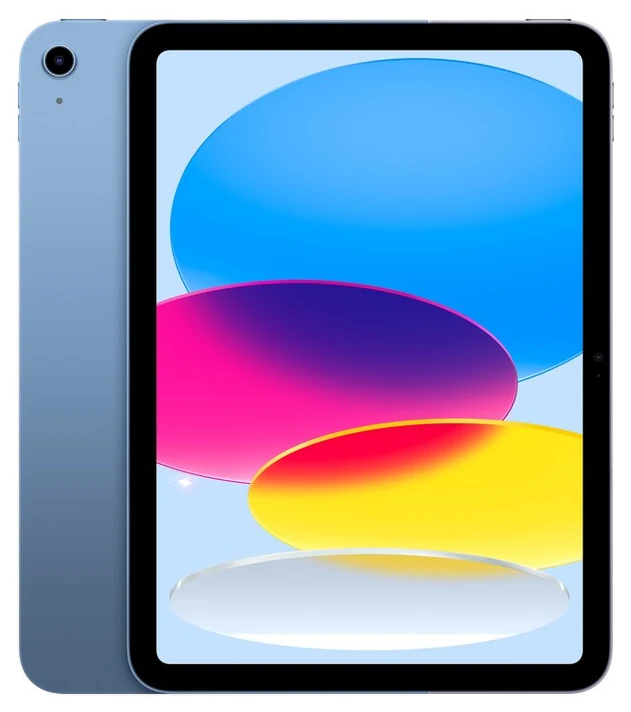
The base iPad 11-inch is one of tech’s great steady answers: the app catalog every Android tablet envies, an A16 chip that outruns its price tier, and Apple’s long update runway, which per Apple’s own published iPadOS compatibility history has stretched to six or seven years of major updates on recent models, longer than any Android tablet maker commits to. For browsing, streaming, homework, and video calls, the actual life of a tablet, nothing else is as complete.
PCMag’s review lands on the same verdict, awarding it Editors’ Choice and calling it “Apple’s best tablet for most people” despite only a modest generational upgrade. The 11-inch Liquid Retina screen is bright and sharp, the cameras land in the right places for video calls, and it handles split-screen multitasking and Apple Pencil note-taking without complaint.
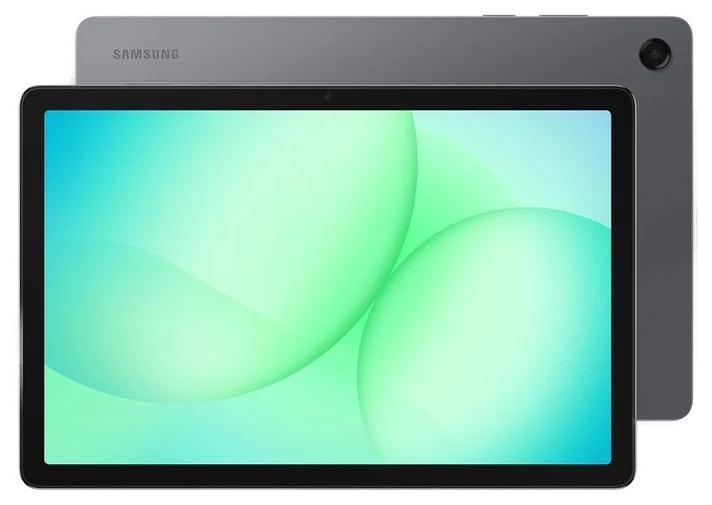
Samsung’s Galaxy Tab A-series is the Android answer at nearly half iPad money: a crisp 11-inch screen for streaming and browsing, solid build quality, and, the feature the iPad will never give you, a microSD slot that expands storage for pennies.
For the 90% tablet use case, owners rarely notice the step down: video looks great, browsing is smooth, and Samsung’s software support on recent A-series models has stretched meaningfully longer than budget Androids of old. Kids-mode profiles make it a strong family-room device. Android Authority calls it “the best in its class” among budget Android tablets, citing seven years of promised software updates as the reason it outlasts cheaper rivals.
Push it hard and the seams show, heavy games and split-screen multitasking tax the modest chip, and the cameras are strictly functional. At $180–260 at Amazon with frequent sales, it’s the value pick for households that want a good screen without iPad pricing.
Strengths
Half iPad money for the core jobs
MicroSD expandable storage
Solid 11-inch screen for video
Good family profiles
Tradeoffs
Modest chip taxes heavy apps
Functional-at-best cameras
Shorter update life than iPad
Pick 3 of 5: No. 3Best for readers
3
Kindle Paperwhite
Best for readers
The reading specialist
Get it if you want to read more this year.
Skip it if your reading runs on library loans. The Kobo does it natively.
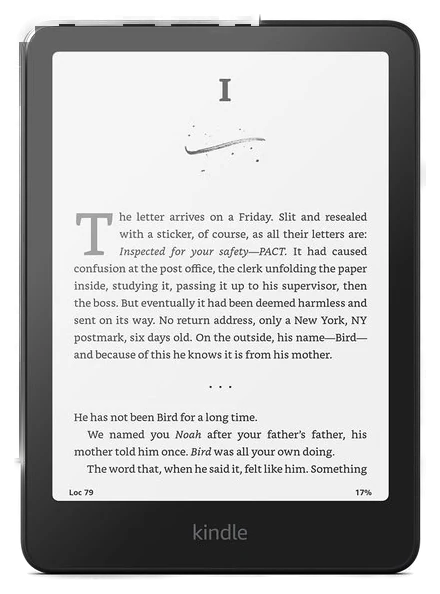
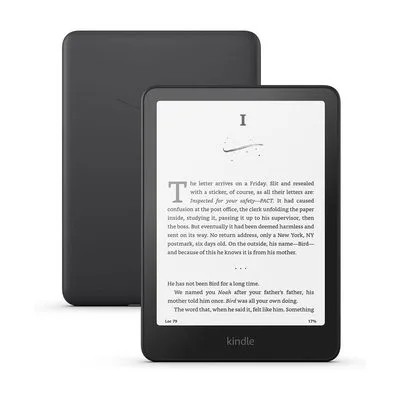
If the job is reading, e-ink wins on every axis that matters, and the Kindle Paperwhite is the best version of the idea per dollar: readable in full sun, gentle at midnight with its warm front light, waterproof for the bath, and a battery measured in weeks.
The secret feature is what it doesn’t do: no notifications, no feed, no apps. Owners consistently report reading more books simply because the device removes every excuse. The 7-inch screen hits the one-handed ideal, and page turns on the current generation are the fastest Kindle has shipped. PCMag gave it an Editors’ Choice award, calling it flatly “the best ebook reader for most people.”
Its walls are Amazon’s: the store is excellent, but library borrowing is clunkier than the Kobo below, and the base model shows lock-screen ads. The Paperwhite routinely drops 20–30% below list at Amazon every major sale. It may be the single most reliably discounted device on this site.
Strengths
Weeks of battery, zero distractions
Readable in direct sunlight
Waterproof for baths and beaches
Reliably discounted at every sale
Tradeoffs
Amazon ecosystem lock-in
Lock-screen ads on the base model
Clunky library borrowing
Also on the shortlist
Two more, in brief
Pick 4 of 5: No. 4Best for library readers
4
Kobo Clara BW
Best for library readers
The Kindle alternative with a library card
Get it if library books are your main reading diet.
Skip it if you’re invested in Kindle purchases already.
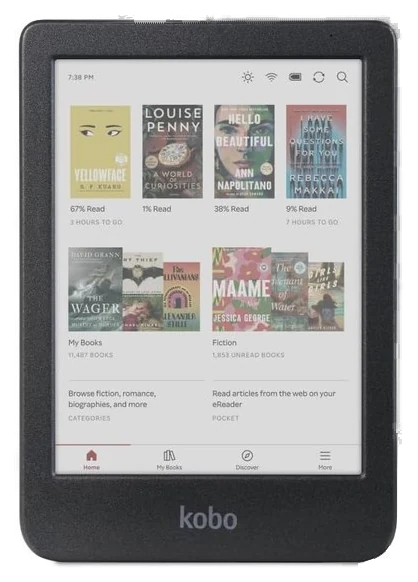
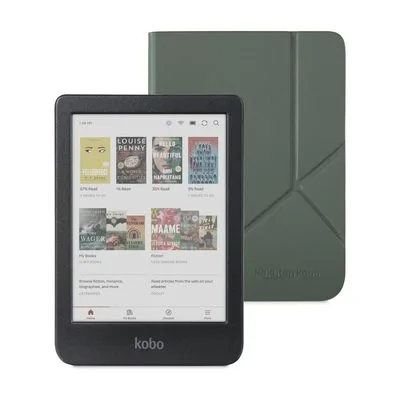
The Kobo Clara case is freedom: native EPUB support, no Amazon account, no lock-screen ads ever, and, the headline, one-tap public library borrowing built directly into the device through OverDrive/Libby integration.
For heavy library users the borrowing integration alone decides it: browse your library’s catalog, borrow, and read without touching a computer or the sideloading dance Kindles require. The compact 6-inch warm-lit screen is a genuine one-hander, and Kobo’s reading stats and customization run deeper than Amazon’s. Trusted Reviews calls it “the most sensible buy” among current e-readers, citing that same OverDrive integration as the standout reason to pick it over a Kindle.
The trade: Kobo’s own store is fine but thinner than Amazon’s, and there’s no ecosystem of accessories and family-sharing tricks. At $140–160 at Amazon, it’s the reader for people who read outside one store, and the clean conscience of an ad-free lock screen is its own small luxury.
Get it if library books are your main reading diet.
Skip it if you’re invested in Kindle purchases already.
The Kobo Clara case is freedom: native EPUB support, no Amazon account, no lock-screen ads ever, and, the headline, one-tap public library borrowing built directly into the device through OverDrive/Libby integration.
Read the full case
For heavy library users the borrowing integration alone decides it: browse your library’s catalog, borrow, and read without touching a computer or the sideloading dance Kindles require. The compact 6-inch warm-lit screen is a genuine one-hander, and Kobo’s reading stats and customization run deeper than Amazon’s. Trusted Reviews calls it “the most sensible buy” among current e-readers, citing that same OverDrive integration as the standout reason to pick it over a Kindle.
The trade: Kobo’s own store is fine but thinner than Amazon’s, and there’s no ecosystem of accessories and family-sharing tricks. At $140–160 at Amazon, it’s the reader for people who read outside one store, and the clean conscience of an ad-free lock screen is its own small luxury.
Strengths
Native one-tap library borrowing
No ads, no Amazon account needed
EPUB and open-format support
Compact one-handed size
Tradeoffs
Smaller bookstore than Amazon
Fewer accessories and integrations
Less frequent discounts
Pick 5 of 5: No. 5Best under $150~$80–150
5
Amazon Fire HD 10
Budget pickBest under $150
The guilt-free kids-and-kitchen slab
Get it if it’s for kids, the kitchen, or anywhere risk beats refinement.
Skip it if it’ll be your main personal tablet. Buy the iPad or Tab.
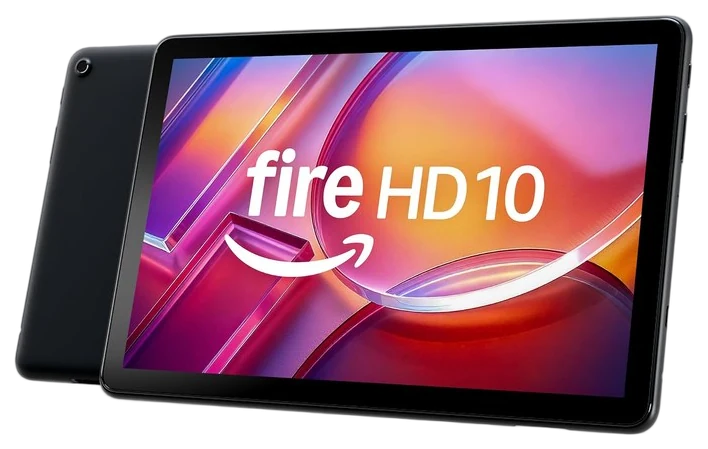
The Fire HD 10 exists for every scenario where an iPad feels like too much money to risk: kids, kitchens, recipe stands, guest rooms, travel. A 10.1-inch 1920×1200 screen for what a family dinner costs is the whole pitch, and it lands.
The parental controls are best-in-class (profiles, time limits, and content filters that work) which is why it’s become the default kids’ tablet. For streaming, recipes, and light browsing it does the job without complaint. PCMag gave it an Editors’ Choice award, calling it “the best cheap tablet for most people” provided buyers accept the Amazon-ecosystem trade-off.
Know the deal you’re making: Fire OS is Amazon-flavored, the app store is thinner (no native YouTube app; the browser works), and lock-screen ads come standard. But the Fire HD 10 routinely sells under $100 at Amazon during sales, and at that price its compromises stop mattering for the jobs it’s bought for.
Get it if it’s for kids, the kitchen, or anywhere risk beats refinement.
Skip it if it’ll be your main personal tablet. Buy the iPad or Tab.
The Fire HD 10 exists for every scenario where an iPad feels like too much money to risk: kids, kitchens, recipe stands, guest rooms, travel. A 10.1-inch 1920×1200 screen for what a family dinner costs is the whole pitch, and it lands.
Read the full case
The parental controls are best-in-class (profiles, time limits, and content filters that work) which is why it’s become the default kids’ tablet. For streaming, recipes, and light browsing it does the job without complaint. PCMag gave it an Editors’ Choice award, calling it “the best cheap tablet for most people” provided buyers accept the Amazon-ecosystem trade-off.
Know the deal you’re making: Fire OS is Amazon-flavored, the app store is thinner (no native YouTube app; the browser works), and lock-screen ads come standard. But the Fire HD 10 routinely sells under $100 at Amazon during sales, and at that price its compromises stop mattering for the jobs it’s bought for.
Strengths
Absurd screen-per-dollar on sale
Best-in-class parental controls
Tough enough for kid life
The 1920×1200 screen is plenty for streaming
Tradeoffs
Thin Amazon-only app store
Lock-screen ads standard
Sluggish under heavy multitasking
Decide what you’ll do with it, because a tablet and an e-reader solve different problems.
Tablet or e-reader: if you mostly read books, e-ink is easier on your eyes and free of distractions; if you want apps and video, get a tablet instead.
Ecosystem and store: your apps, books, and services follow the platform, so pick the one that fits what you already own before comparing screens.
The screen for your eyes: glossy LCD is bright and colorful but tiring for long reading, while e-ink is calm in daylight but slow and mostly black-and-white.
The common mistake: overbuying power; most people never push a base tablet’s limits, so the faster, pricier model is money you don’t need to spend.
Apple iPad Air (M3) — faster and nicer, but most people won’t push past what the cheaper base iPad already does.
Samsung Galaxy Tab S10 FE — a good mid-range Android slate, but it costs about double the Tab A11+ we picked.
Kindle Scribe — lovely for handwriting notes on e-ink, but at $400-plus it’s overkill if you mainly read.
Kobo Libra Colour — color e-ink is neat, but it costs more and most readers do fine in black and white.
Tablet & e-reader FAQs
6 common questions, answered.
iPad or Android tablet?
iPad wins on apps, longevity, and resale. It’s the safe answer. Android (Samsung) wins on price and expandable storage. The exception is the under-$150 tier, which Amazon’s Fire tablets own outright because Apple doesn’t play there.
Is an e-reader worth it if I have a tablet?
If you read more than a book a month, yes: e-ink eliminates glare, eye strain, and, decisively, notifications. Tablet readers report finishing fewer books; the distraction machine always wins. A Paperwhite is a reading habit in device form.
Kindle or Kobo?
Ecosystem decides: Kindle for Amazon-purchased libraries and tight store integration; Kobo for public-library borrowing, EPUB files, and no ads. The hardware is comparably excellent. It’s a question of which bookstore you live in.
How long should a tablet last?
Longer than a phone. iPads typically receive five to seven years of updates and owners commonly report six-plus years of service; budget Android tablets are closer to three or four. E-readers are the champions. A decade-old Kindle still reads books fine, because e-ink asks almost nothing of the hardware. Factor update policy into the price: a $330 iPad kept six years costs less per year than a $180 tablet kept three.
Do I need a keyboard or stylus?
Only if you have a named use for it. Styluses earn their price for note-takers, students, and artists; keyboards make sense once a tablet replaces a laptop for travel. For the streaming-browsing-reading life most tablets live, accessories are where budgets quietly double without changing daily use. Buy the tablet first; add accessories when a real need shows up.
What size tablet should I buy?
Around 11 inches is the sweet spot for shared and general use, big enough for split-screen and video, light enough to hold. Go smaller only for dedicated reading (7-inch e-readers hit the one-handed ideal) and bigger only for artists or laptop-replacers. Weight matters more than screen size in practice: anything over roughly 600 grams stops being a couch device.
Sources
Who the write-ups above lean on, and where each one is cited.
PCMagCited for Apple iPad (11-inch, A16), Kindle Paperwhite and Amazon Fire HD 10, and in the buying advice.
Trusted ReviewsCited for Kobo Clara BW, and in the buying advice.
Android AuthorityCited for Samsung Galaxy Tab A11+.
20Aug 2026Correction, 20 August 2026In an audit pass, the Fire HD 10 was labeled 1080p in two places; its panel is 1920×1200. Logged on the corrections page.Every correction we’ve made ›
5Sep 2026Correction, 5 September 2026A third “1080p” label in the Fire HD 10 strengths list survived the 20 August fix and now reads 1920×1200. The iPad (A16) was still quoted at its $349 launch price; Apple raised the base price to $449 in June 2026, and the guide’s range now reflects that. Logged on the corrections page.Every correction we’ve made ›
Prices on this page are re-checked weekly — see the full Electronics price index for every product we cover.
Keep reading
Where to go next.
The close calls side by side, then related guides.
New guides, re-ranked picks and the month's notable changes. No weekly filler, ever.
Unsubscribe any time. Your address goes to our newsletter provider and nowhere else — see our privacy policy.
Manage Consent
To provide the best experiences, we use technologies like cookies to store and/or access device information. Consenting to these technologies will allow us to process data such as browsing behavior or unique IDs on this site. Not consenting or withdrawing consent, may adversely affect certain features and functions.
Functional
Always active
The technical storage or access is strictly necessary for the legitimate purpose of enabling the use of a specific service explicitly requested by the subscriber or user, or for the sole purpose of carrying out the transmission of a communication over an electronic communications network.
Preferences
The technical storage or access is necessary for the legitimate purpose of storing preferences that are not requested by the subscriber or user.
Statistics
The technical storage or access that is used exclusively for statistical purposes.The technical storage or access that is used exclusively for anonymous statistical purposes. Without a subpoena, voluntary compliance on the part of your Internet Service Provider, or additional records from a third party, information stored or retrieved for this purpose alone cannot usually be used to identify you.
Marketing
The technical storage or access is required to create user profiles to send advertising, or to track the user on a website or across several websites for similar marketing purposes.