The Best Gaming Monitors of 2026:Why 1440p Is Still the Sweet Spot
27-inch 1440p at high refresh is where price, sharpness and frame rate meet. We compared panel testing and long-term reviews to pick five monitors across the budget spectrum, with the specs side by side.
By the BYB Editorial Team
Published July 28, 2026 · Updated · Prices checked OctoberOct 5, 2026
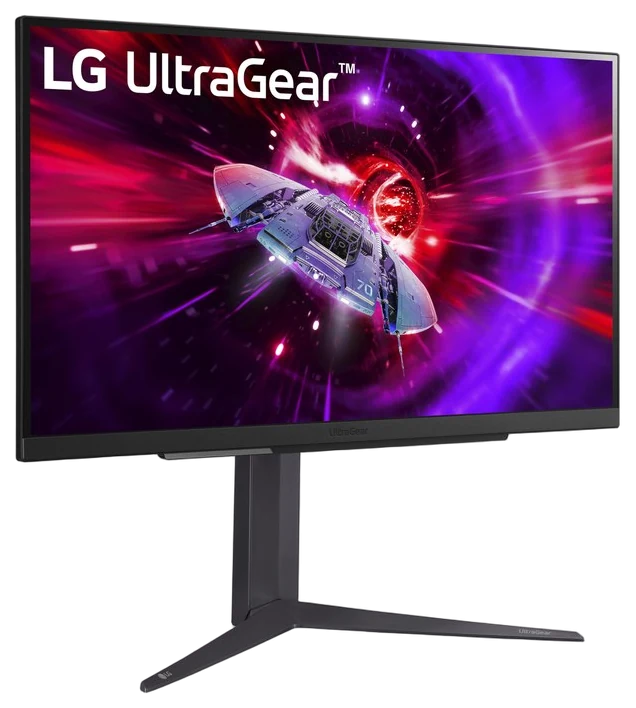
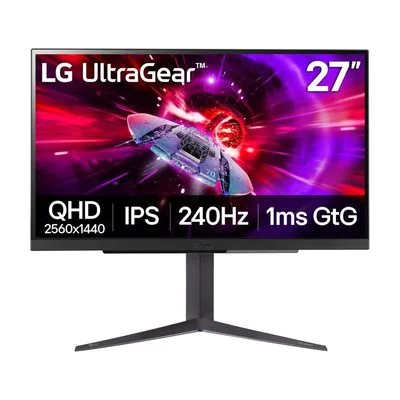
LG UltraGear 27″ QHD$300–450The LG UltraGear 27″ QHD, $300–450 by model — the enthusiast benchmark and the best overall pick here.Check price
Want a warranty
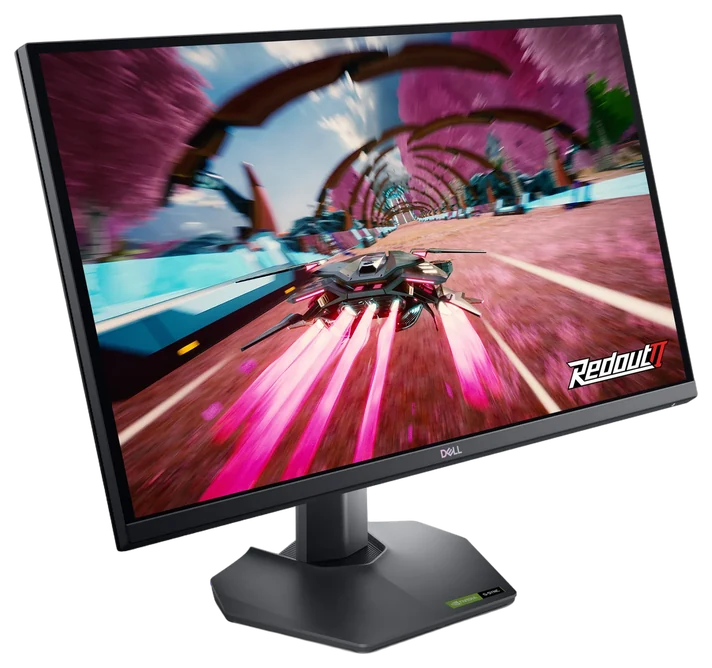
Dell 27 QHD$150–200The Dell 27 QHD, $150–200 — a 27-inch 1440p panel at a high refresh rate is the spec combination that decides everything, and Dell sells it for what a good 1080p monitor costs. The natural match for our pick for the best budget gaming PC, since the panel won’t outrun the card.Check price
Skip
The 1ms response-time claims and the HDR badges — neither survives contact with your eyes.
We compiled panel measurements from RTINGS and Monitors Unboxed, plus owner reliability reports, prioritizing tested response times over marketing numbers.How we chose·How we verify·Corrections logged publicly
27-inch 1440p at high refresh is where price, sharpness and frame rate meet. We compared panel testing and long-term reviews to pick five monitors across the budget spectrum, with the specs side by side.
Not sure which fits you? Answer two questions
Right for you?
Which pick is right for you?
Two quick questions. The answer is the guide’s own reason for one of its picks.
How we choseWhat we compared, and how we rank
We compiled panel measurements from RTINGS and Monitors Unboxed, plus owner reliability reports, prioritizing tested response times over marketing numbers. Prices are always moving, so every button and link pulls the live listing.
How we rank
Published specifications, verified owner reviews, and independent safety or standards data where it applies — weighted the same for every pick, never sponsored placement.
What changed2 dated notes · latest 25 September 2026
CorrectedThe short answer led with the Dell 27 QHD while the guide ranks the LG UltraGear 27-inch QHD first. It now leads with the LG UltraGear 27-inch QHD, with the Dell 27 QHD kept as the next suggestion. No product or price changed.
CorrectedThe Gigabyte M27Q is discontinued. Its successor, the Gigabyte M27Q2, takes its place at about $155–165.
Dated notes already published on this page, newest first. Every correction we make is logged on the corrections page.
LG’s UltraGear 27-inch line has defined the 1440p gaming panel for years: Fast IPS response with none of the smearing older panels suffered, color good enough for daytime work, and refresh options stretching to 240Hz depending on the model year you catch.
The measurements carry the reputation: Monitors Unboxed described the 27GP850 as LG retaking the 1440p IPS performance throne, and RTINGS clocked its average response at 4.65ms in Fast overdrive. Motion stays clean in fast shooters, and adaptive sync covers both GPU camps. It’s the rare monitor equally at home in a competitive lobby and a photo-editing session.
The line’s breadth is the only trap: model numbers proliferate, not all of them share a panel technology (the 27GS95QE is WOLED, not the Fast IPS this pick is built on), and pricing swings from $300 to $450 at Amazon by refresh tier and vintage. Buy the highest refresh inside your budget and skip the rest of the alphabet soup. Budget-first builders should compare the Odyssey G5 below.
Strengths
Benchmark Fast IPS response
Color quality doubles for work
Up to 240Hz options
Adaptive sync for both GPU brands
Tradeoffs
Confusing model-number sprawl
Pricier than value rivals
HDR is nominal, as with most IPS
Pick 2 of 5: No. 2Best value~$150–220
2
Samsung Odyssey G5
Budget pickBest value
The mainstream value pick
Get it if you want the most 1440p refresh per dollar, period.
Skip it if competitive motion clarity is everything. Go Fast IPS.
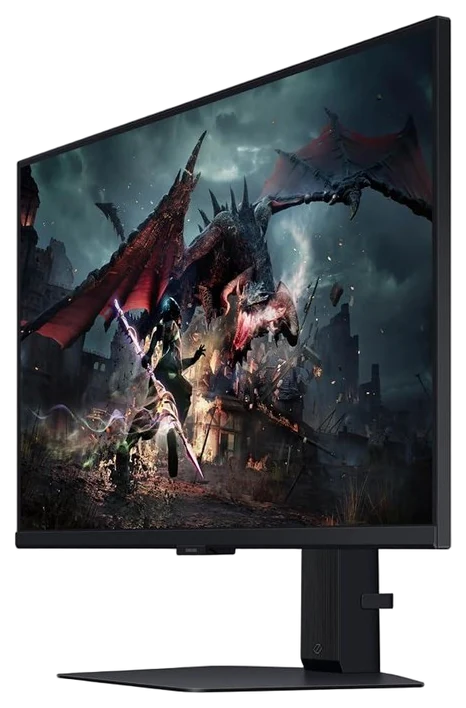
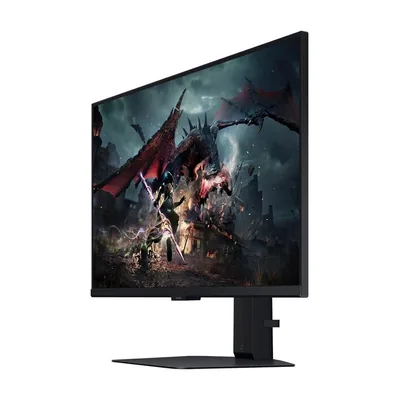
The Samsung Odyssey G5 exists to make high-refresh 1440p boring and affordable, and it succeeds. Check the model code before you click, because G5 is a family name rather than a monitor: the curved VA G55C runs 165Hz and is the panel described below, while the flat Fast IPS G50D and G50F run 180Hz and behave differently. Whichever you land on, this is the line that appears in every “best under $250” conversation and stays there year after year.
The VA panel brings stronger contrast than the IPS picks, blacks look dark for a gaming monitor, and motion at this refresh tier stays clean for all but the most demanding competitive players. FreeSync Premium covers tearing; the 1000R curve on curved variants suits single-viewer desks.
Trade-offs are classic VA: viewing angles narrow and some dark-scene smearing shows in the fastest titles, the UltraGear wins for esports purists. But Samsung’s sales cadence pushes the G5 under $200 at Amazon routinely, and at that price it’s the rational default for most builds.
Strengths
165Hz or better at 1440p, regularly under $200
VA contrast beats IPS rivals
FreeSync Premium standard
Constant sale availability
Tradeoffs
VA smears in darkest fast scenes
Narrower viewing angles
Stand is basic. Consider an arm
Pick 3 of 5: No. 3Best warranty
3
Dell 27 QHD (G-series)
Best warranty
The no-drama workhorse
Get it if reliability and a real warranty outrank benchmark bragging.
Skip it if you game on a console. The G2725D dropped console VRR, and the older G2724D is the one to hunt.
Dell’s 27-inch QHD G-series, currently the G2725D, rarely tops a single benchmark and constantly tops “most recommended” lists anyway, because it optimizes the variable spec sheets ignore: ownership. Factory calibration that respects color, clean design without gamer cosplay, and the industry’s most painless warranty.
That warranty deserves its reputation: advanced exchange ships a replacement before you return the defective unit, and premium-panel coverage takes dead pixels seriously, terms the value brands don’t match. One caveat belongs here rather than in the small print: RTINGS, comparing the G2725D directly against the G2724D it replaced, found the newer model worse on motion handling and build, and it drops variable refresh rate with consoles. The 180Hz IPS panel still tests solidly for PC play at this price, but this is a replacement that went backwards in places, and a G2724D still in stock somewhere is worth taking.
You pay a modest premium over the G5 for that peace of mind, and RGB enthusiasts will find it plain. At $150–200 on Amazon, it’s the monitor you buy to stop thinking about monitors, the office-and-gaming double-lifer.
Strengths
Best-in-class warranty terms
Factory color calibration
Clean looks for office doubling
Solid 180Hz IPS performance
Tradeoffs
Never the spec-sheet winner
Modest premium over value picks
No frills for RGB lovers
Also on the shortlist
Two more, in brief
Pick 4 of 5: No. 4Best for work + play
4
Gigabyte M27Q2
Best for work + play
The KVM productivity sleeper
Get it if a work laptop and gaming PC share your desk.
Skip it if you only use one PC, since the KVM premium buys nothing.
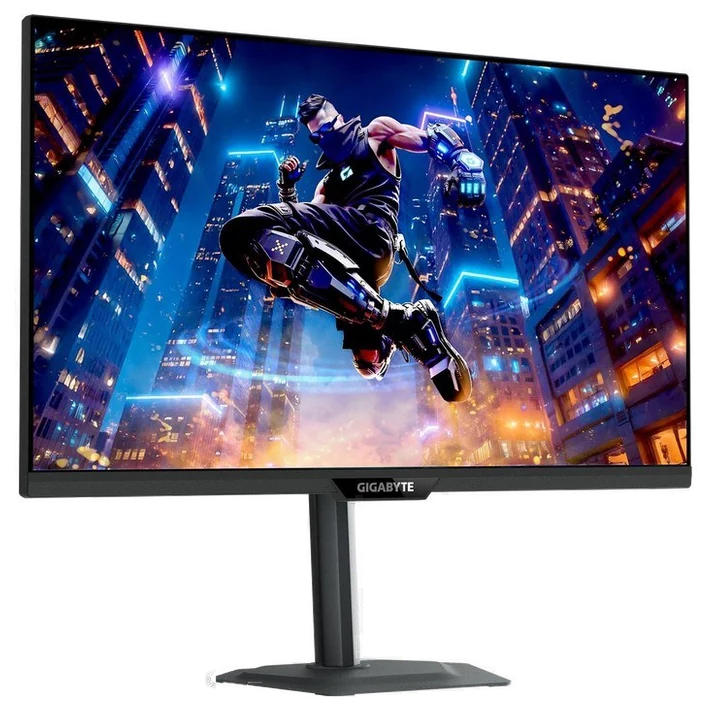
The Gigabyte M27Q2’s cult status carries straight over from the original M27Q: a built-in KVM switch, with its own dedicated button, flips your keyboard, mouse, and screen between your desktop and work laptop with one press. Work-from-home gamers still find their monitor here.
The specs are strong for the price: 200Hz native refresh (overclockable to 210Hz) on the same SS IPS panel class, VESA DisplayHDR 400 certification, and 99% DCI-P3 coverage. USB-C input still powers the laptop-KVM trick with a single cable, so it’s two setups occupying one desk without a cable-swap ritual.
At $155–165 on Amazon, nothing else merges the work laptop and gaming desktop this cleanly for this little money.
Get it if a work laptop and gaming PC share your desk.
Skip it if you only use one PC, since the KVM premium buys nothing.
The Gigabyte M27Q2’s cult status carries straight over from the original M27Q: a built-in KVM switch, with its own dedicated button, flips your keyboard, mouse, and screen between your desktop and work laptop with one press. Work-from-home gamers still find their monitor here.
Read the full case
The specs are strong for the price: 200Hz native refresh (overclockable to 210Hz) on the same SS IPS panel class, VESA DisplayHDR 400 certification, and 99% DCI-P3 coverage. USB-C input still powers the laptop-KVM trick with a single cable, so it’s two setups occupying one desk without a cable-swap ritual.
At $155–165 on Amazon, nothing else merges the work laptop and gaming desktop this cleanly for this little money.
Strengths
Built-in KVM, one-button PC/laptop swap
200Hz refresh, 99% DCI-P3 color
USB-C single-cable laptop hookup
Full-motion stand, not basic
Tradeoffs
Contrast is unremarkable for IPS
DisplayHDR 400 is entry-level HDR
Menu system is clunky
Pick 5 of 5: No. 5Best on sale
5
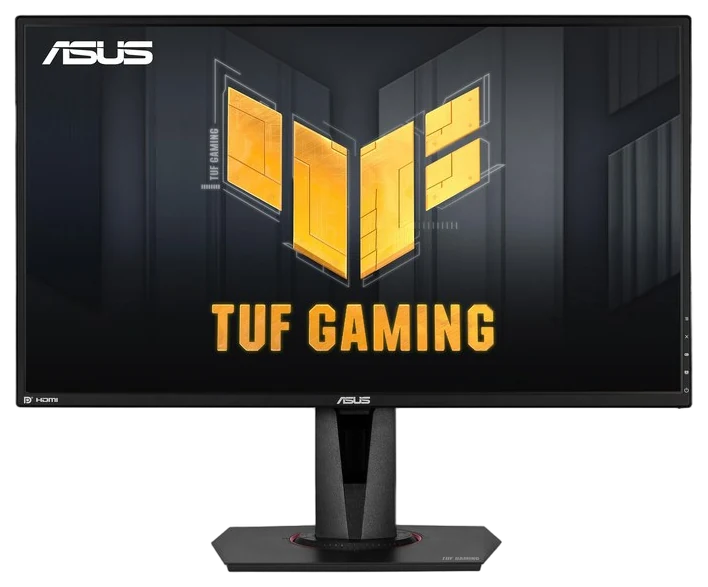
ASUS TUF VG27AQ
Best on sale
The proven veteran
Get it if you buy on sales and want maximum proven value.
Skip it if you’re paying list, newer panels win there.
The ASUS TUF VG27AQ has been recommended for so long it’s practically furniture, and that longevity is its argument: a proven 165Hz IPS panel, years of documented reliability, and continuous price erosion that makes it a perennial deal-alert star.
Its signature remains ELMB-Sync, ASUS’s trick of running backlight-strobing motion-blur reduction and adaptive sync at the same time, which rivals of its era couldn’t. TFTCentral confirmed it works and does sharpen motion, while naming the cost: visible strobe crosstalk, worst toward the screen edges, and degraded quality below roughly 100Hz. Competitive players on a budget still seek it out anyway.
Newer panels beat it on brightness and response at list price. This is a value play, not a spec play. Watch for it near $200 at Amazon during sales (and on the used market cheaper still), where it becomes the best 1440p deal running. Full-price buyers should choose the UltraGear instead.
Get it if you buy on sales and want maximum proven value.
Skip it if you’re paying list, newer panels win there.
The ASUS TUF VG27AQ has been recommended for so long it’s practically furniture, and that longevity is its argument: a proven 165Hz IPS panel, years of documented reliability, and continuous price erosion that makes it a perennial deal-alert star.
Read the full case
Its signature remains ELMB-Sync, ASUS’s trick of running backlight-strobing motion-blur reduction and adaptive sync at the same time, which rivals of its era couldn’t. TFTCentral confirmed it works and does sharpen motion, while naming the cost: visible strobe crosstalk, worst toward the screen edges, and degraded quality below roughly 100Hz. Competitive players on a budget still seek it out anyway.
Newer panels beat it on brightness and response at list price. This is a value play, not a spec play. Watch for it near $200 at Amazon during sales (and on the used market cheaper still), where it becomes the best 1440p deal running. Full-price buyers should choose the UltraGear instead.
Strengths
ELMB-Sync blur reduction + sync together
Proven multi-year reliability record
Perennial sub-$220 sale pricing
Solid 165Hz IPS fundamentals
Tradeoffs
Older panel generation
Middling HDR and brightness
Only worth it at sale prices
Refresh rate, resolution, and panel type do the heavy lifting. Match all three to the graphics card you own.
Refresh rate vs your GPU: 144Hz is the sweet spot; 240Hz and up only helps if your PC can push those frames. A fast panel your card can’t feed is wasted money.
Resolution and size: 1440p at 27 inches is the current value sweet spot — sharper than 1080p without the GPU cost of 4K. Bigger isn’t automatically better at a normal desk distance.
Panel type: IPS gives fast, accurate color for most people; OLED looks stunning with perfect blacks but costs more and carries a small burn-in risk with static bars. VA sits in between.
The common mistake: Chasing 4K or 240Hz your graphics card can’t drive. Buy the monitor to match your GPU, not the other way around.
Alienware AW2725DF — a stunning 1440p 360Hz QD-OLED, but it costs far more than the LCDs here and OLED still carries a small burn-in risk if you park static taskbars on it.
MSI MAG 271QPX QD-OLED — the same lovely OLED image and speed, but again a big price jump, and the glossy coating won’t suit every room’s lighting.
Samsung Odyssey G9 — a giant 49-inch ultrawide if you want full immersion, but it’s overkill and pricey next to the 27-inch 1440p screens this guide is built around.
Gaming monitor FAQs
6 common questions, answered.
Is 1440p better than 4K for gaming?
For most setups, yes: 1440p at 27 inches is sharp enough that pixels disappear at desk distance, while costing your GPU roughly half the frames 4K demands. 4K makes sense with a flagship GPU or for console/TV setups; competitive players often still choose high-refresh 1440p regardless.
How much refresh rate do I need?
At least 144Hz — the jump from 60Hz is transformative, and everyone perceives it. 165→240Hz is noticeable mostly to competitive shooter players. Buy 144Hz minimum in 2026; pay for 240Hz only if you play fast shooters seriously.
IPS or VA panel for gaming?
IPS for color accuracy, viewing angles, and the fastest response: the safe pick. VA for deeper blacks and contrast, great in dark-room single-player use, at the cost of some dark-scene smearing. OLED beats both, at roughly double the price.
What GPU do I need for 1440p high-refresh gaming?
Mid-tier current cards, RTX 5060 Ti/5070 class and their AMD equivalents, drive 1440p at 100+ fps in most titles, especially with DLSS or FSR upscaling on. Esports titles hit 165+ fps on far less. The monitor outlasting the GPU is the good news: buy the 165Hz panel now, and the frames grow into it with your next card upgrade.
Do I need G-Sync or FreeSync?
You have it already: every pick here supports adaptive sync that works with both brands’ current cards. Dedicated G-Sync hardware modules are mostly legacy. What matters is turning it on (it often ships disabled in monitor menus) so tearing disappears at any frame rate. Check the box for the certification tier, then forget about it; the differences within these picks are academic.
Is a 27-inch monitor big enough, or should I go ultrawide?
27 inches at 1440p is the density sweet spot: sharp text, whole screen in your field of view, sane GPU load, which is why it dominates both esports and desk work. Ultrawides are glorious for immersion and multitasking but cost more, demand more GPU, and some competitive titles restrict their aspect ratio. First monitor: 27/1440. Second monitor money: now consider the ultrawide.
Sources
Who the write-ups above lean on, and where each one is cited.
RTINGSCited for LG UltraGear 27″ QHD and Dell 27 QHD (G-series), and in the buying advice.
Monitors UnboxedCited for LG UltraGear 27″ QHD, and in the buying advice.
23Sep 2026Correction, 23 September 2026The Gigabyte M27Q is discontinued. Its successor, the Gigabyte M27Q2, takes its place at about $155–165.Every correction we’ve made ›
25Sep 2026Correction, 25 September 2026The short answer led with the Dell 27 QHD while the guide ranks the LG UltraGear 27-inch QHD first. It now leads with the LG UltraGear 27-inch QHD, with the Dell 27 QHD kept as the next suggestion. No product or price changed.Every correction we’ve made ›
4Oct 2026Correction, 4 October 2026The Dell 27 QHD was badged “Top pick” in the top-picks strip beside the LG UltraGear’s “Best overall”; it is the third pick and its role is best warranty, and the badge now says so. The second short-answer row called the Dell the budget pick, but the guide’s best-value pick is the Samsung Odyssey G5; the row now says “Want a warranty”. A link in that row called the budget gaming PC guide’s pick the best gaming PC under $1,200, and that guide’s limit is $1,000; the link text no longer quotes a limit. The fourth pick was headed with a raw retailer title and is now named Gigabyte M27Q2, as in the table. No pick, price or ranking changed.Every correction we’ve made ›
Prices on this page are re-checked weekly — see the full Gaming price index for every product we cover.
Keep reading
Where to go next.
The close calls side by side, then related guides.
New guides, re-ranked picks and the month's notable changes. No weekly filler, ever.
Unsubscribe any time. Your address goes to our newsletter provider and nowhere else — see our privacy policy.
Manage Consent
To provide the best experiences, we use technologies like cookies to store and/or access device information. Consenting to these technologies will allow us to process data such as browsing behavior or unique IDs on this site. Not consenting or withdrawing consent, may adversely affect certain features and functions.
Functional
Always active
The technical storage or access is strictly necessary for the legitimate purpose of enabling the use of a specific service explicitly requested by the subscriber or user, or for the sole purpose of carrying out the transmission of a communication over an electronic communications network.
Preferences
The technical storage or access is necessary for the legitimate purpose of storing preferences that are not requested by the subscriber or user.
Statistics
The technical storage or access that is used exclusively for statistical purposes.The technical storage or access that is used exclusively for anonymous statistical purposes. Without a subpoena, voluntary compliance on the part of your Internet Service Provider, or additional records from a third party, information stored or retrieved for this purpose alone cannot usually be used to identify you.
Marketing
The technical storage or access is required to create user profiles to send advertising, or to track the user on a website or across several websites for similar marketing purposes.