The Best Gaming Mice and Keyboards of 2026:What Pros Use vs. What You Need
Peripherals are the cheapest performance upgrade in gaming, and the most over-marketed. We compared sensor testing, switch reliability data and pro-scene usage to pick five that earn their spot.
By the BYB Editorial Team
Published July 28, 2026 · Prices checked OctoberOct 5, 2026
Peripherals are the cheapest performance upgrade in gaming, and the most over-marketed. We compared sensor testing, switch reliability data and pro-scene usage to pick five that earn their spot.
How we choseWhat we compared, and how we rank
We compiled sensor and latency testing (RTINGS, Techless benchmark channels), pro-player usage statistics, and long-term durability reviews. Prices are always moving, so every button and link pulls the live listing.
How we rank
Published specifications, verified owner reviews, and independent safety or standards data where it applies — weighted the same for every pick, never sponsored placement.
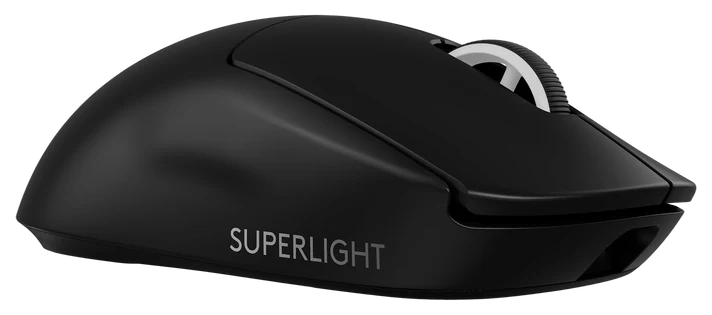
Scan any pro tournament and one shape dominates the tables: the G Pro X Superlight 2. Sixty grams, a Hero 2 sensor that testing sites certify as flawless (no smoothing, no acceleration, no jitter) and a neutral shape that fits most grips without forcing any of them.
The 95-hour battery removed the last practical objection to wireless competition, and Lightspeed’s latency measures indistinguishable from wired in independent tests. This is the mouse aim trainers assume you own.
It is expensive for a mouse with no extra buttons and no RGB, which is exactly the point: every gram serves aim. Players who want binds and features should take the G502 X instead. The Superlight 2 runs $130–160 at Amazon, with modest but regular sale dips.
Strengths
60g with a flawless-rated sensor
Wired-equal wireless latency
95-hour battery
Neutral shape fits most grips
Tradeoffs
Spartan feature set for the price
No RGB or extra buttons
Overkill outside competitive FPS
Pick 2 of 5: No. 2Best all-rounder
2
Logitech G502 X
Best all-rounder
The feature-rich favorite
Get it if you want one mouse for every game genre and work too.
Skip it if you’re a low-sens FPS purist. Go Superlight.
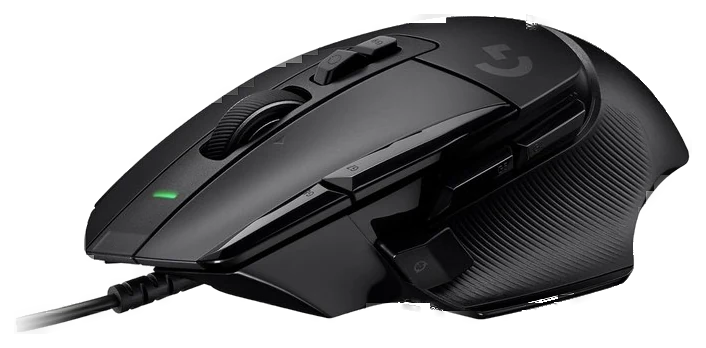
The G502 has outsold everything in gaming mice for a decade because it maximizes the opposite virtue of the Superlight: the G502 X carries thirteen programmable buttons, an infinite-scroll metal wheel, and a sculpted shape owners describe with genuine attachment.
The X refresh fixed the old complaints, weight dropped meaningfully, and the switches went hybrid optical-mechanical: faster actuation and immune to the double-click failure that eventually killed older G502s. Every ability bind, every macro, every productivity shortcut gets a physical home.
It’s the wrong shape for claw-grip flick aiming and it’s no featherweight. That’s the Superlight’s job. For everything else (MMOs, strategy, shooters you play for fun, and the workday after) the G502 X at $60–80 on Amazon remains the best all-round mouse in PC gaming.
Strengths
13 programmable buttons
Infinite-scroll metal wheel
Hybrid switches end double-click failure
Beloved decade-refined shape
Tradeoffs
Heavier than esports mice
Shape wrong for claw flick-aim
Wired (wireless costs more)
Pick 3 of 5: No. 3Best ergo shape
3
Razer DeathAdder V3 Pro
Best ergo shape
The ergo icon
Get it if you palm-grip or have larger hands, comfort decides.
Skip it if your grip is claw/fingertip. The Superlight fits better.
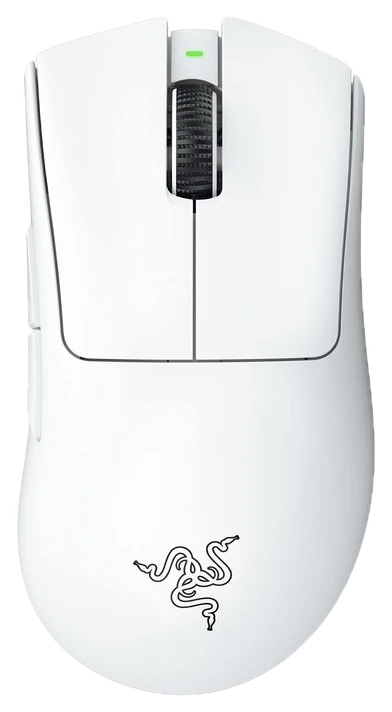
The DeathAdder’s curved ergonomic shape is the most-copied design in mouse history, and the DeathAdder V3 Pro brings it into the sub-65-gram wireless era: 63 grams, a 90-hour battery, and Razer’s Focus Pro sensor that benchmarks alongside Logitech’s best.
For larger hands and palm grippers the comfort difference over symmetrical shapes is immediate and decisive. It is the shape most often suggested to people whose wrists ache after long sessions on symmetrical mice, though that is comfort guidance rather than clinical advice. Pro adoption in tactical shooters is broad and growing.
Between this and the Superlight, the guidance is that hand shape, not specs, should decide: both sensors are beyond human perception. The V3 Pro sells at $75–90 on Amazon; older DeathAdder generations at half price remain the budget backdoor into the shape.
Strengths
Legendary ergo shape at 63g
90-hour battery
Sensor benchmarks with the best
Palm-grip and big-hand favorite
Tradeoffs
Righties only, no left version
Premium price
Two buttons fewer than G502 X
Also on the shortlist
Two more, in brief
Pick 4 of 5: No. 4Best keyboard value
4
Corsair K70 Core
Best keyboard value
The mechanical mainstream pick
Get it if you want a great-typing mechanical board with zero homework.
Skip it if you’re headed down the custom-keyboard rabbit hole anyway.
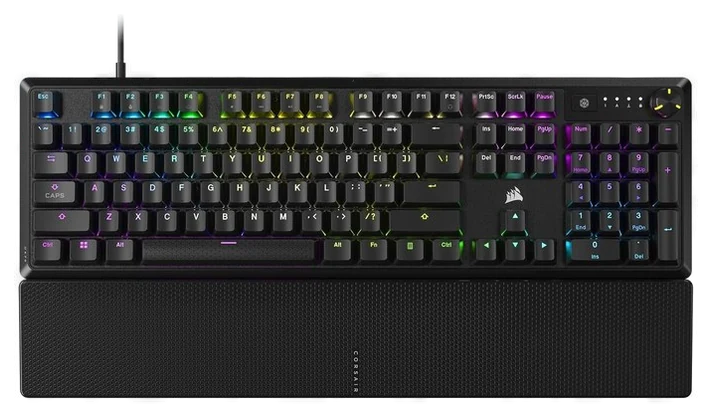
The Corsair K70 Core absorbed a decade of keyboard-hobby lessons: factory-lubed linear switches, two layers of sound dampening, a softer and deeper acoustic profile: and shipped them at half the price the enthusiast market used to charge for that recipe.
Reviewers keep reaching the same verdict: it sounds and feels like boards costing substantially more, with none of the kit-building homework. Corsair’s build reputation and software cover macros, and the media roller earns its place within a day of use.
Purists will note the switches aren’t hot-swappable on every variant and the styling is restrained gamer rather than custom-board chic. For the actual target, a first serious mechanical keyboard that types beautifully out of the box, the K70 Core at $80–100 on Amazon is the current default answer.
Get it if you want a great-typing mechanical board with zero homework.
Skip it if you’re headed down the custom-keyboard rabbit hole anyway.
The Corsair K70 Core absorbed a decade of keyboard-hobby lessons: factory-lubed linear switches, two layers of sound dampening, a softer and deeper acoustic profile: and shipped them at half the price the enthusiast market used to charge for that recipe.
Read the full case
Reviewers keep reaching the same verdict: it sounds and feels like boards costing substantially more, with none of the kit-building homework. Corsair’s build reputation and software cover macros, and the media roller earns its place within a day of use.
Purists will note the switches aren’t hot-swappable on every variant and the styling is restrained gamer rather than custom-board chic. For the actual target, a first serious mechanical keyboard that types beautifully out of the box, the K70 Core at $80–100 on Amazon is the current default answer.
Strengths
Pre-lubed switches, dampened acoustics
Feels a tier above its price
Media roller and solid software
Reliable Corsair build
Tradeoffs
Limited hot-swap options
Restrained looks won’t thrill modders
ABS keycaps at this price
Pick 5 of 5: No. 5Best under $60~$40–55
5
SteelSeries Apex 3
Budget pickBest under $60
The budget board that gets the basics right
Get it if quiet matters and the budget prioritizes the mouse.
Skip it if you’ve felt a good mechanical and can’t go back.
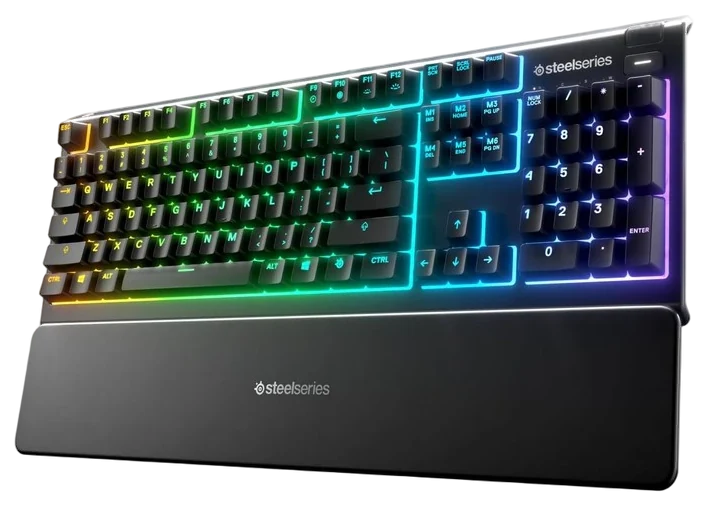
Not every desk needs mechanical, and the SteelSeries Apex 3 makes the case: whisper-quiet membrane switches that keep late-night sessions inaudible on calls and to sleeping households, with gaming-grade anti-ghosting where it counts.
The quietly killer spec is IP32 water resistance, the inevitable desk-drink incident that executes ordinary keyboards becomes a paper-towel moment. Ten-zone RGB and media controls round out a feature list that embarrasses its price.
Membrane is membrane: typing feel is soft and unremarkable next to the K70 Core, and enthusiasts should skip straight past. But at $40–55 on Amazon, it leaves budget for the mouse, where accuracy lives, and that’s the budget-build strategy.
Get it if quiet matters and the budget prioritizes the mouse.
Skip it if you’ve felt a good mechanical and can’t go back.
Not every desk needs mechanical, and the SteelSeries Apex 3 makes the case: whisper-quiet membrane switches that keep late-night sessions inaudible on calls and to sleeping households, with gaming-grade anti-ghosting where it counts.
Read the full case
The quietly killer spec is IP32 water resistance, the inevitable desk-drink incident that executes ordinary keyboards becomes a paper-towel moment. Ten-zone RGB and media controls round out a feature list that embarrasses its price.
Membrane is membrane: typing feel is soft and unremarkable next to the K70 Core, and enthusiasts should skip straight past. But at $40–55 on Amazon, it leaves budget for the mouse, where accuracy lives, and that’s the budget-build strategy.
Strengths
Near-silent for calls and nights
IP32 survives drink spills
Full anti-ghosting and media keys
Leaves budget for the mouse
Tradeoffs
Membrane feel, not mechanical
Soft, light keypress won’t suit all
Basic keycap quality
Weight and shape decide mice; switches and build decide keyboards; RGB decides nothing. Fit the gear to your hand and how you play.
Mouse weight and shape: Lighter helps fast aim, but only if the shape fits your grip. Match the size to your hand and how you hold it — palm, claw, or fingertip — before you look at anything else.
Switch type: Mechanical switches feel and last better than membrane; linear (red) suits gaming, tactile (brown) if you also type a lot. Hall-effect boards add adjustable actuation for competitive play.
Wired vs wireless: Good wireless is now lag-free but costs more; wired never needs charging. For a keyboard that lives on your desk, wired is usually the sensible pick.
The common mistake: Buying for RGB and spec sheets. Feel and fit are personal — a $60 mouse that suits your hand beats a $160 one that doesn’t.
Wooting 60HE — the analog rapid-trigger switches are a real edge in competitive shooters, but the 60% layout drops the arrow and nav keys, and stock is hard to find.
Razer Huntsman V3 Pro — adjustable actuation you can tune per game, but the optical switches sound hollow and you pay a premium for the feature.
Glorious Model O 2 — a light mouse for flick-heavy aim, but the shape isn’t for everyone and the coating can wear over time.
Keychron Q1 — a fantastic typing board that doubles for work, but it’s heavy, wired, and not tuned for the fastest gaming response.
Peripheral FAQs
6 common questions, answered.
Do gaming mice improve aim?
Only a little: it removes hardware friction and fatigue, not skill. It won’t install skill, but pros converge on 55–65g wireless mice because at their level, hardware friction is the difference. For everyone else: comfort and shape first.
Are linear, tactile, or clicky switches better for gaming?
Linear (red-type) switches dominate gaming for their smooth, fast actuation. Tactiles suit typists who game; clickies suit people who live alone. It’s preference, not performance. Actuation differences are milliseconds no human notices.
Is wireless gaming gear finally lag-free?
Yes, for a half-decade now. Modern 2.4GHz gaming wireless (Logitech Lightspeed, Razer HyperSpeed) measures at or below wired latency. Bluetooth is the mode to avoid for gaming, not wireless itself.
How long do gaming mice and keyboards last?
Mechanical keyboards are decade devices. Switches are rated for tens of millions of presses and the frames outlive PCs. Mice fail at the click switches and cables, typically after three to five hard years; the hybrid optical switches in the G502 X and DeathAdder V3 Pro were designed specifically to kill the double-click failure that plagued older mice. Buy once at these tiers and the next upgrade will be by choice, not necessity.
What mouse weight should I look for?
Under 65 grams is the competitive-FPS zone the Superlight and DeathAdder occupy. Flick aim gets easier. But weight is a preference, not a score: MMO and strategy players often prefer the planted feel of an 80–100g mouse like the G502 X, and its button count matters more than its mass. Match the weight to the games you play most.
Full-size, TKL, or compact keyboard?
TKL for most people — full-size only if you use the number pad often. If the answer is “spreadsheets, sometimes,” tenkeyless (TKL) is the sweet spot. You keep every key that matters and reclaim four inches of mouse room, which low-sensitivity FPS players need. Full-size suits number-entry workers; 60% compacts suit minimal desks and tinkerers. Mouse space is the hidden variable most buyers discover too late.
Prices on this page are re-checked weekly — see the full Gaming price index for every product we cover.
Keep reading
Where to go next.
The close calls side by side, then related guides.
New guides, re-ranked picks and the month's notable changes. No weekly filler, ever.
Unsubscribe any time. Your address goes to our newsletter provider and nowhere else — see our privacy policy.
Manage Consent
To provide the best experiences, we use technologies like cookies to store and/or access device information. Consenting to these technologies will allow us to process data such as browsing behavior or unique IDs on this site. Not consenting or withdrawing consent, may adversely affect certain features and functions.
Functional
Always active
The technical storage or access is strictly necessary for the legitimate purpose of enabling the use of a specific service explicitly requested by the subscriber or user, or for the sole purpose of carrying out the transmission of a communication over an electronic communications network.
Preferences
The technical storage or access is necessary for the legitimate purpose of storing preferences that are not requested by the subscriber or user.
Statistics
The technical storage or access that is used exclusively for statistical purposes.The technical storage or access that is used exclusively for anonymous statistical purposes. Without a subpoena, voluntary compliance on the part of your Internet Service Provider, or additional records from a third party, information stored or retrieved for this purpose alone cannot usually be used to identify you.
Marketing
The technical storage or access is required to create user profiles to send advertising, or to track the user on a website or across several websites for similar marketing purposes.