No. 1 · Best overall
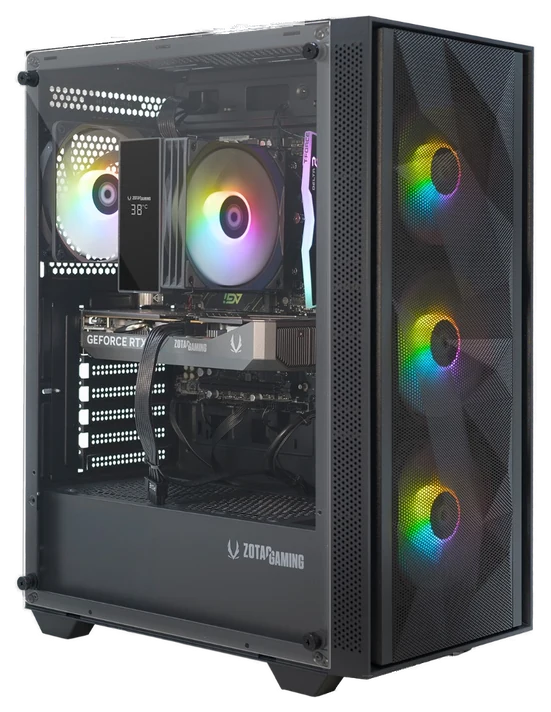
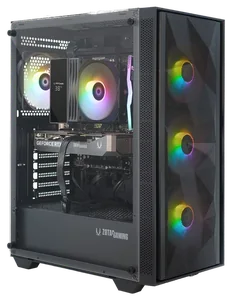
ZOTAC MEK 5050
RTX 5050 with a 1TB drive, sold by the card maker
~$880–1,000
View on AmazonUnder a grand is where prebuilt builders hide their sins. We compared the sub-$1,000 market against expert benchmarks and thousands of owner reviews to find the two configs actually worth buying, and the four traps to walk past.
Our pickFor most people
The strongest current-gen build that stays under this guide’s line, though it sits at the cap on a normal day and dips on sale.
ZOTAC MEK 5050No. 1 · ~$880–1,000
View on AmazonNo. 1 · Best overall
RTX 5050 with a 1TB drive, sold by the card maker
~$880–1,000
View on AmazonWe compared PC Gamer’s, GamesRadar’s and Newegg’s 2026 benchmark testing against the manufacturer specs and verified owner reviews rather than bench-testing these ourselves. How we chose How we verify Corrections logged publicly
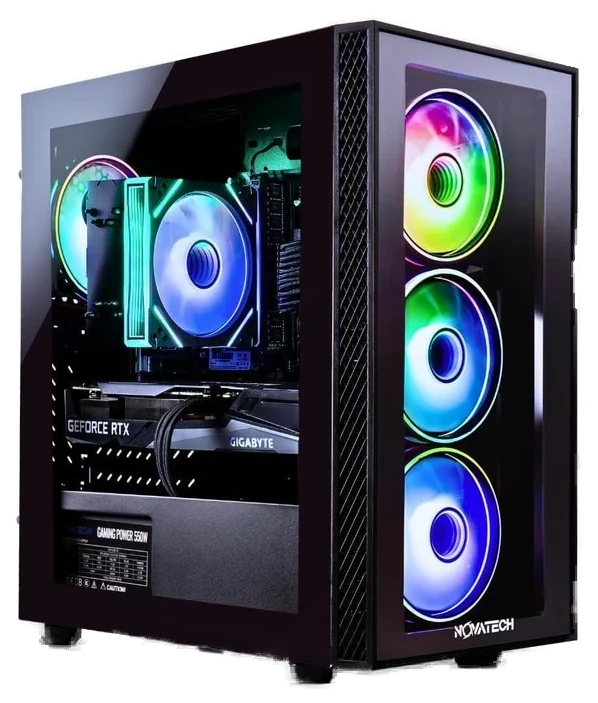
The top pick is now the ZOTAC MEK 5050 (RTX 5050, Ryzen 5 5500, 16GB, 1TB drive), about $880–1,000, replacing the Novatech Titan. Novatech's RTX 5050 build is $999.99 on its own site against a $1,049.99 list price, a one-cent margin under this guide's $1,000 line, so it moves to What we skipped. ZOTAC lists the MEK at $999.99 in its own store and retailers sell it for less, so the pick sits at the line on a normal day and dips below it on sale. The WIWB Gaming PC is unchanged.
This guide's title and top pick had drifted to $1,200 while the slug still promised $1,000. It has been re-picked: the Novatech Titan Pro (RTX 5060, ~$1,050) and CyberPowerPC Gamer Xtreme (~$1,150–1,300) are no longer picks here, since neither reliably prices under $1,000; the top pick is now the Novatech Titan (RTX 5050 configuration), $999.99. The WIWB Gaming PC is unchanged.
Dated notes already published on this page, newest first. Every correction we make is logged on the corrections page.
| Differences | No. 1ZOTAC MEK 5050 | No. 2WIWB Gaming PC |
|---|---|---|
| Price rangeon one $850–1,000 scale | ~$880–1,000 | Around $850–900 |
| Best for | 1080p gamers who want it right the first time | First setups and esports titles |
| GPU class | RTX 5050, current generation | RTX 3050 8GB, last generation |
From each pick’s review below. We compared maker specs and listings, not readings we took.
Pick 1 of 2: No. 1 · Best overall
RTX 5050 with a 1TB drive, sold by the card maker
~$880–1,000Estimated price
View on AmazonGet it ifyour monitor is 1080p and $1,000 is a hard line.
Skip it ifa 1440p monitor is in your near-term plans; the RTX 5060 step up starts around $1,050 (see What we skipped below).
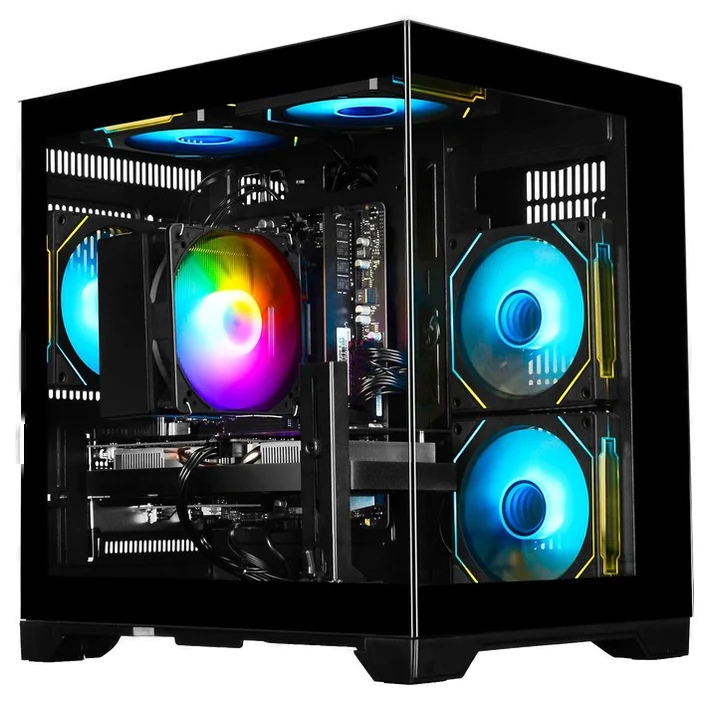
The ZOTAC MEK 5050 is the best RTX 5050 desktop we found that stays under this guide’s line. ZOTAC, the company that makes the graphics card, sells it with a Ryzen 5 5500, 16GB of dual-channel DDR4-3200 and a 1TB NVMe drive, and the spec sheet names a 650W 80+ Gold power supply and WiFi 6E.
Be clear about the price. ZOTAC’s own store lists it at $999.99, which is where it sits on a normal day, so this pick clears the line by a cent rather than by a margin. Retailers dip below that: it read $899.99 on Amazon and $879.99 on sale at Newegg (list $999.99) when we checked. Prices move week to week, so check before you buy, and wait for a sale if your retailer shows more than $1,000.
The RTX 5050 is the entry rung of NVIDIA’s current Blackwell line, built for 1080p at high settings, not 1440p. The Ryzen 5 5500 sits on the older AM4 platform, which keeps the price down and ends the upgrade path at Ryzen 5000-series chips. ZOTAC covers the PC for one year and the graphics card for three. At $880–1,000, it is the simplest answer at this budget: if your monitor is 1080p, buy this and spend any sale savings on games.
Strengths
Tradeoffs
Pick 2 of 2: No. 2 · Budget floor
The absolute floor
Around $850–900Estimated price
View on AmazonGet it ifyou’re buying a first setup built around esports titles, and $850–900 is the real budget.
Skip it ifyou want new AAA releases at high settings.
Below $800, nearly everything sold as a gaming PC is an office tower cosplaying in RGB. The WIWB Gaming PC is the exception that keeps a real discrete graphics card, an RTX 3050 with the full 8GB of VRAM, a detail worth underlining because cut-down versions of this card exist and age badly. That 8GB is exactly enough for the games most first setups run: Fortnite, Valorant, Roblox, and Minecraft, all at the high refresh rates those games reward.
Owner reviews on machines in this class tell a consistent story: esports titles run fast and smooth at 1080p, bigger single-player games run at 1080p medium, and everything works out of the box without a parts swap. That’s the right result for the buyer this machine is for, a first setup for a new gamer, where the games are competitive titles and the budget is real. It’s a functioning on-ramp to PC gaming at a price where most alternatives are fakes.
The catch is headroom. The RTX 3050 is a last-generation card, and 1080p medium is its ceiling in demanding AAA releases. Don’t buy this planning to drive a 1440p monitor, ever. If that stings, our top pick above is the meaningful upgrade. But at around $850–900 at Amazon, this is the least you can spend and still get a real gaming PC, and for a first setup built around esports titles, the least is enough.
Strengths
Tradeoffs
Memory costs and RTX 50-series pricing have pushed most machines in this tier past $1,000. The Novatech Titan Pro (RTX 5060) and CyberPowerPC Gamer Xtreme are still real machines, but neither reliably prices under $1,000 today, so neither is a pick here; both are covered in What we skipped below for anyone with more room to spend.
Two picks, not three. The ZOTAC MEK 5050 holds the line with a real current-generation GPU and a 1TB drive: $999.99 in ZOTAC’s own store and lower at retailers, so the honest range is about $880–1,000. The WIWB build still covers the floor below it. The ZOTAC price was re-checked against live listings on 7 October 2026 and the WIWB range on 27 September 2026.
At this price roughly half your money should go to the graphics card, and the rest is about not getting cheated on the parts you can’t see.
6 common questions, answered.
Roughly half. The GPU is the single component that determines your frame rates; the CPU, RAM, and storage need to stay out of its way. A build that spends $500 on the graphics card and keeps the rest modest will outgame a build with a flashy case, extra RAM, and a weak GPU every time. Every pick in this guide follows that ratio, every machine we rejected broke it.
A listing that says “16GB RAM” but ships it as one stick instead of two. Single-channel memory quietly costs 10–15% of your frame rate compared to the same 16GB in dual-channel, free performance the builder threw away to save a few dollars. If the spec sheet doesn’t say “2x8GB” or “dual-channel,” ask or assume the worst. Two sticks or walk away.
Read the model number, not the marketing. A “4060” and a “3060” read almost identically in a listing headline, but the number after RTX matters more than anything else in the box. It can mean a two-generation performance gap at the same price. Verify the exact GPU model in the listing title before checkout, and be suspicious of any listing that buries or omits it.
A power supply the listing won’t name, and a “gaming” tower with no discrete GPU in the specs, are the two to watch for. First, the mystery power supply: if the listing won’t name the PSU brand, the builder is telling you something. A cheap PSU is where budget builds cut the most dangerous corner. Second, “gaming” RGB towers with integrated graphics: if there’s no discrete GPU line in the specs, the lights are the fastest thing in the case, no matter how aggressive the case looks.
Plan around Black Friday, back-to-school, and major holiday sales. Prebuilt makers run real markdowns around those windows, and a machine that sits at $1,050 to $1,150 most of the year can dip toward $900 for a week. If you can wait a few weeks for one of those windows, do it. Re-verify the exact GPU in the discounted config; sale listings shuffle parts most often.
Only if a 1440p monitor is in your plans. At 1080p, where most people at this budget play, a well-built machine at this budget, like our top pick, delivers high settings with ray tracing, and extra spend brings diminishing returns. If you do want more headroom, our full Top 7 gaming PCs of 2026 guide covers every budget up to “money no object,” and the picks there scale sensibly instead of just adding RGB.
We compared PC Gamer’s, GamesRadar’s and Newegg’s 2026 benchmark testing against the manufacturer specs and verified owner reviews rather than bench-testing these ourselves. Prices are approximate ranges, checked 27 September 2026 (the ZOTAC again on 7 October 2026); the buttons pull live listings.
How we rank
Published specifications, verified owner reviews, and independent safety or standards data where it applies — weighted the same for every pick, never sponsored placement.
Correction, 27 September 2026: This guide’s title and top pick had drifted to $1,200 while the slug still promised $1,000. It has been re-picked: the Novatech Titan Pro (RTX 5060, ~$1,050) and CyberPowerPC Gamer Xtreme (~$1,150–1,300) are no longer picks here, since neither reliably prices under $1,000; the top pick is now the Novatech Titan (RTX 5050 configuration), $999.99. The WIWB Gaming PC is unchanged.
Every correction we’ve made
Correction, 7 October 2026: The top pick is now the ZOTAC MEK 5050 (RTX 5050, Ryzen 5 5500, 16GB, 1TB drive), about $880–1,000, replacing the Novatech Titan. Novatech’s RTX 5050 build is $999.99 on its own site against a $1,049.99 list price, a one-cent margin under this guide’s $1,000 line, so it moves to What we skipped. ZOTAC lists the MEK at $999.99 in its own store and retailers sell it for less, so the pick sits at the line on a normal day and dips below it on sale. The WIWB Gaming PC is unchanged.
Every correction we’ve made
Related guides, then every guide in the department.