The Best TVs and Streaming Gear of 2026:Mini-LED Against OLED Value
TV buying collapsed into one question: brilliant-and-cheap Mini-LED, or perfect-blacks OLED for double the price? We compared panel testing and real pricing to answer it, plus the streaming add-ons that upgrade any TV.
By the BYB Editorial Team
Published July 28, 2026 · Updated · Prices checked OctoberOct 5, 2026
TV buying collapsed into one question: brilliant-and-cheap Mini-LED, or perfect-blacks OLED for double the price? We compared panel testing and real pricing to answer it, plus the streaming add-ons that upgrade any TV.
How we choseWhat we compared, and how we rank
We compiled panel measurements from RTINGS, real pricing over 90 days, and long-term reliability reports. Prices are always moving, so every button and link pulls the live listing.
How we rank
Published specifications, verified owner reviews, and independent safety or standards data where it applies — weighted the same for every pick, never sponsored placement.
What changed2 dated notes · latest 25 September 2026
CorrectedThis guide’s short answer recommended the Hisense U8, but its ranking put the TCL QM7L first. The Hisense U8 now leads the ranking, so the two agree. No product or price changed.
CorrectedTCL doesn't sell a model called the QM8K. The pick is now the 65-inch TCL QM7L Mini-LED at about $950–1,150.
Dated notes already published on this page, newest first. Every correction we make is logged on the corrections page.
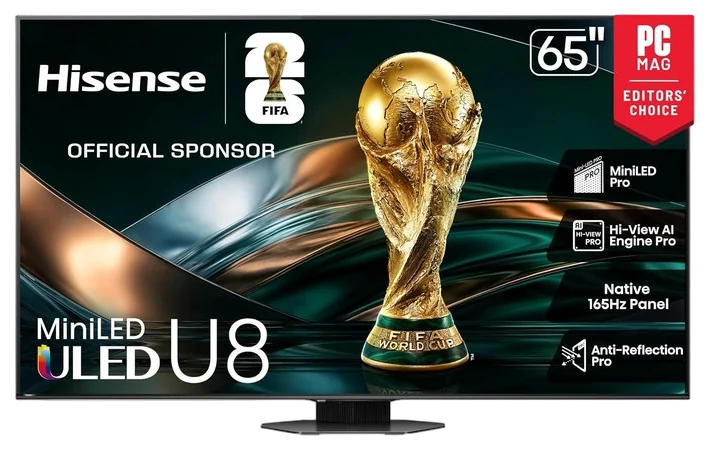
Hisense’s U8 series trades punches with the TCL below and often wins on the single spec that decides bright rooms: raw peak brightness. HDR highlights hit with an intensity that makes sunlit viewing genuinely good, not just tolerable.
The gaming story is arguably the strongest at the price, up to 165Hz refresh for PC players plus the full VRR suite, and RTINGS consistently places the U8’s local dimming among the best in its class. Like the TCL, it makes the legacy brands explain themselves.
Between the two value flagships, the guidance is the guidance reviewers give: buy whichever is cheaper in your size the week you shop, they leapfrog each other constantly. The U8 runs $800–1,100 for a 65-inch at Amazon, and holiday pricing regularly knocks hundreds off.
Strengths
Extreme brightness for sunny rooms
165Hz PC gaming support
Local dimming among class best
Aggressive holiday pricing
Tradeoffs
Off-axis viewing washes out
Software less polished than rivals
Speakers merit a soundbar
Pick 2 of 5: No. 2Best value big TV
2
TCL 65-Inch QM7L Series Mini-LED QLED TV
Best value big TV
The value king of Mini-LED
Get it if your room is bright and you want the most picture per dollar.
Skip it if you watch in a dark room with seats off to the side.
TCL’s 65-inch QM7L is why TV reviewers keep reaching for the word “disruptive”: quantum-dot Mini-LED brightness TCL rates up to 3,000 nits peak, deep local-dimming contrast from up to 2,100 zones, and a full 144Hz gaming feature set with VRR — at roughly half the price of the legacy-brand equivalents. Independent measurements land around 2,400 nits in Filmmaker Mode and near 3,500 nits in a small highlight window, numbers that fight sunlit rooms and win.
Tom’s Guide, CGMagazine, and Digital Trends all call the QM7L the top mini-LED value TV of 2026: HDR highlights pop, sports stay clear in bright daylight rooms, and the faster panel covers console and PC gamers alike. This is the TV that keeps making $2,000 sets a hard sell.
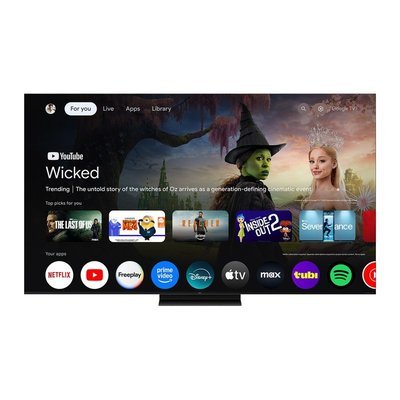
The notes: the built-in Google TV software is fine but ad-heavier than a Roku box, and viewing angles wash out off to the sides, a classic LED trait the OLED below doesn’t share. At $950–1,150 for the 65-inch at Amazon, it’s the bright-room champion — the step-up 65QM8L runs about $1,500, outside this guide’s value lane, which keeps the QM7L the sweet spot while it’s in stock.
Strengths
Brightness that beats sunlit rooms
Top of picture-per-dollar rankings
Full 144Hz gaming feature set
Huge sizes at sane prices
Tradeoffs
Viewing angles wash out off-axis
Ad-heavy built-in software
Chunky profile versus OLED
Pick 3 of 5: No. 3Best picture~$1,100–1,500 for 55″
3
LG C-Series OLED
Upgrade pickBest picture
The reference picture
Get it if movie nights happen with the lights down and quality leads, and $1,100–1,500 for the 55-inch is worth the picture.
Skip it if the TV faces a sunny window. Mini-LED wins there.
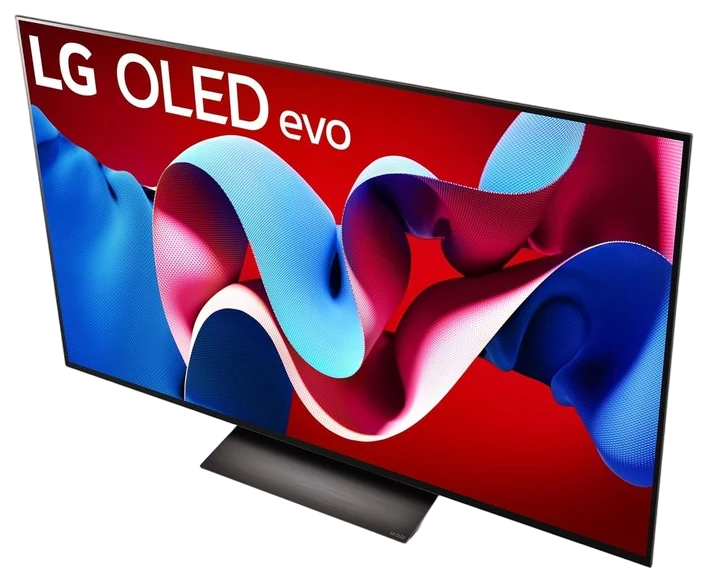
The LG C-series has been the default answer to “which OLED?” for a decade, and the streak holds: self-lit pixels deliver contrast no backlight can imitate, with perfect blacks that make dark-room movie nights look like a commercial cinema.
It’s also the console gamer’s standard: four full HDMI 2.1 ports (rivals ration them), 165Hz with VRR and instantaneous response times that RTINGS consistently ranks among the best gaming displays, period. Viewing angles are effectively perfect. Every seat gets the same picture.
OLED’s trades are known: peak brightness can’t match the Mini-LED picks in a sun-blasted room, and static-logo burn-in remains a small long-term consideration (much reduced in current panels). At $1,100–1,500 for a 55-inch at Amazon, with last-gen models on perennial discount. It’s the picture-quality pick.
Strengths
Contrast and blacks nothing else matches
Four HDMI 2.1 ports for consoles
Perfect viewing angles
Best-in-class response times
Tradeoffs
Dimmer than Mini-LED in bright rooms
Burn-in a small long-term factor
Price per inch above the value picks
Also on the shortlist
Two more, in brief
Pick 4 of 5: No. 4Best streaming box
4
Roku Ultra
Best streaming box
Fix any TV’s software without replacing the TV
Get it if your TV’s panel is fine but its software is slow.
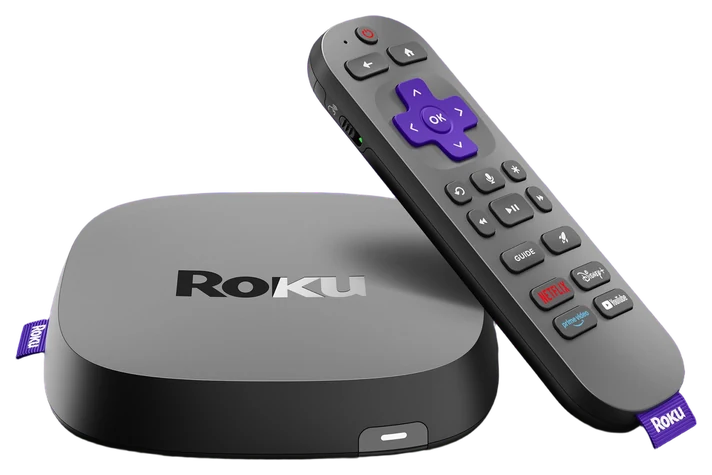
TV software ages far faster than panels, and the Roku Ultra is the cure: if your five-year-old TV’s picture is fine but its menus crawl, this box makes it feel new, with instant search across every service, fast app launches and no platform favoritism.
Roku remains the least aggressive major platform about advertising and the most neutral about services, and the Ultra adds the practical touches: a lost-remote finder, Dolby Vision and Atmos passthrough, and an Ethernet port for stubborn Wi-Fi corners.
The price is the news here, and it is recent. Roku put the Ultra up from $99.99 to $149.99 in late July 2026, blaming memory-chip costs, so anything you read describing this as a sub-$100 box predates the change. At $149.99 the arithmetic still works if it postpones a four-figure TV purchase, but it is no longer the impulse buy it was, and Roku’s cheaper sticks now deserve a look before you default to the Ultra. If you just bought one of the TVs above, skip it entirely: their built-in platforms are current.
Get it if your TV’s panel is fine but its software is slow.
Skip it if you’re buying a new TV anyway.
TV software ages far faster than panels, and the Roku Ultra is the cure: if your five-year-old TV’s picture is fine but its menus crawl, this box makes it feel new, with instant search across every service, fast app launches and no platform favoritism.
Read the full case
Roku remains the least aggressive major platform about advertising and the most neutral about services, and the Ultra adds the practical touches: a lost-remote finder, Dolby Vision and Atmos passthrough, and an Ethernet port for stubborn Wi-Fi corners.
The price is the news here, and it is recent. Roku put the Ultra up from $99.99 to $149.99 in late July 2026, blaming memory-chip costs, so anything you read describing this as a sub-$100 box predates the change. At $149.99 the arithmetic still works if it postpones a four-figure TV purchase, but it is no longer the impulse buy it was, and Roku’s cheaper sticks now deserve a look before you default to the Ultra. If you just bought one of the TVs above, skip it entirely: their built-in platforms are current.
Strengths
Revives slow smart TVs instantly
Least ad-pushy major platform
Lost-remote finder
Dolby Vision + Atmos passthrough
Tradeoffs
Redundant with new TVs
Home screen carries some ads
Went from $100 to $150 in July 2026
Pick 5 of 5: No. 5Cheapest cinema upgrade~$60–110
5
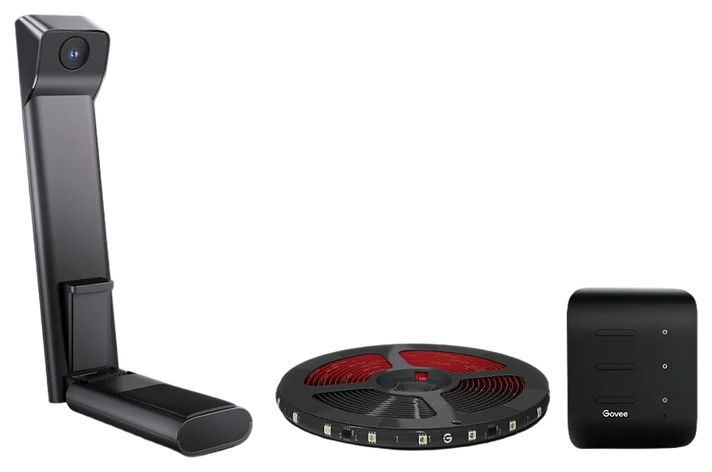
Govee TV Backlight 3 Lite
Budget pickCheapest cinema upgrade
The immersion multiplier
Get it if you want the biggest movie-night vibe boost per dollar, for $60–90.
Skip it if minimal setups bother you. It adds a strip and camera.
Bias lighting is the cheapest legitimate picture upgrade in home theater: a soft glow behind the TV deepens perceived contrast and cuts eye strain in dark rooms. The Govee TV backlight adds the party trick, a small camera watches the screen and matches the glow to whatever’s playing.
The effect on movie nights is the thing guests ask about: explosions spill orange onto the wall, ocean scenes wash it blue, and the screen looks bigger and punchier. Setup is a strip, a camera, and twenty minutes; the app handles calibration.
It’s an accent, not a necessity, purists sometimes prefer a static neutral white, which this also does. At $60–110 at Amazon with constant coupons, it’s the lowest-cost way to make any TV on this page feel more cinematic tonight.
Get it if you want the biggest movie-night vibe boost per dollar, for $60–90.
Skip it if minimal setups bother you. It adds a strip and camera.
Bias lighting is the cheapest legitimate picture upgrade in home theater: a soft glow behind the TV deepens perceived contrast and cuts eye strain in dark rooms. The Govee TV backlight adds the party trick, a small camera watches the screen and matches the glow to whatever’s playing.
Read the full case
The effect on movie nights is the thing guests ask about: explosions spill orange onto the wall, ocean scenes wash it blue, and the screen looks bigger and punchier. Setup is a strip, a camera, and twenty minutes; the app handles calibration.
It’s an accent, not a necessity, purists sometimes prefer a static neutral white, which this also does. At $60–110 at Amazon with constant coupons, it’s the lowest-cost way to make any TV on this page feel more cinematic tonight.
Strengths
Visibly deepens perceived contrast
Color-sync party trick guests notice
Cuts dark-room eye strain
Cheap and coupon-heavy
Tradeoffs
Accent upgrade, not essential
Camera needs one-time calibration
Adhesive mounting is semi-permanent
Your room and how you watch matter more than any single spec on the box.
Room brightness decides the tech: OLED looks best in a dark room, while Mini-LED’s extra brightness wins in a sunny space, so buy for the light you have.
Size over specs: most people underbuy; a bigger screen at a lower tier usually pleases you more than a smaller, fancier panel.
Gaming features if you game: look for 120Hz and HDMI 2.1 ports, and count them, since some sets only give you one or two.
The common mistake: leaning on the TV’s built-in apps; a cheap external streamer like the Roku stays faster and better supported for years.
Samsung S95F OLED — a superb flagship, but it’s priced well above our picks and still skips Dolby Vision, which the LG C5 handles.
Sony Bravia 8 II OLED — gorgeous picture, but you pay a premium and only get two HDMI 2.1 ports if you game.
Apple TV 4K — the best streamer if you live in Apple’s world, but it’s overkill and pricier than the Roku for most people.
Amazon Fire TV Stick 4K Max — cheap and capable, but the interface pushes Amazon’s own content harder than we’d like.
TV buying FAQs
6 common questions, answered.
Mini-LED or OLED?
Room brightness decides: OLED’s perfect blacks win in dim rooms; Mini-LED’s superior brightness wins with sunlight. Gamers with dark setups lean OLED; families with bright living rooms lean Mini-LED and save money doing it.
Is a streaming box still worth it with a smart TV?
If your TV is under two years old, usually not. Older than that, a $80 Roku outruns the TV’s aging chip, gets updates for years, and skips the increasingly ad-heavy built-in platforms.
What TV size should I buy?
Bigger than you think: the standard viewing-distance math (distance in inches ÷ 1.5 for 4K) says most living rooms support 65–75 inches. The most common post-purchase regret in TV reviews is buying too small.
When is the best time to buy a TV?
TVs have the most predictable sale calendar in tech: Black Friday through the Super Bowl is the deep-discount season, and new models arriving each spring push the outgoing year’s sets to their lowest prices around late summer. Last year’s flagship at 30–40% off is routinely a better buy than this year’s mid-ranger at list. Avoid buying at full price in spring.
Do I need HDMI 2.1 and 120Hz?
Only gamers do, and only console/PC gamers at that. HDMI 2.1 with 120Hz enables the smooth high-frame modes on current consoles, the LG, TCL, and Hisense picks here all support it. For streaming and cable, 60Hz is invisible in practice; motion-smoothing settings matter more, and most sets ship with them set too aggressively. Turn soap-opera mode off and enjoy.
Is it worth mounting the TV or paying for calibration?
Mounting: yes if it gets the screen to eye level and cables managed. Height matters more to comfort than most picture settings. Paid calibration: not anymore for most people. Modern sets ship with a Filmmaker or Cinema mode that lands close to reference out of the box; selecting it (and switching off max-brightness showroom mode) captures most of what a calibrator would fix.
Sources
Who the write-ups above lean on, and where each one is cited.
RTINGSCited for Hisense U8 Series and LG C-Series OLED, and in the buying advice.
Tom’s GuideCited for TCL 65″ QM7L.
Digital TrendsCited for TCL 65″ QM7L.
23Sep 2026Correction, 23 September 2026TCL doesn’t sell a model called the QM8K. The pick is now the 65-inch TCL QM7L Mini-LED at about $950–1,150.Every correction we’ve made ›
25Sep 2026Correction, 25 September 2026This guide’s short answer recommended the Hisense U8, but its ranking put the TCL QM7L first. The Hisense U8 now leads the ranking, so the two agree. No product or price changed.Every correction we’ve made ›
Prices on this page are re-checked weekly — see the full Electronics price index for every product we cover.
Keep reading
Where to go next.
Related guides, then every guide in the department.
New guides, re-ranked picks and the month's notable changes. No weekly filler, ever.
Unsubscribe any time. Your address goes to our newsletter provider and nowhere else — see our privacy policy.
Manage Consent
To provide the best experiences, we use technologies like cookies to store and/or access device information. Consenting to these technologies will allow us to process data such as browsing behavior or unique IDs on this site. Not consenting or withdrawing consent, may adversely affect certain features and functions.
Functional
Always active
The technical storage or access is strictly necessary for the legitimate purpose of enabling the use of a specific service explicitly requested by the subscriber or user, or for the sole purpose of carrying out the transmission of a communication over an electronic communications network.
Preferences
The technical storage or access is necessary for the legitimate purpose of storing preferences that are not requested by the subscriber or user.
Statistics
The technical storage or access that is used exclusively for statistical purposes.The technical storage or access that is used exclusively for anonymous statistical purposes. Without a subpoena, voluntary compliance on the part of your Internet Service Provider, or additional records from a third party, information stored or retrieved for this purpose alone cannot usually be used to identify you.
Marketing
The technical storage or access is required to create user profiles to send advertising, or to track the user on a website or across several websites for similar marketing purposes.