No. 2 · The daily-use win
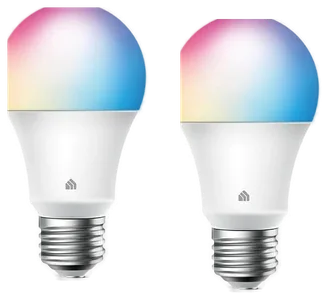
Kasa or Wiz color bulbs (2)
The daily-use win, without the Hue tax
Around $20–30 for two
View on AmazonYou don't need a $1,200 system to find out if the smart home is for you. Industry guides put a functional starter at $150–300. Here is the tighter version: four devices, about $150, every ecosystem.
No. 1 · Our pickFor most people
A starter kit should be useful in week one, not impressive at a party.
Kasa Smart Plugs ×4No. 1 · Around $25–35 for four
View on AmazonNo. 2 · The daily-use win
The daily-use win, without the Hue tax
Around $20–30 for two
View on AmazonNo. 4 · The insurance policy
The cheapest thing on this list, guarding the most expensive problem
~$40–55
View on AmazonWe compiled expert guides from SafeWise, Security.org and TechRadar plus verified owner reviews. We have not installed each device ourselves. How we chose How we verify Corrections logged publicly
Our 28 September note said the Echo Dot sells for about $40–50. Amazon's page for it read $79.99 on 20 October, so the optional add-on is now about $50–80. The core kit of plugs, bulbs, camera and leak detector is still about $120–160; with the Echo Dot added the kit runs about $170–240, over the $150 line, which is why the speaker stays optional.
The Wyze Cam v4 was listed at about $40–50 here, which put the four-piece core kit at about $140–170. Its Amazon listing read $37.98 on 5 October, so the camera is now about $35–40 and the core kit about $120–160, typically around $140.
Our 23 September note said the Echo Dot now costs about $80. That was the price of the Echo Dot Max. The Echo Dot sells for about $40–50; it stays an optional add-on, and the other four pieces and their total are unchanged.
The Echo Dot this kit was built around now costs about $80, and the Google Nest Mini is out of stock. The speaker is now an optional add-on, and the core kit of plugs, bulbs, camera and leak detector totals about $140–170.
Dated notes already published on this page, newest first. Every correction we make is logged on the corrections page.
| Differences | No. 1Kasa Smart Plugs ×4 | No. 2Kasa or Wiz color bulbs (2) | No. 3Wyze Cam v4 | No. 4GoveeLife Leak Detector 1s | No. 5Echo Dot (optional) |
|---|---|---|---|---|---|
| Price rangeon one $20–80 scale | Around $25–35 for four | Around $20–30 for two | ~$35–40 | ~$40–55 | ~$50–80 |
| What it fixes | Dumb lamps, heaters, and coffee makers | Lights left on and harsh evenings | Not knowing what's happening at home | A burst hose or slow leak nobody finds for days | No hands-free control over the rest of the kit |
| Range | $25–35 for four | $20–30 for two | ~$35–40 | ~$40–55 with gateway | ~$50–80 |
From each pick’s review below. We compared maker specs and listings, not readings we took.
Pick 1 of 5: No. 1 · The foundation
Four cheap experiments in making dumb things smart
Around $25–35 for fourEstimated price
View on AmazonGet it ifyou are starting from zero and want cheap, instant wins for $25–35.
Skip it ifeverything you would automate needs a button press to power back on.
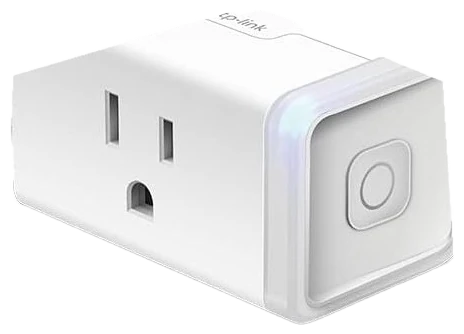
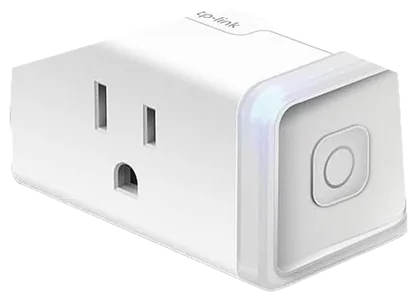
The Kasa Smart Plug 4-Pack is where nearly every expert starter-kit guide begins, for a boring and wonderful reason: reliability. TP-Link’s plugs have spent years at the top of recommendation lists because they set up in minutes, stay connected, and work with Alexa, Google and beyond. Four plugs for the price of one nice dinner means four separate experiments in making dumb things smart, with no hub, no wiring and no commitment.
The everyday wins arrive fast. A lamp on a sunset schedule. A space heater that physically cannot be left running after you leave for work. A coffee maker that starts brewing before your alarm goes off. The Kasa app handles schedules, timers and away-mode randomization without a subscription, and energy monitoring shows which device is quietly inflating the power bill. Wirecutter names a Kasa plug its top smart-plug pick for exactly this reason, and owners consistently report the unglamorous thing that matters most: the plugs keep working month after month.
The limits: a smart plug only switches power on and off, so it cannot dim a lamp, and it cannot help any device that needs a button press to restart, so check that whatever you plug in resumes on its own when power returns. They are also 2.4GHz Wi-Fi only, which is normal for the category but occasionally confuses mesh-network setups. At around $25–35 for the four-pack at Amazon, this is the cheapest confident first step in the entire smart home.
Strengths
Tradeoffs
Pick 2 of 5: No. 2 · The daily-use win
The daily-use win, without the Hue tax
Around $20–30 for twoEstimated price
View on AmazonGet it ifyou want the one automation you will feel every single day, for $20–30.
Skip it ifyour household cannot be trained off the wall switch.
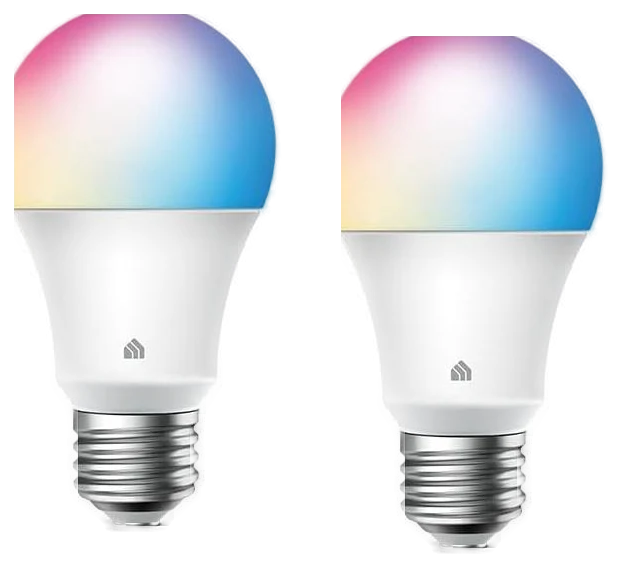
A pair of Kasa or Wiz color bulbs is where the smart home stops being a demo and starts changing your evenings. Skip the premium Hue tax at this stage, because hub-free Wi-Fi bulbs from Kasa and Wiz deliver the core experience for a fraction of the cost: lights that fade to warm as the evening winds down, brighten for reading, and never get left on overnight. Put them in the room where you spend your nights.
The daily payoff is scheduling, not party colors. Set a warm-to-bright morning ramp and a dimming wind-down at night and the bulbs quietly earn their keep twice a day, every day, with no subscription. Both apps handle schedules, scenes and grouping, and once they are grouped into a room, one sentence to the optional Echo Dot controls the pair.
Owners report the same thing about these as about the plugs: they connect easily and stay connected. The classic catch is that a smart bulb dies the moment someone flips the wall switch off, so they work best in lamps or in rooms where the household can be retrained. Color accuracy and dimming smoothness also trail Hue, which is what the Hue tax buys and the right upgrade when you are ready to go deeper. At around $20–30 for two at Amazon, this is the cheapest ticket to the smart home’s single best daily habit.
Strengths
Tradeoffs
Pick 3 of 5: No. 3 · The eyes
The budget camera that made the big brands nervous
~$35–40Estimated price
View on AmazonGet it ifyou want to know what is happening at home for under $40.
Skip it ifyou need subscription-free recording or airtight privacy credentials.
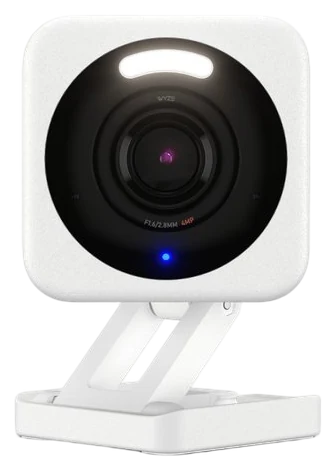
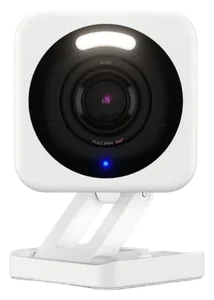
The Wyze Cam v4 is the budget camera that made the big brands nervous, and it earns the last slot in this kit by doing a $100 camera’s job at an impulse-buy price. You get sharp 2.5K video, person detection, and enough weather resistance to work indoors or out. Point it at the front door, the driveway or the puppy, because for most starter setups one well-placed camera answers the question you have: what is happening at home when I am not there?
Security.org’s review lands in the same place: video quality punches above the price, night vision is solid, and the app makes setup painless. Person detection cuts the notification spam that plagues cheap cameras, so you hear about people rather than headlights sweeping the wall. It also plays the role of ecosystem test dummy, since live views on an Echo Show or Chromecast screen give you a taste of whole-home surveillance before you commit to a pricier system.
Fair warning on two fronts. Some features push toward a Cam Plus subscription, so the free tier covers the basics but longer cloud video history costs monthly, and that math matters if you want real security coverage. And Wyze has had publicized security stumbles in past years, which is worth weighing before pointing any budget camera at the inside of your home. At around $35–40 at Amazon, it is still the category’s standout value, but go in with eyes open.
Strengths
Tradeoffs
Pick 4 of 5: No. 4 · The insurance policy
The cheapest thing on this list, guarding the most expensive problem
~$40–55Estimated price
View on AmazonGet it ifyou have a basement, a water heater in a closet, or a washing machine on an upper floor, and the house sits empty all day.
Skip it ifyou rent a tiny apartment with no basement, closet water heater, or upstairs laundry room to protect.
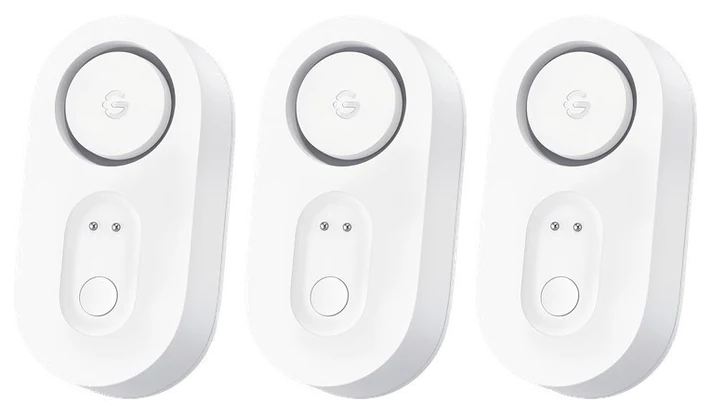
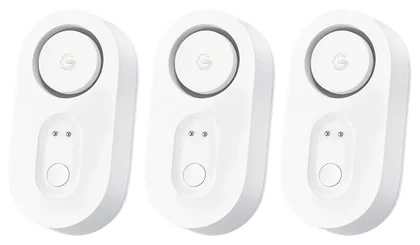
Every other pick here makes the house more convenient. None of them stop anything from going wrong. This bundle is three battery powered water sensors plus a small Wi-Fi gateway, and it is the only item on the list that guards a repair bill instead of a routine. Put one under the kitchen sink, one behind the washer, one at the water heater.
Govee rates the alarm at 105 dB with four volume levels, so it can be loud at 2am and quieter at noon. The sensors are IP67 rated and quoted at five years of battery, and Govee puts the wireless link to the gateway at 1,804 feet. Alerts arrive by app push and email. The gateway needs 2.4GHz Wi-Fi, not 5GHz.
It belongs in the core kit, not on a maybe-later list: plugs, bulbs, camera and this leak detector are the four pieces that add up to about $120–160, typically right around $140, with the voice speaker as an optional add-on. It also only tells you water is present — shutting the supply off is still a job for you, at 2am, in the dark.
Strengths
Tradeoffs
Pick 5 of 5: No. 5 · The optional voice
Add it once the basics work
~$50–80Estimated price
View on AmazonGet it ifyou want voice control and the ~$50–80 doesn’t break your budget.
Skip it ifa live microphone in the house is a hard no.
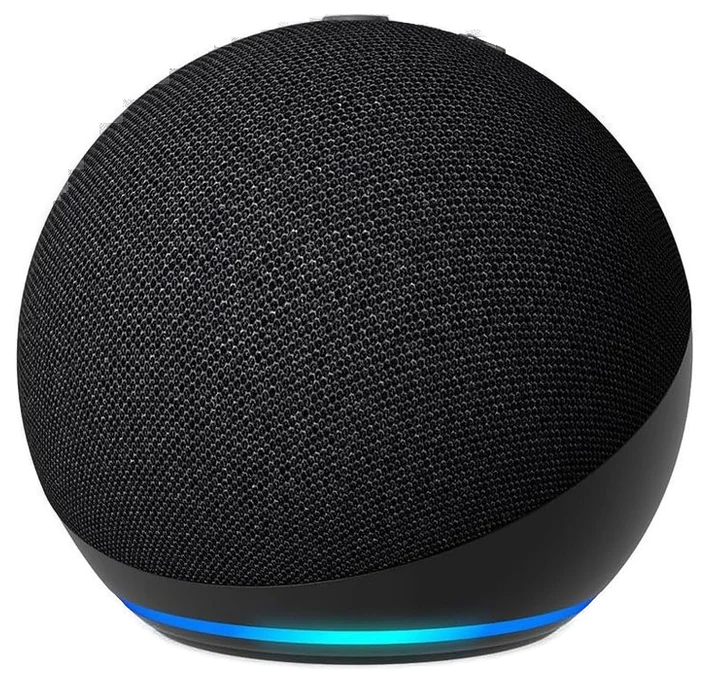
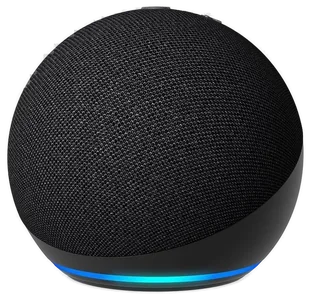
The core four in this kit — plugs, bulbs, camera, and the leak detector — already run from their own phone apps, so no voice hub is required to make any of them work. The Echo Dot is worth adding once you’re sold on the basics: it instantly makes the Kasa plugs voice-controlled, and saying “turn off the living room” from the couch is the moment a smart home usually clicks.
It’s still the cheap way into voice control. Google’s path costs more: the Nest Mini is gone, replaced by a $99.99 Gemini-powered Google Home Speaker. Beyond voice control for the rest of the kit, it earns counter space with kitchen timers, weather, music, and routines that fire several devices with one phrase.
The catch is the one you already suspected: this is a microphone in your home, always listening for its wake word. A physical mic-mute switch is there if that trade bothers you, or control everything from the apps instead. At ~$50–80 on Amazon, it’s a cheap upgrade once the basics are in place.
Strengths
Tradeoffs
A first smart home should be cheap to try and easy to undo, so pick pieces that work with the assistant you already use.
Pick any two of the five. Rows that match say so once; the rest sit side by side, as each review states them.
Price range
Around $25–35 for four
Around $20–30 for two
What it fixes
Dumb lamps, heaters, and coffee makers
Lights left on and harsh evenings
Range
$25–35 for four
$20–30 for two
6 common questions, answered.
Pick the assistant your household already talks to. If everyone has Android phones and lives in Gmail and Google Calendar, Google Assistant will feel native. If you shop on Amazon constantly or already own a Fire TV, go Echo. Both control every device in this kit equally well, so the deciding factor is not the hardware. It is which assistant the other people in your house will use without being reminded.
No, and that is the point of this kit. All five devices connect directly to your Wi-Fi and are controlled from their own apps or your voice assistant. Hubs, like those required by Philips Hue or older Zigbee systems, add reliability and range for large setups, but for a starter kit they are an extra $50 to $60 solving a problem you do not have yet. If you eventually run dozens of devices, revisit the hub question then.
The plugs, bulbs, leak detector and optional speaker are free to run, since schedules, voice control and energy monitoring cost nothing after purchase. The camera is the one to watch. The Wyze Cam v4 free tier covers live viewing and basic alerts, but features like longer cloud video history sit behind the Cam Plus subscription. Budget for it if you want a security camera, and skip it if you mainly want to check on the dog.
Almost, with two caveats. Stay under the plug’s rated load, since Kasa’s plugs handle standard lamps, heaters, fans and coffee makers fine but anything heavy-duty needs a look at the label. And the device has to turn on by itself when power returns. Lamps and space heaters with physical switches work perfectly, while anything needing a button press after a power cut, including many modern coffee machines and some TVs, will sit there dumbly.
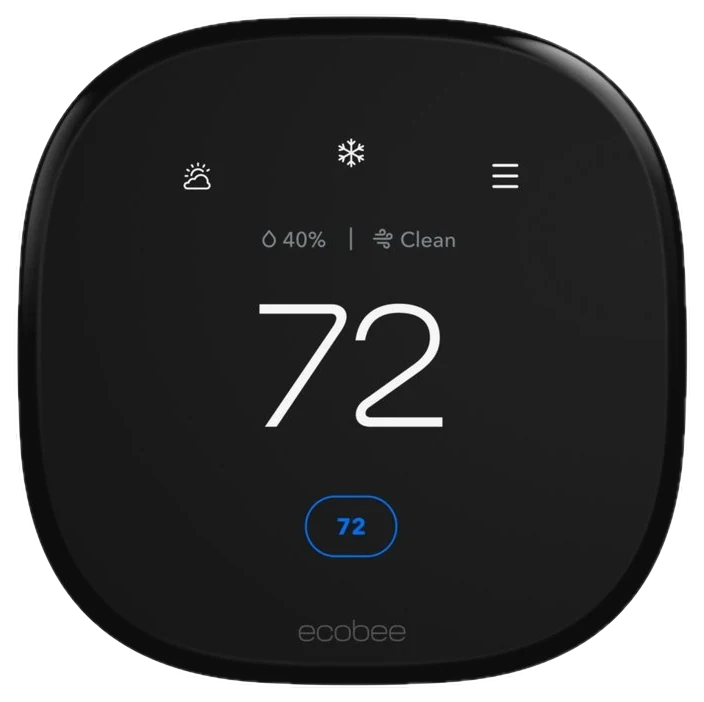
The next dollar should go to the device that pays you back, which is a smart thermostat. The ecobee models can trim up to 26% off heating and cooling bills, so the upgrade eventually funds itself, and no smart bulb can claim that. We cover it in our guide to the 7 best smart home devices of 2026. After that, smart locks and video doorbells are the natural expansion, since your ecosystem choice is already made.
Smart home gear is among the most aggressively discounted electronics categories. Echo Dots drop well below list price every Prime Day, every Black Friday, and often random weeks in between, so paying full price for a smart speaker is almost always a mistake. Kasa plugs and Wyze cameras see frequent coupon-clip deals on Amazon year-round. If you are not in a hurry, add the items to a price tracker and wait a few weeks.
Who the write-ups above lean on, and where each one is cited.
Cited for Kasa Smart Plugs ×4.
Cited in the buying advice.
We compiled expert guides from SafeWise, Security.org and TechRadar plus verified owner reviews. We have not installed each device ourselves. Prices are approximate price ranges and move constantly, so every button and link pulls the live listing. Our August price index report has the latest smart-home price drops.
How we rank
Published specifications, verified owner reviews, and independent safety or standards data where it applies — weighted the same for every pick, never sponsored placement.
Correction, 23 September 2026: The Echo Dot this kit was built around now costs about $80, and the Google Nest Mini is out of stock. The speaker is now an optional add-on, and the core kit of plugs, bulbs, camera and leak detector totals about $140–170.
Every correction we’ve made
Correction, 28 September 2026: Our 23 September note said the Echo Dot now costs about $80. That was the price of the Echo Dot Max. The Echo Dot sells for about $40–50; it stays an optional add-on, and the other four pieces and their total are unchanged.
Every correction we’ve made
Correction, 7 October 2026: The Wyze Cam v4 was listed at about $40–50 here, which put the four-piece core kit at about $140–170. Its Amazon listing read $37.98 on 5 October, so the camera is now about $35–40 and the core kit about $120–160, typically around $140.
Every correction we’ve made
Correction, 20 October 2026: Our 28 September note said the Echo Dot sells for about $40–50. Amazon’s page for it read $79.99 on 20 October, so the optional add-on is now about $50–80. The core kit of plugs, bulbs, camera and leak detector is still about $120–160; with the Echo Dot added the kit runs about $170–240, over the $150 line, which is why the speaker stays optional.
Every correction we’ve made
Related guides, then every guide in the department.