No. 2 · Best doorbell
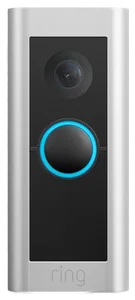
Ring Wired Doorbell Pro
The front door, handled
~$130–250, discounts often
View on AmazonMatter finally made the big ecosystems work together. Seven devices that earn their place, in the order worth buying them, starting with the only one that pays for itself.
No. 1 · Our pickFor most people
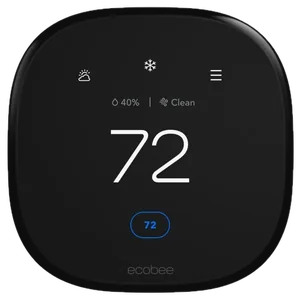
ecobee Smart Thermostat Premium
The only device here that pays you back, trimming enough off heating and cooling to eventually cover its own price.
ecobee Smart Thermostat PremiumNo. 1 · ~$210–250
View on AmazonNo. 2 · Best doorbell
The front door, handled
~$130–250, discounts often
View on AmazonNo. 3 · Best lighting
Lighting that changes how rooms feel
~$100–200
View on AmazonNo. 5 · Best first buy
The $30 gateway to the smart home
~$25–35 for four
View on AmazonNo. 6 · Best cameras
Eyes where you need them
~$80–180 each
View on AmazonNo. 7 · Best control center
One screen for the whole house
~$100–180
View on AmazonCompared published expert testing against thousands of verified owner reviews rather than installing each device ourselves, and we link the source wherever testing matters. How we chose How we verify Corrections logged publicly
The ecobee Smart Thermostat Premium was listed at about $240–260 here. Its Amazon listing read $209.99 on 7 October (list price about $250), so the range is now about $210–250, the same as in our other guides that list it.
The doorbell pick was named both “Ring Video Doorbell Pro 2” and “Ring Wired Doorbell Pro” on this page. It is one product, sold today as the Ring Wired Doorbell Pro, and the page now uses that name throughout. Logged on the corrections page.
Dated notes already published on this page, newest first. Every correction we make is logged on the corrections page.
| Differences | No. 1ecobee Smart Thermostat Premium | No. 2Ring Wired Doorbell Pro | No. 3Philips Hue Starter Kit | No. 4Yale Assure Lock 2 | No. 5TP-Link Kasa Smart Plug 4-Pack | No. 6Nest Cam / Ring Stick Up Cam (indoor-outdoor) | No. 7Amazon Echo Hub / Google Nest Hub |
|---|---|---|---|---|---|---|---|
| Price rangeon one $25–260 scale | ~$210–250 | ~$130–250, discounts often | ~$100–200 | ~$160–260 | ~$25–35 for four | ~$80–180 each | ~$100–180 |
| What it does | Cuts heating and cooling bills | Guards the front door | Whole-home lighting | Keyless entry | Makes dumb devices smart | Watches yard and driveway | One screen for everything |
| Standout feature | Up to 26% annual HVAC savings | Radar motion + head-to-toe view | Bridge runs 50 lights locally | Scheduled guest codes + auto-lock | Schedules + energy monitoring | Person/pet/vehicle detection | Household-wide control, no apps |
| Ecosystem | Alexa, Google, Siri | Alexa/Ring, no HomeKit | All majors, via Bridge | Variant for every platform | Alexa, Google, SmartThings | Match your doorbell | Pick your house's winner |
From each pick’s review below. We compared maker specs and listings, not readings we took.
Pick 1 of 7: No. 1 · Pays for itself
The one that pays for itself
~$210–250Estimated price
View on AmazonGet it ifyou pay real heating and cooling bills and want measurable ROI.
Skip it ifyou rent, or your schedule never changes.
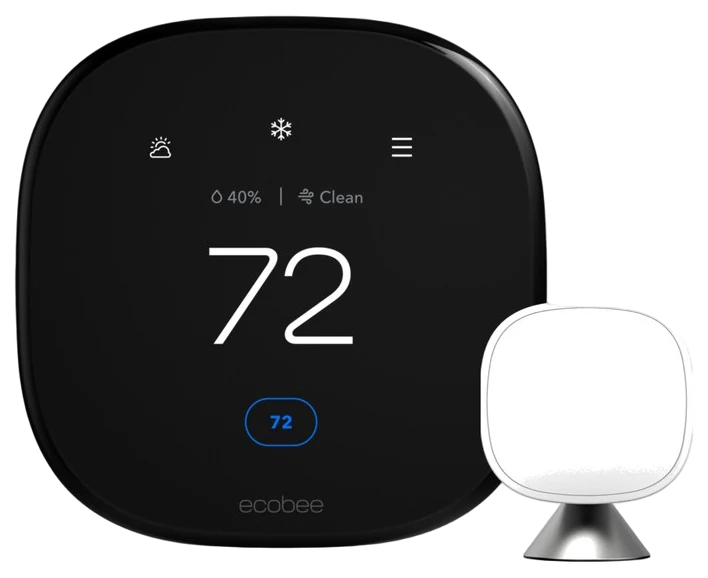
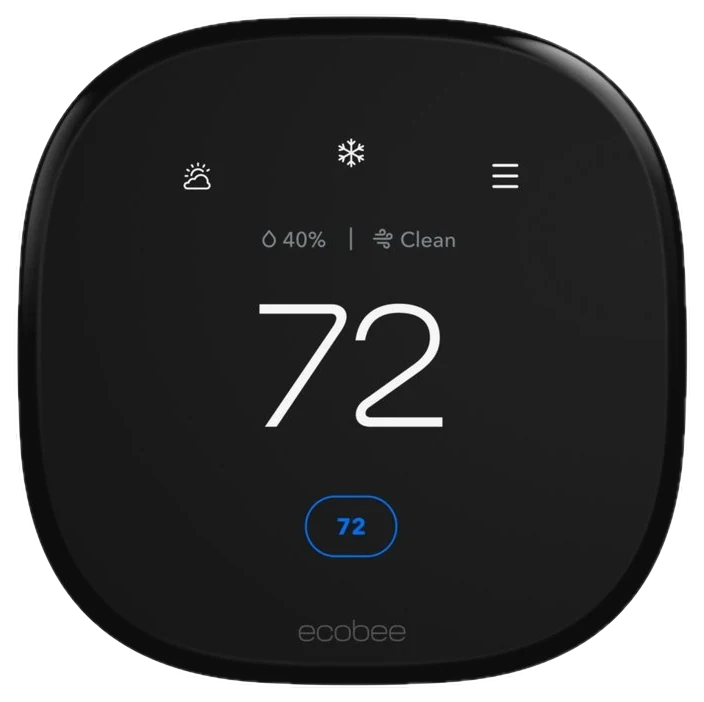
Start here, because the ecobee Smart Thermostat Premium is the only smart home purchase with a return you can put in a spreadsheet. The 26% figure is ecobee’s own, drawn from an internal analysis of North American customers and measured against a constant 72-degree hold rather than against a decent programmable thermostat, so read it as a ceiling rather than a forecast.
On a $2,400 annual HVAC bill it would pay for the thermostat inside the first year. Independent rankings are warm without being unanimous: SafeWise calls it the best thermostat in ecobee’s lineup and puts it in a near-tie for first place with the Nest Learning Thermostat, and Tom’s Guide gives it the top slot in its own smart-thermostat guide.
You also get an air quality sensor, a speaker and mic for voice control, and a remote room sensor that fixes the oldest thermostat complaint: the hallway sits at 70 degrees while the bedroom does not. At around $210–250 at Amazon it is one of the pricier devices here, and older homes without a C-wire need the included power-extender kit and half an hour of patience. If you are home all day every day, a basic programmable thermostat captures most of the benefit for far less.
Strengths
Tradeoffs
Pick 2 of 7: No. 2 · Best doorbell
The front door, handled
~$130–250, discounts oftenEstimated price
View on AmazonGet it ifyou get packages, run an Alexa house, and will wait for the bottom of Ring’s price swing rather than paying full price.
Skip it ifyou refuse subscriptions, need a battery install, or run an Apple-first home. There is no HomeKit here and never was.
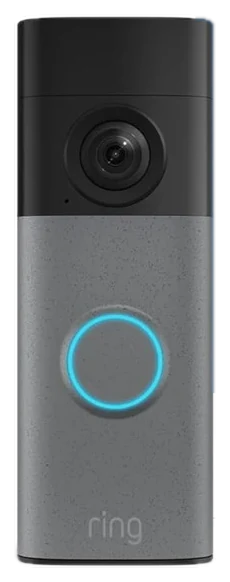
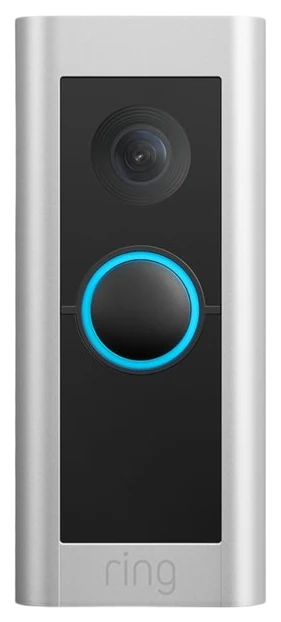
The Ring Wired Doorbell Pro has a head-to-toe field of view, so you see the package on the mat rather than just the face of whoever left it. What separates it from cheap doorbells is radar-based 3D Motion Detection: it maps where a visitor is and alerts only when it should, instead of buzzing at every passing car.
Watch the price rather than trusting a number. Ring discounts this line hard and often: checking its own store twice in one week returned $199.99 against a $249.99 list, then $129.99 against a $229.99 list. It is worth waiting for the low end, and worth not paying the high one.
Reviewers keep pointing at that drop in false alerts as the reason it earns its price, since budget doorbells train you to ignore notifications. TechHive found the radar detection cut pointless alerts, and Trusted Reviews called it the best smart doorbell it had tested. They are not unanimous, though: other reviewers report that carefully drawn motion zones on an older doorbell got them most of the way there already. Package detection and customizable motion zones round it out.
Budget for the subscription. Video recording and the smarter alerts need a Ring plan, so the real cost is hardware plus a monthly fee for as long as you own it. It is wired-only and skips Apple HomeKit entirely. At about $230 at Amazon it suits Alexa households; Google or Apple homes should buy their own ecosystem’s doorbell.
Strengths
Tradeoffs
Pick 3 of 7: No. 3 · Best lighting
Lighting that changes how rooms feel
~$100–200Estimated price
View on AmazonGet it iflighting is the upgrade you will feel every evening.
Skip it ifyou just want one lamp on a schedule.
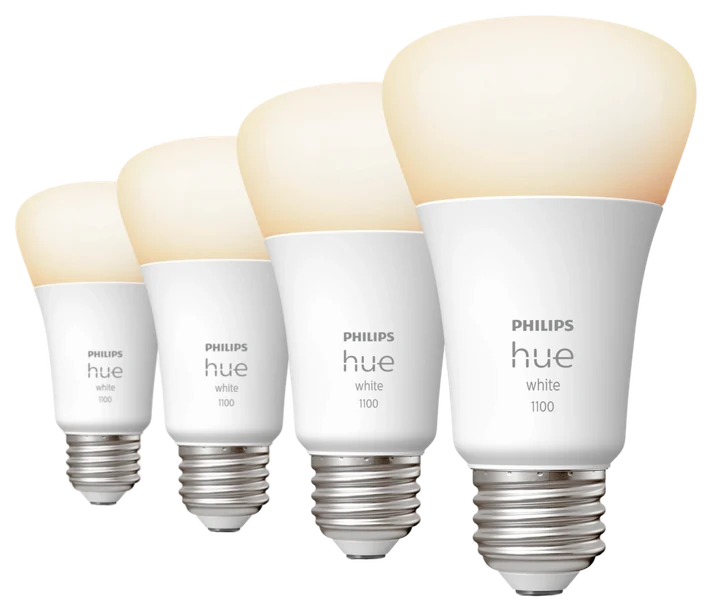
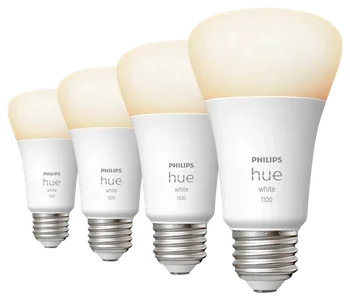
Smart bulbs are a commodity and you can buy color bulbs for a third of Hue’s price, which makes it notable that the Philips Hue Starter Kit keeps winning anyway. The reason is the ecosystem: a decade of reliability, automations that fire every time, and color rendering cheaper bulbs visibly cannot match.
The Bridge does the real work. It runs up to 50 lights and 12 accessories on its own Zigbee network, so your lights neither clog your Wi-Fi nor stutter when the router does, and scenes run locally. The accessory range of dimmers, motion sensors and light strips is deeper than any competitor’s, and Reviewed keeps Hue at the top of its smart-bulb rankings on exactly that basis. Reviewers who stress-test the Zigbee mesh report it holding connections without re-pairing, which is precisely where commodity bulbs fail.
One thing to check on the box before you buy: Philips now sells two hubs, and the pricier Bridge Pro raises those ceilings to 150 lights and 50 accessories. Start with the two-bulb kit in the room where you spend your evenings.
The catch is arithmetic: two bulbs becomes twelve, and at Hue prices that adds up. If you only want a lamp on a schedule, a $9 smart plug does that. At $100 to $200 at Amazon depending on configuration, this is the buy-once foundation.
Strengths
Tradeoffs
Pick 4 of 7: No. 4 · Best smart lock
Keys are over
~$160–260Estimated price
View on AmazonGet it ifyou are done hiding keys and want per-person entry codes.
Skip it ifyour door or your landlord will not allow a deadbolt swap.
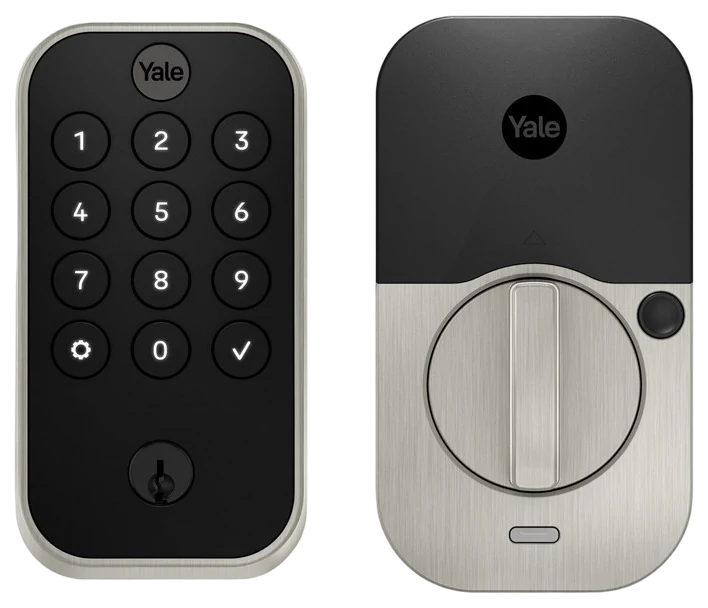
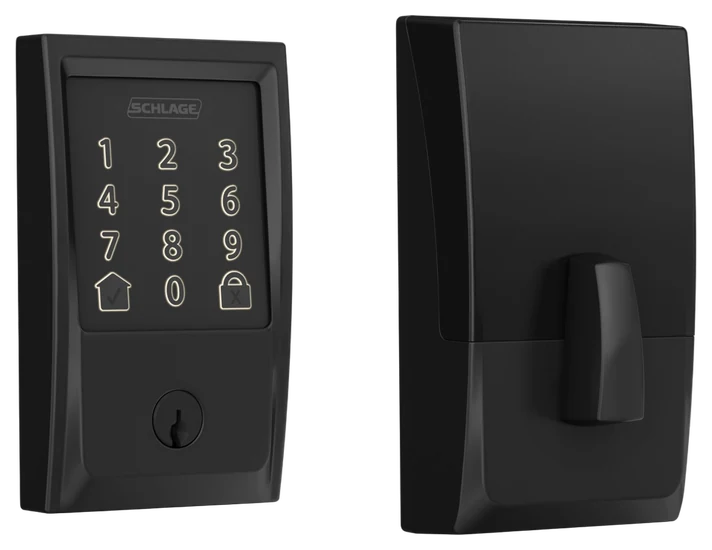
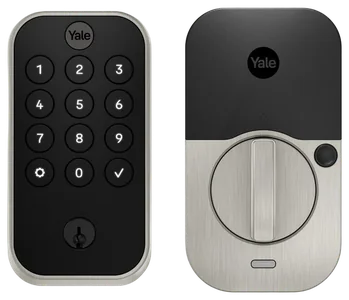
The Yale Assure Lock 2 is what happens when a lock company builds the smart version. Yale has made locks since the 1840s and it shows in the deadbolt under the electronics. You unlock with a keypad code or your phone, guest codes can be created and revoked remotely, and auto-lock ends the did-I-lock-it spiral twenty minutes into a road trip.
One precision point on Matter: the Assure Lock 2 does not speak it out of the box. Yale sells a Matter module for $79.99 that swaps in above the battery compartment, and without it the lock runs on Bluetooth, Wi-Fi or Z-Wave depending on the variant you buy.
Yale sells variants for essentially every ecosystem, including Wi-Fi, Z-Wave and Matter, so it fits whatever your house already speaks, and owners describe it as the smart device guests work out without explanation. Tom’s Guide and Gearbrain both single out the slimmer body and the breadth of platform support as what earns the recommendation. TechHive is the useful dissent: it liked the hardware and not the software, calling the app the buggy part of the package.
Two cautions: buy a version with a physical key backup, because a fully dead battery on the key-free model becomes a locksmith story, and check that your door has a standard bore hole and closes without a shove. At $160 to $260 at Amazon it is mid-pack on price and top of the class on trust.
Strengths
Tradeoffs
Pick 5 of 7: No. 5 · Best first buy
The $30 gateway to the smart home
~$25–35 for fourEstimated price
View on AmazonGet it ifyou are smart-home-curious and want a cheap proof of concept.
Skip it ifeverything you would plug in is already smart.
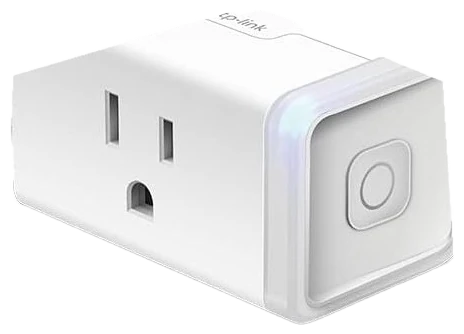
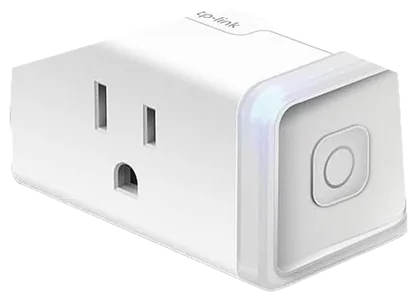
The Kasa Smart Plug four-pack is the cheapest answer to whether the smart home is for you. Under $9 a plug turns lamps, a space heater or a coffee maker into something you can schedule. Expert guides default to Kasa because the plugs are boring in the right way: they pair easily, stay connected and work with every major ecosystem. Engadget’s smart-plug guide describes the current Kasa unit as fuss-free and reliable across its testing, which is the entire brief for something you plug in once and then forget exists.
The app includes schedules, countdown timers and away-mode randomization, and the energy-monitoring models show what an ancient chest freezer costs you each month. The catches are small: 2.4GHz Wi-Fi only, chunky enough to crowd the second outlet on some faceplates, and Apple Home support depends on the model, so check the listing. At $25 to $35 for the four-pack at Amazon this is the $30 experiment that tells you whether to spend the other thousand.
Strengths
Tradeoffs
Pick 6 of 7: No. 6 · Best cameras
Eyes where you need them
~$80–180 eachEstimated price
View on AmazonGet it ifyou have picked a doorbell ecosystem and want matching eyes out back.
Skip it ifyou want local storage and no monthly fees.
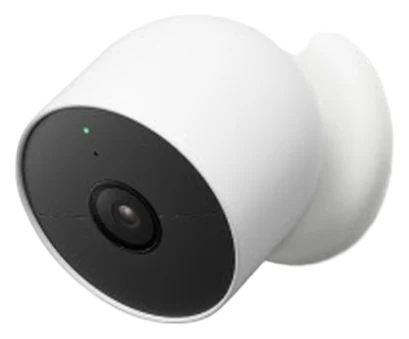
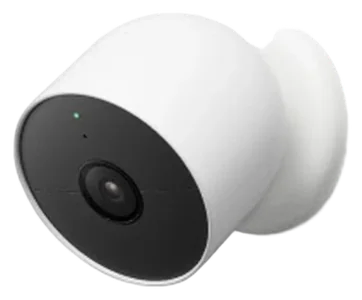
Buy the camera from the ecosystem you started with your doorbell, because juggling two camera apps is how this becomes a chore. If you took the Ring Pro 2, get the Stick Up Cam. Google households should take the Nest Cam. Either way you get the feature that matters in a 2026 camera, and it is not resolution.
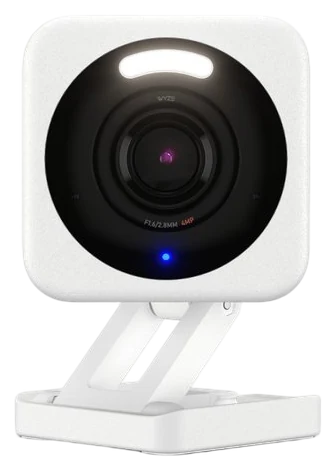
It is on-device intelligence. Both tell a person from a pet from a passing car, so your phone buzzes for the delivery driver and stays quiet for the raccoon. Tom’s Guide calls the Nest Cam the best home security camera for most people and credits free person, animal and vehicle detection as the reason; TechRadar found the same detection reliable in its own testing, and Tech Advisor noted it ignoring wind-blown branches and sudden light changes.
Reviewers rank alert accuracy, not video quality, as what separates cameras people keep from cameras they mute by week two. Both mount indoors or out, and two of them cover most homes.
Subscriptions are the catch across this whole category. Meaningful recording history on either platform means a monthly plan, so price it in. If you refuse subscriptions, look at cameras with local storage instead. At around $100 each at Amazon, two cameras plus a year of recording still costs less than one insurance deductible.
Strengths
Tradeoffs
Pick 7 of 7: No. 7 · Best control center
One screen for the whole house
~$100–180Estimated price
View on AmazonGet it ifyour household has five or more devices and app fatigue.
Skip it ifyou are still on your first or second device.
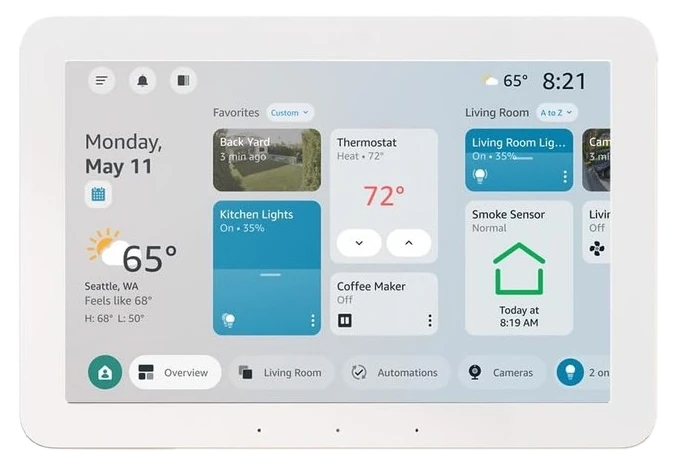
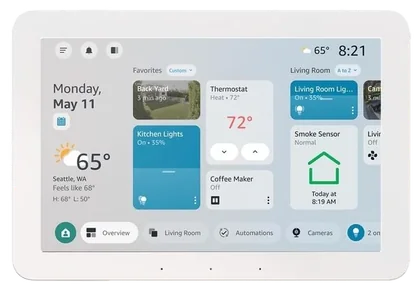
Once you own five smart devices the apps become the problem, with the thermostat, lock, lights and cameras each in a separate icon your family refuses to open. The Amazon Echo Hub, or Google’s Nest Hub if that is the side your house landed on, fixes it: one screen where anyone can check cameras, lock doors and dim lights.
The Echo Hub is the more deliberate panel of the two, an eight-inch wall-mountable touchscreen built around the smart home dashboard, with Matter, Thread and Zigbee support to pull different brands into one view. The Verge called the Echo Hub the best solution yet for an affordable, intuitive way to control a smart home, while flagging a chunky bezel and the fact that it arrives expecting a wall, with the stand sold separately.
The Nest Hub leans photo frame and assistant, with Google’s voice control behind it. Buy this last. Bought first it is a screen in search of a purpose; bought seventh it makes the other six feel like one system. At $100 to $180 at Amazon it is the cheapest thing here that changes how the household uses everything else.
Strengths
Tradeoffs
Before you buy a single gadget, decide how you want to control everything. Getting that order right saves you from a drawer full of apps that don’t talk to each other.
Pick any two of the seven. Rows that match say so once; the rest sit side by side, as each review states them.
Price range
~$210–250
~$130–250, discounts often
What it does
Cuts heating and cooling bills
Guards the front door
Standout feature
Up to 26% annual HVAC savings
Radar motion + head-to-toe view
Ecosystem
Alexa, Google, Siri
Alexa/Ring, no HomeKit
6 common questions, answered.
The full seven-device setup lands between $970 and $1,280, in line with the $800 to $1,500 industry guides cite for a mid-range smart home. Do not buy it all at once. Spend $30 on the plugs, live with them a month, then buy the thermostat once the savings argument feels real.
Mostly yes. Matter means 2026 is the first year the big ecosystems talk to each other, and the thermostat, lights, lock and plugs all support at least Alexa and Google, with most supporting Siri too. Ring is the exception, having never offered native HomeKit, so Apple-first homes should pick a HomeKit doorbell and camera. Check the specific model listing, because support varies between versions.
The cameras and doorbell are the subscription devices, typically a few dollars per device or a flat whole-home rate. The thermostat, lights, plugs, lock and hub all work fully with no recurring fee. The rule: if it records video, assume a subscription.
Smart home devices are heavily discounted during Prime Day and the Black Friday to Cyber Monday stretch, and starter kits often hit yearly lows. If you can wait for one of those windows, do. Plugs and bulbs go on sale often enough that some discount is usually available anyway.
Not much: the lock still opens, the thermostat keeps its schedule, and Hue scenes still trigger locally. The lock still opens by keypad or key, the thermostat keeps its schedule, and Hue scenes triggered from a physical switch keep working because the Bridge runs them locally. What you lose is remote access: no camera alerts, no phone control from away, no voice. Cameras and doorbells are hit hardest.
The plugs, bulbs, indoor cameras and hub are renter-friendly, since nothing is hardwired and it all leaves with you. The thermostat, doorbell and lock touch the building, so they usually need landlord permission, though all three are reversible swaps. Keep the originals in a drawer and the setup moves house with you.
Who the write-ups above lean on, and where each one is cited.
Cited for ecobee Smart Thermostat Premium, Yale Assure Lock 2 and Nest Cam / Ring Stick Up Cam.
Cited for Ring Wired Doorbell Pro and Yale Assure Lock 2.
Cited for Ring Wired Doorbell Pro.
Cited for TP-Link Kasa Smart Plug 4-Pack.
Cited for Nest Cam / Ring Stick Up Cam.
Cited for Amazon Echo Hub / Google Nest Hub.
Compared published expert testing against thousands of verified owner reviews rather than installing each device ourselves, and we link the source wherever testing matters. Prices are always moving, so every button and link pulls the live listing.
How we rank
Published specifications, verified owner reviews, and independent safety or standards data where it applies — weighted the same for every pick, never sponsored placement.
Correction, 5 September 2026: The doorbell pick was named both “Ring Video Doorbell Pro 2” and “Ring Wired Doorbell Pro” on this page. It is one product, sold today as the Ring Wired Doorbell Pro, and the page now uses that name throughout. Logged on the corrections page.
Every correction we’ve made
Correction, 7 October 2026: The ecobee Smart Thermostat Premium was listed at about $240–260 here. Its Amazon listing read $209.99 on 7 October (list price about $250), so the range is now about $210–250, the same as in our other guides that list it.
Every correction we’ve made
The close calls side by side, then related guides.