No. 1: Infant Optics DXR-8 Pro
The Best Baby Monitors: Wi-Fi, non-Wi-Fi and Wearables
Kids’ tech is really parental-controls tech. We compared durability, content controls, and thousands of parent reviews to find the four devices that survive both drops and arguments.
No. 1 · Our pick · For most people
It wins on the only spec that matters at this age: a warranty that assumes the tablet will be dropped and replaces it anyway.
~$140–190Estimated price
 No. 1 · Best overallAmazon Fire HD 10 Kids~$140–190View on Amazon
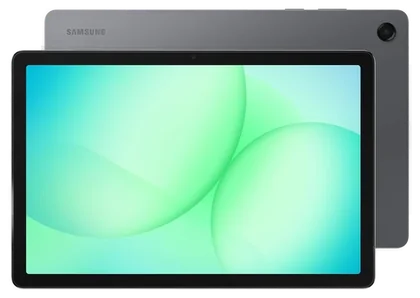
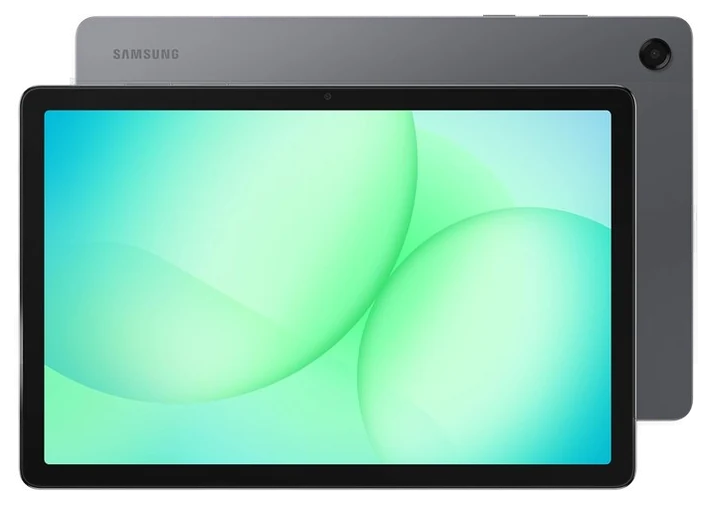 No. 2 · Best for older kidsSamsung Galaxy Tab A9+~$150–270 by storageView on Amazon
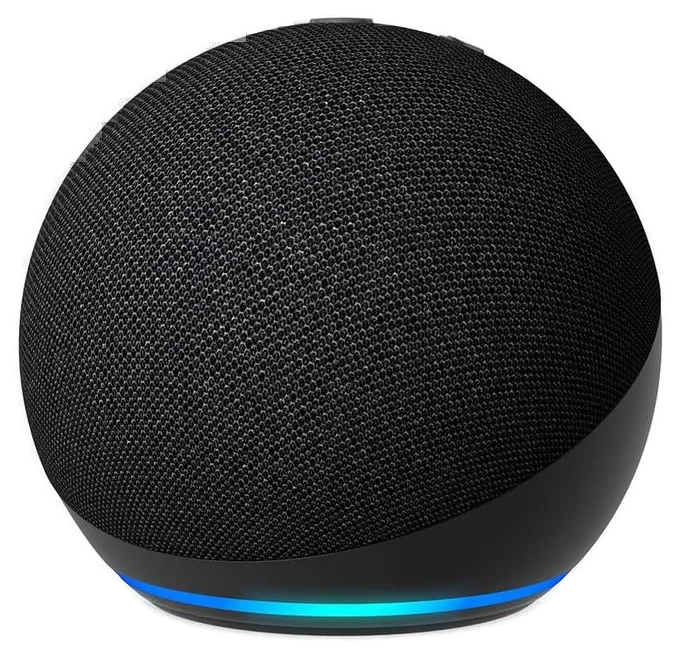 No. 3 · Best screen-freeEcho Dot Kids~$40–55View on Amazon
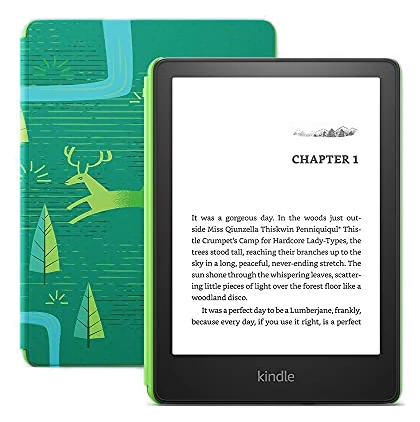 No. 4 · Best for readersKindle Paperwhite Kids~$170–230View on Amazon
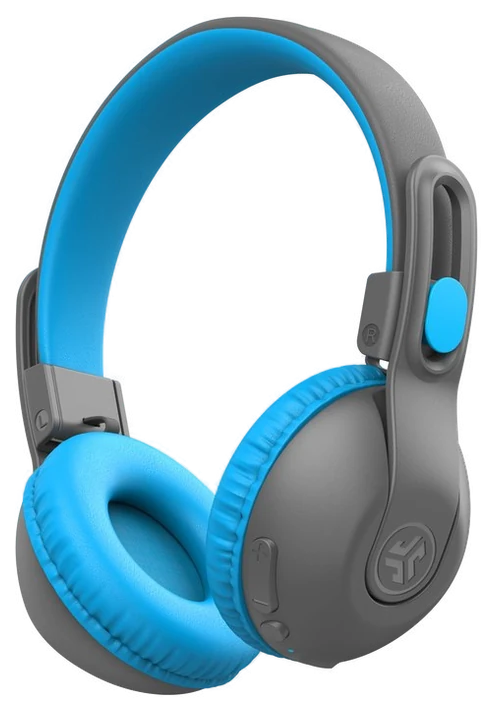 No. 5 · Best headphonesJBuddies Studio 2~$25–35View on Amazon
| Differences | No. 1Amazon Fire HD 10 Kids | No. 2Samsung Galaxy Tab A9+ | No. 3Echo Dot Kids | No. 4Kindle Paperwhite Kids | No. 5JBuddies Studio 2 |
|---|---|---|---|---|---|
| Price rangeon one $25–270 scale | ~$140–190 | ~$150–270 by storage | ~$40–55 | ~$170–230 | ~$25–35 |
| Ages | 3–10 | 8+ | 3+ | 7+ | 6 and up |
| Controls | Amazon Kids+ profiles | Google Family Link | Explicit filter, time limits | Kids+ library, no browser | 85 dB or 95 dB switch on the headphones |
From each pick’s review below. We compared maker specs and listings, not readings we took.
We compiled durability testing, parental-control comparisons, and verified parent reviews across the category. How we chose How we verify Corrections logged publicly
The FAQ priced an iPad at $350, its old launch price. The cheapest iPad now costs $400–450. The advice is unchanged. Logged on the corrections page.
This guide listed the Echo Dot Kids at about $85–95 since it was published. It sells for about $40–55, and the price is corrected. The pick is unchanged.
The JLab JBuddies Studio 2 entry stated that the 95 dB volume-limit switch was one a child could reach. JLab places it inside the earcup for parent-only access. The entry also described wired use as useful on a plane, but wired mode on this model is USB-C only and airline seatback jacks are 3.5 mm. Both claims were corrected.
Dated notes already published on this page, newest first. Every correction we make is logged on the corrections page.
Pick 1 of 5: No. 1 · Best overall
The drop-proof default
The Fire HD 10 Kids formula is unbeatable for young kids: a foam bumper that shrugs off drops, per-child profiles with hard time limits, and Amazon’s famous two-year warranty: they replace the tablet even if your child snaps it in half. Tom’s Guide’s review praised exactly that combination of screen quality, battery life and warranty coverage.
That warranty sentence decides the category for ages three to ten: the device is engineered around the assumption of destruction, and the Kids+ subscription year bundles age-flagged books, videos, and games in a walled garden parents can trust unattended.
The app selection trails full Android, a feature at six, a limitation at eleven, which is when the Samsung graduation happens. At $140–190 on Amazon, deeply cut every Prime Day, it’s the default first tablet.
Next: No. 2, Samsung Galaxy Tab A9+Torn? Compare it with No. 2
Pick 2 of 5: No. 2 · Best for older kids
The grows-with-them tablet
Around age eight the bumper-case tablet becomes embarrassing, and the Galaxy Tab A9+ is the graduation device: a real Android tablet for homework, browsers, and Minecraft, kept honest by Google Family Link.
Buy this one knowing it is on the way out. Samsung’s own product page for the Tab A9+ now redirects to the Tab A11+, which starts at $249.99, so the A9+ is retailer stock rather than a current line. Target still has it at $219.99 for 64GB and $269.99 for 128GB, and at those prices it is a fair buy; do not expect it to stay on shelves.
Family Link is the load-bearing feature: app installs route through parent approval, screen-time schedules enforce themselves, and location shows up on your phone. The 11-inch 90Hz screen and quad speakers outclass everything near the price, and Android Authority called it easy to recommend for exactly that reason: more powerful and more affordable than the tablet it replaced.
It’s a real tablet, so the controls are the guardrails. Determined teenagers test fences, and the case is now your job to add. At $150–270 on Amazon depending on storage, it’s the tweens’ answer that respects both them and the rules.
Pick 3 of 5: No. 3 · Best screen-free
The screen-free option
The most underrated kids’ device is a speaker: the Echo Dot Kids delivers audiobooks at bedtime, homework timers, music, and endless why-questions answered: with no screen attached to any of it.
The Kids edition filters explicit lyrics, answers in kid-appropriate mode, includes a year of Kids+ audio content, and gives parents full activity visibility. It’s the rare tech purchase that measurably reduces household screen time, and Tom’s Guide named it the best Alexa device for a household with kids in it. The intercom announcements (dinner is ready, broadcast to every room) become the family feature nobody expected to love.
Switch voice purchasing off in settings (the one setup gotcha) and expect the animal-fact phase to last months. At $40–55 on Amazon, routinely discounted. It’s the screen-free win of this list.
Next: No. 4, Kindle Paperwhite KidsTorn? Compare it with No. 4
Pick 4 of 5: No. 4 · Best for readers
The reading machine
For a reader-in-training, the Kindle Paperwhite Kids removes every excuse: thousands of age-flagged books included for a year, a waterproof glare-free screen for pool and bath, and nothing else: no apps, no videos, no negotiation.
Parents report it’s the device that made reading stick: the vocabulary-builder and achievement badges gamify gently, and the two-year worry-free warranty covers the inevitable drop. It’s the adult Paperwhite plus a case, warranty, and content year: usually for less than buying those separately.
It only reads, the entire point, and the reason some kids initially side-eye it. At $170–230 on Amazon, it’s the calmest screen a kid can own.
Pick 5 of 5: No. 5 · Best headphones
The accessory every other pick in this guide needs
Every other pick in this guide plays audio, and none of them comes with a way to cap how loud that audio gets. The JBuddies Studio 2 is JLab’s on-ear kids’ headphone, rated for ages 6 and up, and it is the only thing in this guide that costs less than an Echo Dot Kids. It works over Bluetooth, or wired over USB-C.
A switch inside the earcup, placed where a parent flips it rather than the kid, sets the ceiling at 85 dB or 95 dB, the higher setting intended for louder places. JLab rates wireless playtime at 65 hours or more per charge, and Wireless Share pairs a second set to the same tablet so two kids can watch one thing. The warranty runs two years, and they fold down for a backpack.
The cups run small. Reviewers with older kids report they sit on top of the ear instead of around it, which lets outside noise in, and there is no noise cancelling to make up for it. For a kid who only listens at home, the Echo Dot Kids covers that already and these are optional.
Start with your kid’s age and how much screen you want in the house, then pick the device that fits, not the one with the most features.
Pick any two of the five. Rows that match say so once; the rest sit side by side, as each review states them.

Price range
~$140–190
~$150–270 by storage
Ages
3–10
8+
Controls
Amazon Kids+ profiles
Google Family Link
6 common questions, answered.
Under ten, the Fire wins on price, case, and warranty. A destroyed $150 tablet is replaceable in a way a $400–450 iPad is not. Over ten, the Tab A9+ or a hand-me-down iPad makes more sense as app needs grow.
Amazon Kids+ and Google Family Link both enforce hard time limits and app approvals at the account level, kids cannot uninstall their way around them. The consistent parent complaint is setup friction, not enforcement.
For location peace-of-mind before a phone, kids’ GPS watches work but reviews are mixed on battery and build. We left them out until a clear category leader emerges.
The setup that survives contact with real children: hard device-level limits (Fire profiles and Family Link both enforce them, the device says no, so you don’t have to), screens that live in common rooms, and a charging spot outside bedrooms overnight: the American Academy of Pediatrics calls this the single highest-impact rule. Content limits beat time limits for younger kids; earned time works better than unlimited-until-revoked for older ones. The devices here make the rules enforceable; the consistency part remains a parent job.
The realistic ladder: Echo Dot Kids from age three (audio needs no reading), Fire HD Kids from three to about nine (the bumper case era), Kindle Kids from six or whenever reading takes hold, and the Galaxy Tab from eight-plus when the kid case becomes socially fatal. The overlap is intentional, many households run the Dot and a tablet in parallel, covering ears and eyes separately. Resist buying up an age tier; kids grow into devices badly but out of them fast.
Each ecosystem’s honest answer: Fire tablets sandbox kids into Amazon Kids+ content with purchases absent from the profile; Family Link on the Samsung routes every install through a parent-phone approval (mercifully asynchronous); the Kindle Kids store is curated and card-free by design; and the Dot needs voice purchasing switched off once in settings, the one gotcha in the set. The universal insurance: no payment method stored where a kid profile can reach it, and PIN-lock the parent profile.
Who the write-ups above lean on, and where each one is cited.
Cited for Amazon Fire HD 10 Kids and Echo Dot Kids.
Cited for Samsung Galaxy Tab A9+.
Cited in the FAQ.
We compiled durability testing, parental-control comparisons, and verified parent reviews across the category. Prices are always moving, so every button and link pulls the live listing.
How we rank
Published specifications, verified owner reviews, and independent safety or standards data where it applies — weighted the same for every pick, never sponsored placement.
Correction, 1 August 2026: The JLab JBuddies Studio 2 entry stated that the 95 dB volume-limit switch was one a child could reach. JLab places it inside the earcup for parent-only access. The entry also described wired use as useful on a plane, but wired mode on this model is USB-C only and airline seatback jacks are 3.5 mm. Both claims were corrected.
Every correction we’ve made
Correction, 28 September 2026: This guide listed the Echo Dot Kids at about $85–95 since it was published. It sells for about $40–55, and the price is corrected. The pick is unchanged.
Every correction we’ve made
Correction, 17 November 2026: The FAQ priced an iPad at $350, its old launch price. The cheapest iPad now costs $400–450. The advice is unchanged. Logged on the corrections page.
Every correction we’ve made