The Best Smart Home Hubs and Displays:Alexa, Google or Apple
Scattered smart devices become a system the day you add a hub. We compared ecosystems, local-control support, and thousands of setup reviews to pick the right control center for each home.
By the BYB Editorial Team
Published July 28, 2026 · Updated · Prices checked OctoberOct 5, 2026
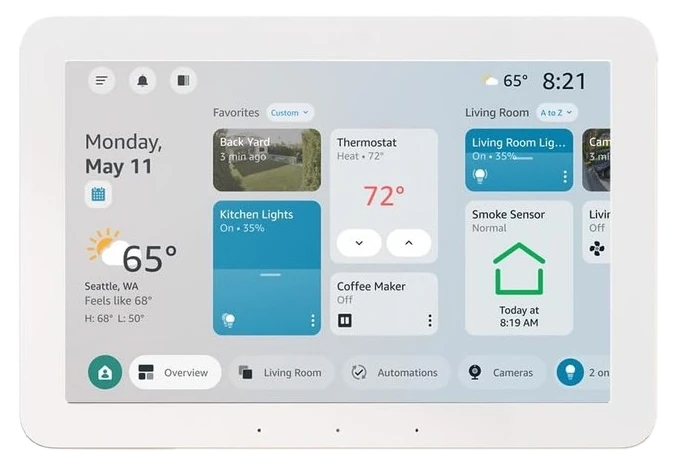
Amazon Echo Hub$150–180The Amazon Echo Hub, $150–180 — turns a dozen apps into one wall panel, and it only makes sense once you already own the dozen devices it’s meant to run.Check price
Start instead with
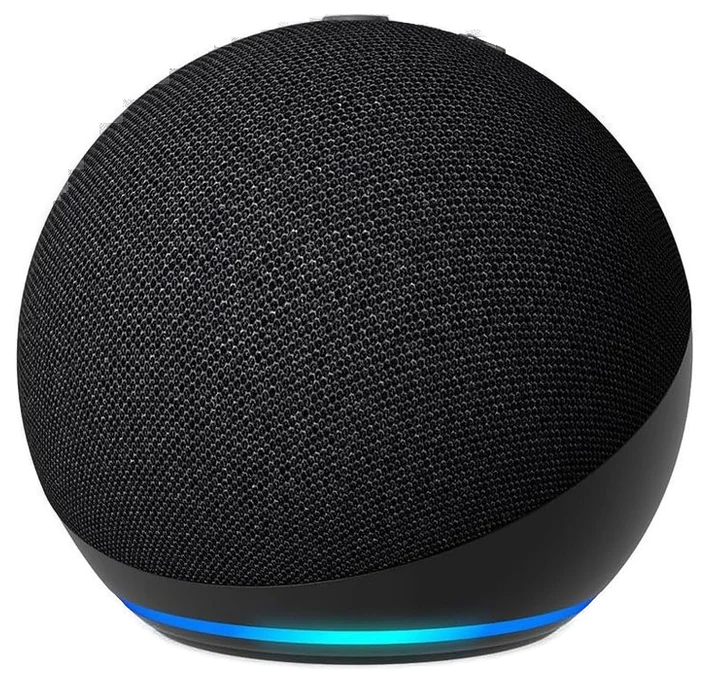
The Echo Dot, $40–50 — does the voice half of the job without the wall panel.
Scattered smart devices become a system the day you add a hub. We compared ecosystems, local-control support, and thousands of setup reviews to pick the right control center for each home.
How we choseWhat we compared, and how we rank
We compiled ecosystem compatibility data, smart-home reviewer testing, and verified setup reviews across the category. Prices are always moving, so every button and link pulls the live listing.
How we rank
Published specifications, verified owner reviews, and independent safety or standards data where it applies — weighted the same for every pick, never sponsored placement.
What changed2 dated notes · latest 28 September 2026
CorrectedOur 23 September note said the current Echo Dot costs about $75–85. That was the price of the Echo Dot Max. The Echo Dot itself sells for about $40–50, and its price, links and description here now say so.
CorrectedThe 5th-generation Echo Dot is discontinued. The current Echo Dot costs about $75–85, not $30–50, and the guide's price and claims now reflect that.
Dated notes already published on this page, newest first. Every correction we make is logged on the corrections page.
The Echo Hub is what the smart-display category was always supposed to become: a wall-mountable eight-inch panel whose home screen is your house (cameras, lights, locks, scenes) rather than a photo frame with an assistant attached.
It measures 7.9 by 5.4 inches, built around a 1280 by 800 LCD touchscreen and a MediaTek MT8169A chip Amazon tuned for panel duty rather than raw graphics power. A passive infrared sensor on the bezel wakes the display as you approach, and an ambient light sensor adjusts brightness automatically, so it behaves less like a tablet propped on a shelf and more like a fixture built into the wall.
Tom’s Guide’s review calls it the first dedicated control panel that delivers a centralized dashboard, camera feeds, device toggles, and routines on one wall mounted screen, with no subscription required for any of it.
The built-in radios are the substance: Zigbee, Thread, and Matter devices pair directly to it, collapsing the pile of accessory bridges most smart homes accumulate behind the router. Tap a scene on the wall or say it across the room; both just work.
Strengths
Home screen is your actual house
Zigbee/Thread/Matter radios built in
Wall-mount or desk stand
Collapses accessory-hub clutter
Tradeoffs
Assumes Alexa commitment
Modest video playback power
Wiring the wall mount takes effort
Pick 2 of 5: No. 2Best value~$40–50
2
Amazon Echo Dot (newest model)
Budget pickBest value
The $40 starting point
Get it if you’re distributing voice control room by room.
Skip it if music quality matters more than convenience — spend up on a real speaker.
Every smart home needs cheap endpoints, and the Echo Dot remains the default: reliable far-field mics that hear you over the kitchen fan, room-filling sound for its size, and a hidden temperature sensor that enables surprisingly useful automations.
This is the Dot Amazon sells as its newest model, now listed for the Alexa+ assistant — the step-up Echo Dot Max gets a redesigned two-way speaker with nearly 3x the bass, so if room-filling music is the goal, that’s the one to check instead. The mute and volume controls Echo devices have used for years sit on top, unchanged, and Wi-Fi and Bluetooth cover connectivity the way they always have.
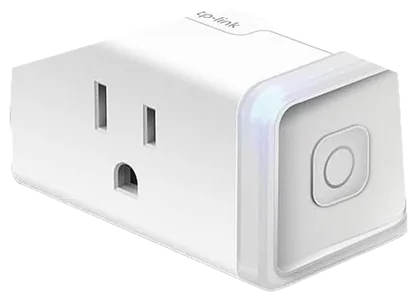
That sensor is the sleeper feature. “If the bedroom passes 78°, turn on the fan” runs entirely locally with a Dot and a smart plug. Multi-room audio, intercom announcements, and whisper mode round out the utility. At $40–50 on Amazon, it’s the cheapest way onto this list.
Strengths
Reliable far-field voice pickup
Hidden temperature sensor
Multi-room audio and intercom
Cheapest hub-adjacent pick here
Tradeoffs
Casual-listening sound only
Deepens Alexa lock-in
Costs much more than it used to
Pick 3 of 5: No. 3Best for lighting~$130–200
3
Philips Hue Bridge + Starter Kit
Upgrade pickBest for lighting
The gold-standard lighting hub
Get it if lighting is the pillar of your smart home plan and $130–200 buys into the most reliable ecosystem going.
Skip it if one-room experiments, cheap Wi-Fi bulbs teach the same lesson.
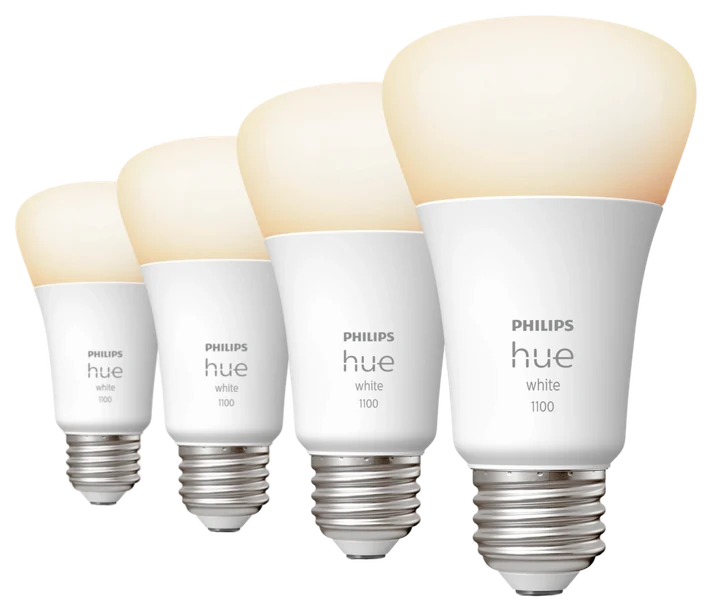
Trusted Reviews rated it the most reliable smart home hub it tested for local control, and ask smart-home veterans which system has never let them down and Hue’s Bridge is the most common answer: bulbs respond instantly over Zigbee, scenes survive router outages, and the Bridge speaks fluently to every ecosystem: Alexa, Google, and HomeKit alike.
The standard Bridge officially supports up to 50 lights and 12 accessories, a ceiling most households never approach, and Signify’s newer Bridge Pro raises that to more than 150 lights and 50 accessories for larger installs. Ethernet, not Wi-Fi, connects the Bridge to the router, and Matter support lets Hue-paired lights show up natively inside Apple Home and Google Home without a separate integration step. Entertainment areas can sync lighting to a TV or PC with an added Sync Box, and gradient strips, outdoor spotlights, and dimmer switches all pair through the same app and Bridge.
A decade of accessories all interoperate: gradient strips, outdoor lines, dimmer switches, TV-sync entertainment. It’s lighting as a platform rather than a gadget, and the reliability record is the moat cheaper Wi-Fi bulbs can’t cross.
Strengths
Decade-proven instant reliability
Works with every ecosystem
Deepest lighting accessory line
Scenes survive outages
Tradeoffs
Premium per-bulb economics
Lighting only
Bridge occupies an ethernet port
Also on the shortlist
Two more, in brief
Pick 4 of 5: No. 4Most reliable switch
4
Lutron Caséta Smart Hub Kit
Most reliable switch
The switch-first system
Get it if wall switches, not bulbs, are the right smart layer for you, and $100–140 buys the electrician-grade version.
Skip it if renting or experimenting, plugs and bulbs first.
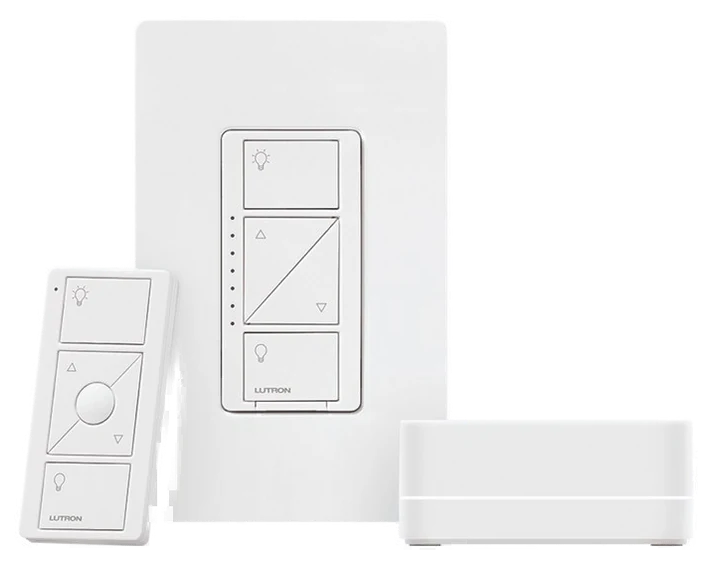
Caséta solves the problem Hue cannot: the wall switch. Smart bulbs die when someone flips the switch; Caséta replaces the switch itself, so the room stays smart no matter who touches what, with ordinary bulbs installed.
The Smart Hub supports up to 75 Caseta devices, plenty for most houses, and because Clear Connect runs on its own dedicated radio band rather than Wi-Fi or Zigbee, adding switches never competes with router bandwidth or slows the network.
Lutron rates coverage at 60 feet line of sight or 30 feet through walls, extendable to 120 feet with an optional repeater, and switches keep talking locally during an internet outage since control never routes through the cloud. Pico remotes, shades, and occupancy sensors join the same hub, with the Lutron app extending control to Alexa, Google Home, and Apple HomeKit.
Wirecutter calls Lutron’s Clear Connect protocol the most reliable smart-switch radio available, one that “never drops,” and it works in older no-neutral-wire homes that disqualify Wi-Fi switches entirely. Pico remotes stick anywhere and run years on a coin cell.
Get it if wall switches, not bulbs, are the right smart layer for you, and $100–140 buys the electrician-grade version.
Skip it if renting or experimenting, plugs and bulbs first.
Caséta solves the problem Hue cannot: the wall switch. Smart bulbs die when someone flips the switch; Caséta replaces the switch itself, so the room stays smart no matter who touches what, with ordinary bulbs installed.
Read the full case
The Smart Hub supports up to 75 Caseta devices, plenty for most houses, and because Clear Connect runs on its own dedicated radio band rather than Wi-Fi or Zigbee, adding switches never competes with router bandwidth or slows the network.
Lutron rates coverage at 60 feet line of sight or 30 feet through walls, extendable to 120 feet with an optional repeater, and switches keep talking locally during an internet outage since control never routes through the cloud. Pico remotes, shades, and occupancy sensors join the same hub, with the Lutron app extending control to Alexa, Google Home, and Apple HomeKit.
Wirecutter calls Lutron’s Clear Connect protocol the most reliable smart-switch radio available, one that “never drops,” and it works in older no-neutral-wire homes that disqualify Wi-Fi switches entirely. Pico remotes stick anywhere and run years on a coin cell.
Strengths
Electrician-grade reliability
Works without neutral wires
Family-proof wall switches
Stick-anywhere Pico remotes
Tradeoffs
Premium per-switch cost
Requires its hub
Switch wiring install
Pick 5 of 5: No. 5Best display value
5
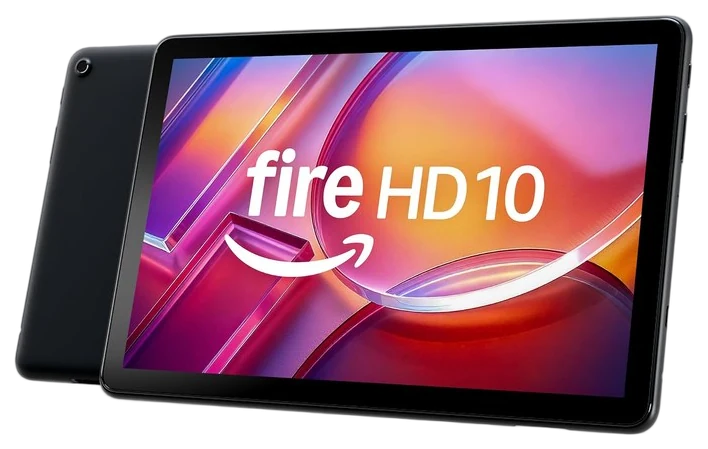
Amazon Fire HD 10 (Show Mode)
Best display value
The tablet that moonlights as a display
Get it if you want a kitchen display that moonlights as a tablet for $90–140.
Skip it if wall-mounted whole-home control is the goal, Echo Hub.
If you want a kitchen smart display but resent buying a single-purpose screen, the Fire HD 10 is the loophole: dock it and Show Mode turns it into a full Echo Show: timers, cameras, recipes, video calls; undock it and it’s a perfectly serviceable streaming and recipe tablet.
The tablet underneath is a real one: a 10.1 inch, 1920 by 1200 display, a MediaTek octa-core chip near 2.0GHz, and configurations that stretch to 4GB of RAM with a microSD slot adding up to 1TB beyond onboard storage. Amazon rates battery life around 13 hours of reading or browsing, and 5MP cameras front and back handle video calls in either orientation.
That is real tablet hardware behind the Show Mode trick, not a stripped-down accessory borrowing a screen, which is exactly why it holds up once it comes off the dock. PCMag gave the tablet itself an Editors’ Choice award, calling it “the best cheap tablet for most people” as long as buyers accept the Amazon ecosystem lock-in, the same hardware doing double duty here as a display.
On Prime Day pricing it routinely undercuts dedicated displays while doing strictly more, and the optional charging dock makes the transformation automatic. Set it down, display mode on.
Get it if you want a kitchen display that moonlights as a tablet for $90–140.
Skip it if wall-mounted whole-home control is the goal, Echo Hub.
If you want a kitchen smart display but resent buying a single-purpose screen, the Fire HD 10 is the loophole: dock it and Show Mode turns it into a full Echo Show: timers, cameras, recipes, video calls; undock it and it’s a perfectly serviceable streaming and recipe tablet.
Read the full case
The tablet underneath is a real one: a 10.1 inch, 1920 by 1200 display, a MediaTek octa-core chip near 2.0GHz, and configurations that stretch to 4GB of RAM with a microSD slot adding up to 1TB beyond onboard storage. Amazon rates battery life around 13 hours of reading or browsing, and 5MP cameras front and back handle video calls in either orientation.
That is real tablet hardware behind the Show Mode trick, not a stripped-down accessory borrowing a screen, which is exactly why it holds up once it comes off the dock. PCMag gave the tablet itself an Editors’ Choice award, calling it “the best cheap tablet for most people” as long as buyers accept the Amazon ecosystem lock-in, the same hardware doing double duty here as a display.
On Prime Day pricing it routinely undercuts dedicated displays while doing strictly more, and the optional charging dock makes the transformation automatic. Set it down, display mode on.
Strengths
Tablet and smart display in one
Undercuts dedicated displays on sale
Dock makes Show Mode automatic
Solid 10.1-inch 1920×1200 screen
Tradeoffs
Lock-screen ads standard
Mics trail real Echo Shows
Amazon-centric app store
A hub ties your gadgets together, so the right one depends on which devices you own and how much setup you’re willing to do.
Match the ecosystem you’re already in: If your home runs on Alexa, Google, or Apple, start with a hub or display from that camp so your existing devices and routines carry over.
Know the difference between a display and a hub: A screen like the Echo Show shows video and photos; a headless hub connects devices in the background. Some do both, so decide whether you want a face or just the plumbing.
Check the radios it speaks: Older sensors use Zigbee or Z-Wave, newer ones use Thread and Matter. A hub only helps if it talks to the protocol your devices use, so read the spec list.
The common mistake, buying more hub than you need: A power-user’s multi-protocol box is wasted if all you own is a few Wi-Fi plugs. Buy for the devices you have, not the setup you imagine.
Amazon Echo Show 8 — a strong Alexa display with a built-in hub, but we picked the wall-mounted Echo Hub for control; the Show 8 makes more sense if you also want video calls and photos.
Samsung SmartThings Station — a capable Matter and Thread hub with a phone charger on top, but it leans toward SmartThings households, so it’s a better fit once you’re in Samsung’s world.
Aqara Hub M3 — a serious multi-protocol hub that bridges Zigbee, Thread, and Matter, but it’s a headless box aimed at people going deep on automations, not a first hub.
Home Assistant Green — powerful and private, keeping everything local, but it’s a tinkerer’s tool with a real learning curve compared with the plug-and-play picks.
Hub and display FAQs
7 common questions, answered.
Do I need a hub if my devices are Wi-Fi?
Not strictly, but Wi-Fi-only smart homes degrade as they grow: more router load, more per-brand apps, no local control when the internet drops. Hubs with Zigbee/Thread radios fix all three, which is why every serious setup eventually adds one.
What is Matter and should I wait for it?
Matter is the industry’s shared standard so devices work across ecosystems. Do not wait. Buy Matter-compatible hubs like the Echo Hub now and your existing gear keeps working while new Matter devices slot in.
Smart bulbs or smart switches?
Switches for whole rooms (they survive the wall switch and cost less per fixture), bulbs where you want color or rent your home. Caséta and Hue respectively are the review-consensus leaders of each approach.
Where should a smart display or hub panel live?
The kitchen wins for displays (timers, recipes, music, and video calls all peak there) with entryways second for control panels like the Echo Hub, where whole-house scenes get touched on the way in and out. Radio hubs like Hue’s Bridge and Caséta’s want to sit near the router. Bedrooms divide households: useful as sunrise alarms, contentious as camera-adjacent screens.
Can I mix Alexa, Google, and Apple devices in one home?
You can, and Matter is slowly making it less painful, but every mixed home converges on one assistant for daily voice control, because routines live per-ecosystem. The practical strategy: pick the assistant your household already talks to, buy hubs and displays inside it, and let cross-compatible gear (Hue, Caséta, Matter devices) bridge the rest. Fighting the gravity costs more than it returns.
What automations should I set up first?
Three routines deliver most of the daily magic: a morning scene (lights warm up, thermostat wakes, news briefing), a leaving scene (everything off, locks locked, cameras armed: one voice command or panel tap), and a bedtime scene that reverses it. Build those on whatever hub you pick and the twelve-app problem disappears; everything after is refinement.
Do I need the Echo Hub, an Echo Dot, and the Hue Bridge together?
Not necessarily, and it is worth being honest about the overlap. The Echo Hub is the control panel, an Echo Dot is a voice endpoint for a room, and the Hue Bridge is a lighting-specific radio bridge, so the three do different jobs rather than stacking three ways to do the same thing. Where it does get redundant: skip an Echo Dot in any room the Echo Hub already covers by voice range, and skip the Hue Bridge if you are buying fewer than about eight bulbs, since its reliability edge matters most at scale and a couple of Matter-native bulbs can run on the Echo Hub’s own radios instead.
Sources
Who the write-ups above lean on, and where each one is cited.
WirecutterCited for Lutron Caséta Smart Hub Kit, and in the buying advice.
PCMagCited for Amazon Fire HD 10, and in the buying advice.
Tom’s GuideCited for Amazon Echo Hub.
Trusted ReviewsCited for Philips Hue Bridge + Starter Kit.
23Sep 2026Correction, 23 September 2026The 5th-generation Echo Dot is discontinued. The current Echo Dot costs about $75–85, not $30–50, and the guide’s price and claims now reflect that.Every correction we’ve made ›
28Sep 2026Correction, 28 September 2026Our 23 September note said the current Echo Dot costs about $75–85. That was the price of the Echo Dot Max. The Echo Dot itself sells for about $40–50, and its price, links and description here now say so.Every correction we’ve made ›
Prices on this page are re-checked weekly — see the full Smart Home price index for every product we cover.
Keep reading
Where to go next.
Related guides, then every guide in the department.
New guides, re-ranked picks and the month's notable changes. No weekly filler, ever.
Unsubscribe any time. Your address goes to our newsletter provider and nowhere else — see our privacy policy.
Manage Consent
To provide the best experiences, we use technologies like cookies to store and/or access device information. Consenting to these technologies will allow us to process data such as browsing behavior or unique IDs on this site. Not consenting or withdrawing consent, may adversely affect certain features and functions.
Functional
Always active
The technical storage or access is strictly necessary for the legitimate purpose of enabling the use of a specific service explicitly requested by the subscriber or user, or for the sole purpose of carrying out the transmission of a communication over an electronic communications network.
Preferences
The technical storage or access is necessary for the legitimate purpose of storing preferences that are not requested by the subscriber or user.
Statistics
The technical storage or access that is used exclusively for statistical purposes.The technical storage or access that is used exclusively for anonymous statistical purposes. Without a subpoena, voluntary compliance on the part of your Internet Service Provider, or additional records from a third party, information stored or retrieved for this purpose alone cannot usually be used to identify you.
Marketing
The technical storage or access is required to create user profiles to send advertising, or to track the user on a website or across several websites for similar marketing purposes.