No. 1: NZXT Player One
Seven of the Best Gaming PCs, Compared From $850 to $2,600
Five RTX 50-series gaming laptops for campus, ranked on price, weight and battery. The Lenovo LOQ 15 is the best value near $1,000, and the ASUS TUF Gaming A16 is the best all-rounder at about $1,300. We didn't use these laptops: figures come from the makers' pages, and prices from ASUS's and Lenovo's US stores on 23 Nov 2026.
No. 1 · Our pick
The cheapest current RTX laptop here
~$1,100Estimated price
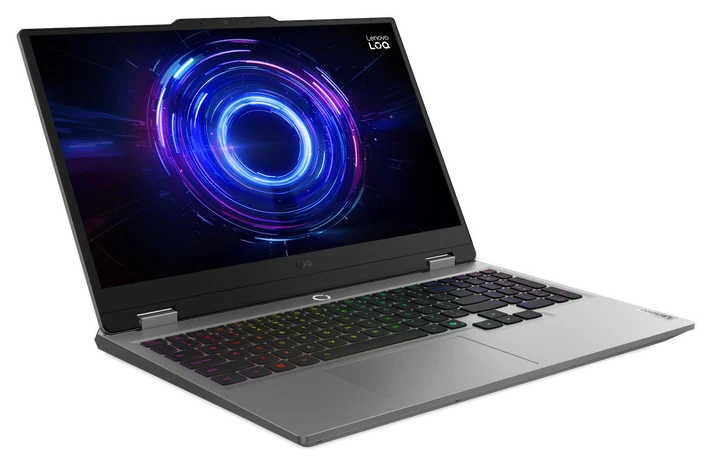 No. 1 · Best valueLenovo LOQ 15~$1,100View on Amazon
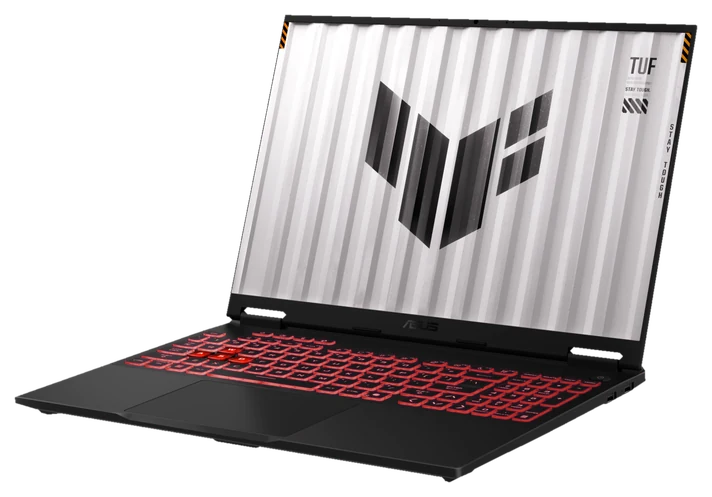 No. 2 · Best all-rounderASUS TUF Gaming A16 RTX 5050~$1,300View on Amazon
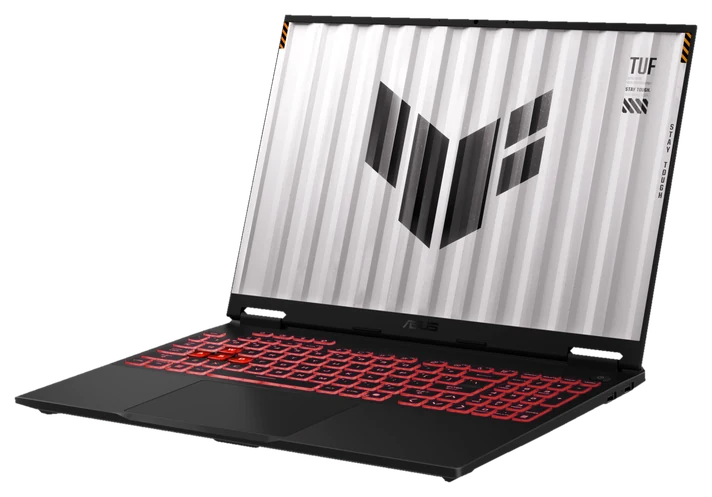 No. 3 · Best step upASUS TUF Gaming A16 RTX 5060~$1,400View on Amazon
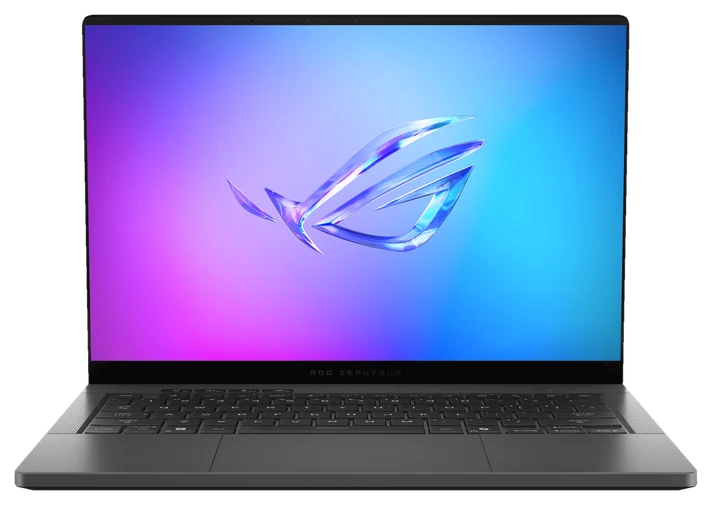 No. 4 · Best light and premiumASUS ROG Zephyrus G14~$2,350View on Amazon
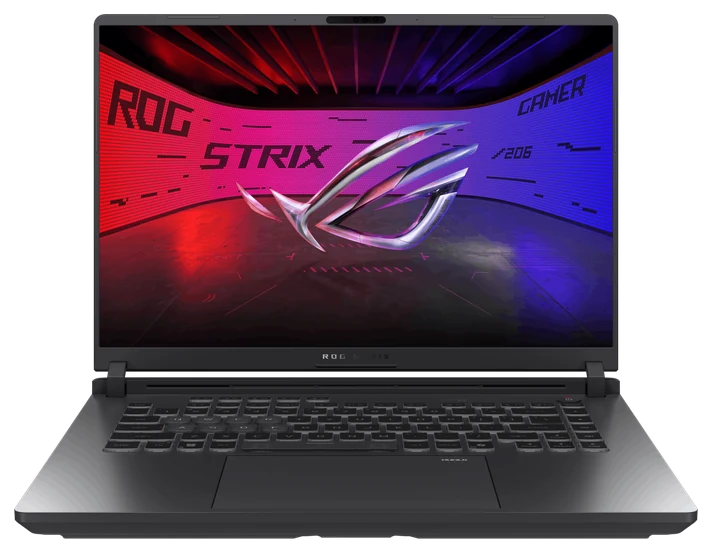 No. 5 · Best batteryASUS ROG Strix G16~$1,700View on Amazon
| Differences | No. 1Lenovo LOQ 15 | No. 2ASUS TUF Gaming A16 RTX 5050 | No. 3ASUS TUF Gaming A16 RTX 5060 | No. 4ASUS ROG Zephyrus G14 | No. 5ASUS ROG Strix G16 |
|---|---|---|---|---|---|
| Price range | ~$1,100 | ~$1,300 | ~$1,400 | ~$2,350 | ~$1,700 |
| GPU | RTX 5050 (100W) | RTX 5050 (up to 115W) | RTX 5060 (up to 115W) | RTX 5070 | RTX 5050 |
| Weight | 5.29 lb | 4.85 lb | 4.85 lb | 3.31 lb | 5.84 lb |
| Battery | 60–80Wh | 70Wh | 70Wh | 73Wh | 90Wh |
From each pick’s review below. We compared maker specs and listings, not readings we took.
We didn’t use these laptops. How we chose How we verify Corrections logged publicly
Pick 1 of 5: No. 1 · Best value
The cheapest current RTX laptop here
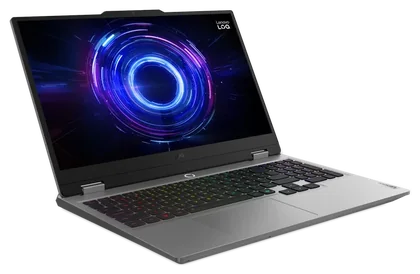
The Lenovo LOQ 15 is the value pick for a student who wants a current RTX laptop near $1,000. Lenovo’s PSREF spec sheet for the 15IRX10 lists a 15.6-inch Full HD 144Hz IPS screen at 300 nits and 100% sRGB, an 8GB GDDR7 GPU at 100W, 16GB of DDR5 across two slots (up to 32GB), a 60Wh or 80Wh battery depending on configuration (per Lenovo’s PSREF sheet) and a starting weight of 2.4 kg (5.29 lb). USB-C charging works from 65W to 100W, so one charger can serve the laptop and a phone in class. Lenovo’s US store listed the Intel RTX 5050 version at $1,099.99 on 23 Nov 2026.
The RTX 5050 is the entry GPU in the 50-series, so expect to turn settings down in newer games; Lenovo’s US store lists RTX 5060 versions from $1,449.98 if you’d rather pay for more. An AMD RTX 5050 version listed at $1,199.99. It’s the least friendly laptop here for a backpack, with a heavy body and the smallest battery of the five, so the value is in the price, not portability. Check that the listing names the GPU you’re paying for.
Next: No. 2, ASUS TUF Gaming A16 RTX 5050Torn? Compare it with No. 2
Pick 2 of 5: No. 2 · Best all-rounder
A larger screen and battery for about $200 more
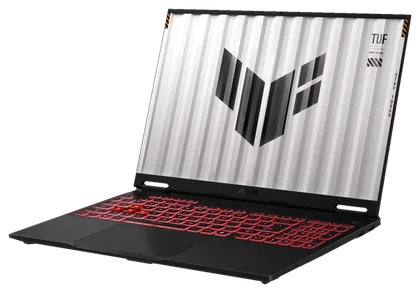
The ASUS TUF Gaming A16 RTX 5050 is the pick for a student who wants more screen and battery than the LOQ without stepping far above $1,300. ASUS’s US store lists the FA608UHI-OB73 with an AMD Ryzen 7 260, a GeForce RTX 5050 Laptop GPU with 8GB of GDDR7 (up to 115W with Dynamic Boost), 16GB of memory, a 512GB SSD, a 16-inch WQXGA 165Hz screen, a 70Wh battery and a weight of 2.20 kg (4.85 lb). ASUS’s store showed $1,299.99 on 23 Nov 2026.
At 4.85 lb it’s lighter than the LOQ 15 and carries a bigger battery, so it suits a laptop that rides in a bag a few days a week. The 512GB drive fills quickly with modern games, so plan on an external drive. The RTX 5050 is the entry GPU, and the RTX 5060 version of this laptop costs $100 more at ASUS, which is the better buy if you can stretch. As with the others, expect gaming to run best plugged in.
Next: No. 3, ASUS TUF Gaming A16 RTX 5060Torn? Compare it with No. 3
Pick 3 of 5: No. 3 · Best step up
The best GPU for the money
The ASUS TUF Gaming A16 RTX 5060 is the pick when you’d rather pay a little more for a stronger GPU. ASUS’s US store lists the FA608UMI-NB73 with an AMD Ryzen 7 260, a GeForce RTX 5060 Laptop GPU with 8GB of GDDR7 (up to 115W with Dynamic Boost), 16GB of memory, a 512GB SSD, a 16-inch WUXGA 144Hz screen, a 70Wh battery and a weight of 2.20 kg (4.85 lb). ASUS’s store showed $1,399.99 on 23 Nov 2026.
It shares the body, weight and battery of the RTX 5050 version above, so the extra $100 buys GPU power and a 1920×1200 screen instead of the 5050 model’s WQXGA panel. The 512GB drive fills quickly with modern games, so plan on an external drive or a larger SSD. It’s a pound and a half heavier than the Zephyrus G14, so it suits a bag a few days a week, not every hour, and it performs best plugged in. Check that the listing says RTX 5060 before you buy.
Next: No. 4, ASUS ROG Zephyrus G14Torn? Compare it with No. 4
Pick 4 of 5: No. 4 · Best light and premium
The light, premium option
The ASUS ROG Zephyrus G14 is the lightest laptop here with a serious GPU, and the only one that’s a splurge. ASUS’s US store lists the GA403UP-CB94 with an AMD Ryzen 9 270, a GeForce RTX 5070 Laptop GPU, 16GB of memory, a 1TB SSD, a 14-inch 3K OLED screen at 120Hz, a 73Wh battery and a weight of 1.50 kg (3.31 lb). ASUS’s store showed $2,349.99 on 23 Nov 2026.
The trade-off is price: it costs about $950 more than the TUF A16 with an RTX 5060, so it’s a buy for a student who carries the laptop all day and has the budget, not a default. A 14-inch screen is small for long coursework sessions without a monitor. Like every gaming laptop, it performs best plugged in, and ASUS’s battery size isn’t a promise for gaming runtime.
Pick 5 of 5: No. 5 · Best battery
The biggest battery here
The ASUS ROG Strix G16 is here for its battery. ASUS’s US store lists the G615JHR-DB73 with an Intel Core i7-14650HX, a GeForce RTX 5050 Laptop GPU, 16GB of memory, a 512GB SSD, a 16-inch Full HD+ 165Hz screen, a 90Wh battery and a weight of 2.65 kg (5.84 lb). ASUS’s store showed $1,699.99 on 23 Nov 2026.
That price is about $400 above the TUF A16 with the same RTX 5050, and it’s a pound heavier, so this is the pick only if you want the largest battery capacity or the Strix design. Ninety watt-hours is ASUS’s capacity figure, and gaming drains it quickly, so plan to play plugged in. Most students are better served by the TUF A16 or the LOQ 15.
Pick any two of the five. Rows that match say so once; the rest sit side by side, as each review states them.
Price range
~$1,100
~$1,300
GPU
RTX 5050 (100W)
RTX 5050 (up to 115W)
Weight
5.29 lb
4.85 lb
Battery
60–80Wh
70Wh
6 common questions, answered.
An RTX 5050 or 5060 is enough for 1080p-class gaming, and the picks here run from there up to an RTX 5070 for those with the budget. We don’t promise frame rates, because we didn’t measure any. Spend on weight and battery first if you carry the laptop daily, and on GPU power if it stays on a desk.
The 14-inch Zephyrus G14 weighs 3.31 lb per ASUS, while the 15 and 16-inch picks run from 4.85 to 5.84 lb per ASUS and Lenovo. Carry weight matters more than screen size over a semester, and a laptop above 5 lb adds up in a backpack with books and a charger.
Makers publish capacity and “up to” figures for light use, and gaming drains a battery much faster. Most gaming laptops also perform best plugged in, so plan to game at a desk. We haven’t measured battery life on any of them.
Buy the 50-series if the prices are close. Every pick here has an RTX 50-series GPU, and older RTX 40-series models still on shelves can cost less but are an older generation. Check the exact GPU in a listing, since similar-looking models, such as the RTX 5050 and RTX 5060 versions of the ASUS TUF A16, use different GPUs.
Only if the maker says so. We didn’t read the warranty terms for these five models, so check the maker’s warranty page for the exact model, and treat accidental damage protection as a separate extra unless the listing names it.
A Mac isn’t a gaming machine; for coursework see our MacBook Neo vs. MacBook Air. If one machine must do both, a gaming laptop is the answer, and a Chromebook isn’t; see Chromebook Plus vs. Chromebook for what that one does well.
We didn’t use these laptops. We compared ASUS’s and Lenovo’s own US store listings and spec pages, read on 23 Nov 2026, and we name the source beside each figure. Price comes first for a student budget, then weight and battery, then GPU tier. Prices are each maker’s US store price, read that day and rounded; they move with sales. Updated November 2026. Prices are always moving, so every button and link pulls the live listing.
How we rank
Published specifications, verified owner reviews, and independent safety or standards data where it applies — weighted the same for every pick, never sponsored placement.