
No. 1: Apple Magic Keyboard with Touch ID (USB-C)
The Best Keyboards for Mac mini: Touch ID, Mechanical and Budget
Our verdict
Buy the MacBook Neo if your laptop lives in a browser, documents and streaming. Buy the MacBook Air if you’ll keep it five years or do anything heavier. The Neo is about $600 less at Apple’s list.
Best value
~$650–700Estimated price
View on AmazonBest for the long haul
~$1,200–1,300Estimated price
View on AmazonMemory / storage
8GB / 256GB
16GB / 512GB
Ports
1x USB 3 + 1x USB 2 (USB-C)
2x Thunderbolt 4 + MagSafe
Screen
13.0", sRGB
13.6", P3
The price gap: ~$550–600 more for the MacBook Air 13″ M5.
Best value
Best for the long haul
Product 1 of 2: Best value
A full Mac for about $600 less
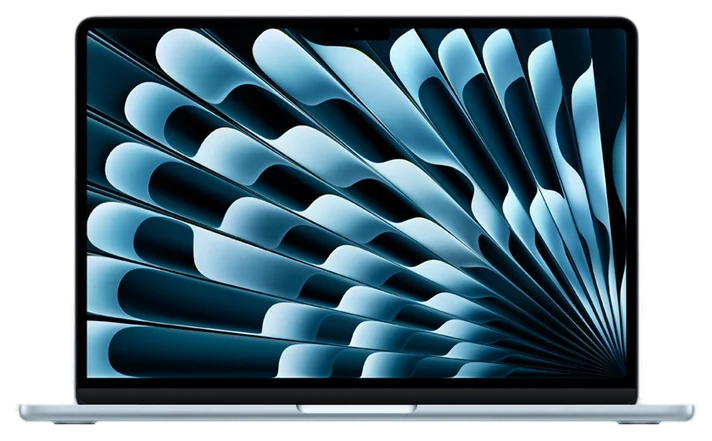
The Apple MacBook Neo is the Mac to buy when the laptop’s job is a browser, Docs or Office, video calls and Netflix. It runs macOS and the same apps as the Air for Apple’s $699 list price, about $600 under the Air. Apple’s spec page lists an A18 Pro chip (6-core CPU, 5-core GPU), a 13.0-inch 2408×1506 screen at 500 nits in sRGB, a 1080p camera and up to 16 hours of video playback, which is Apple’s claim, not ours. Amazon’s search showed the 256GB model at about $649 on 17 Nov 2026.
The trade-offs are written into the spec sheet. Apple sells the Neo with 8GB of memory only, and Mac memory is chosen at purchase, so there’s no upgrading later. It has one USB 3 port (10Gb/s) and one USB 2 port (480Mb/s). Either can charge, but only the fast one drives a monitor, so a display plus the charger fills both ports. Touch ID comes only on the 512GB model, about $100 more at Apple ($799), which is worth it if you’d otherwise type your password all day. Apple supports one external display, up to 4K at 60Hz.
Product 2 of 2: Best for the long haul
The one to keep for years
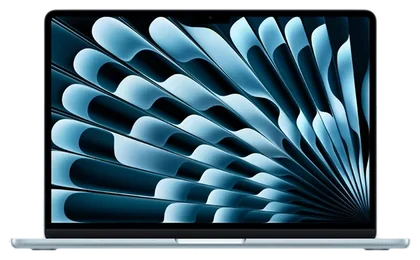
The Apple MacBook Air 13-inch M5 is the Mac to buy when you want one laptop for the next five years or more. Apple’s spec page lists an M5 with a 10-core CPU and 8-core GPU, 16GB of memory (configurable to 24 or 32GB), a 512GB drive, a 13.6-inch 2560×1664 screen with P3 wide color and True Tone, a 12MP Center Stage camera and Wi-Fi 7. Apple’s list price for this configuration is $1,299, and Amazon’s search showed it near $1,229 on 17 Nov 2026.
Against the Neo, the Air adds two Thunderbolt 4 ports (40Gb/s) plus MagSafe 3 charging, so charging doesn’t cost you a port. It supports up to two external displays, and Touch ID is standard. Apple rates battery at up to 18 hours of video against the Neo’s 16, and it calls the design silent and fanless. For browsing and documents most of the extra speed goes unused, which is the case for the Neo. Choose the Air when 16GB and the extra ports will be in use, or when you’d rather buy once. If you’re weighing a Pro as well, see our MacBook Air M5 vs. MacBook Pro M6 comparison.
6 common questions, answered.
For browsing, documents, calls and streaming, which is how Apple pitches it on apple.com/macbook-neo, yes. It’s the only memory Apple sells for the Neo, so buy the Air if you expect heavier work later.
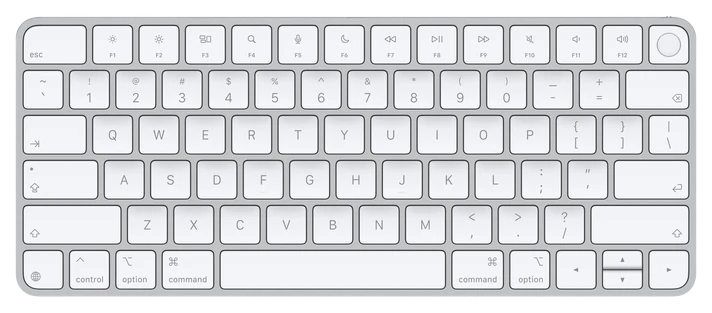
Only the 512GB model does, at $799 on Apple’s buy page. The 256GB model ships with a Magic Keyboard that doesn’t have Touch ID, per Apple’s spec page.
One, up to 4K at 60Hz, from its USB 3 port, per Apple’s spec page. The MacBook Air runs two, so if a dual-monitor desk is the plan, see our best monitors and docks guide and buy the Air.
Yes, the Neo’s A18 Pro is on Apple’s supported-device list. Apple limits one footnoted group of features to Macs with an M3 chip or later and at least 12GB of memory, which the Neo’s 8GB doesn’t meet.
For writing, research and video calls, yes; Apple markets it for coursework. For design, music production or engineering software, the Air’s 16GB and second fast port matter. If you’re also weighing a tablet, our best tablets and e-readers guide covers that, and iPad Air vs. iPad (A16) covers Apple’s two.
Neither: both weigh 2.7 pounds, per Apple’s spec pages. The Neo is 0.50 inch thick and the Air 0.44 inch.
We didn’t use either laptop.
We didn’t use either laptop. We compared Apple’s spec pages for the MacBook Neo and the 13-inch MacBook Air, Apple’s buy pages and its Apple Intelligence supported-device list, and we name the source beside each figure. Battery hours are Apple’s “up to” claims. Prices are Apple’s list prices read on 17 Nov 2026 plus Amazon search results that day, shown as estimated ranges. Updated November 2026. Prices are always moving, so every button and link pulls the live listing.
How we rank
Published specifications, verified owner reviews, and independent safety or standards data where it applies — weighted the same for every pick, never sponsored placement.