The Best Printers and Scanners:Ranked by Running Cost
Printer companies make their money on ink, not hardware, which is why a cheap printer is often the expensive choice. We compared cost per page, cartridge economics, and long-term reliability reports to find machines that stay cheap to own.
By the BYB Editorial Team
Published July 29, 2026 · Updated · Prices checked OctoberOct 5, 2026
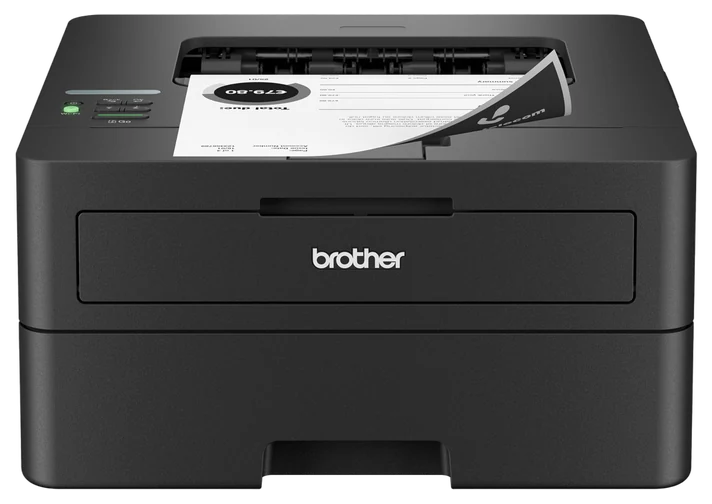
Brother HL-L2460DW Monochrome Laser Printer$150–220The Brother HL-L2460DW, $150–220 — if you print rarely, laser toner costs pennies a page and won’t dry out between jobs the way ink does.Check price
Need color
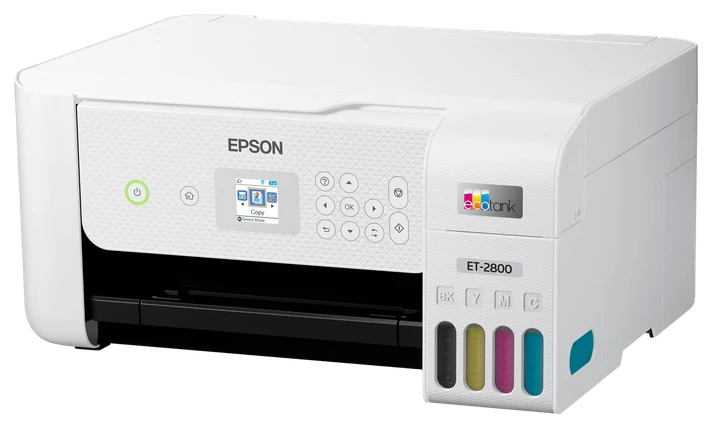
Epson EcoTank ET-2800$180–250Epson EcoTank ET-2800 at $180–250 — replaces cartridges with refill bottles entirely.Check price
Skip
An inkjet entirely, if you print fewer than fifty pages a year — it’s the wrong machine for that.
We compared published yield ratings and cost per page, subscription and cartridge-chip policies, documented scanner throughput and OCR accuracy, and multi-year reliability reports from home and small-office owners.How we chose·How we verify·Corrections logged publicly
Printer companies make their money on ink, not hardware, which is why a cheap printer is often the expensive choice. We compared cost per page, cartridge economics, and long-term reliability reports to find machines that stay cheap to own.
How we choseWhat we compared, and how we rank
We compared published yield ratings and cost per page, subscription and cartridge-chip policies, documented scanner throughput and OCR accuracy, and multi-year reliability reports from home and small-office owners. Prices are always moving, so every button and link pulls the live listing.
How we rank
Published specifications, verified owner reviews, and independent safety or standards data where it applies — weighted the same for every pick, never sponsored placement.
What changed2 dated notes · latest 27 September 2026
NoteThe EcoTank ink figures (about 4,500 black or 7,500 color pages) are Epson’s rated yields for a replacement bottle set; an earlier version credited them to a reviewer’s measurement of the included ink. The pick also now notes the ET-2400, Epson’s entry model, which takes the same bottles.
CorrectedThe ScanSnap iX1400 and Canon imageFORMULA R40 are discontinued. Their successors, the ScanSnap iX2400 at about $340–360 and the Canon imageFORMULA R40II at about $230–280, take their places.
Dated notes already published on this page, newest first. Every correction we make is logged on the corrections page.
Almost everything a household prints is black text on white paper. Labels, forms, tickets, school work, tax paperwork. That is precisely what a mono laser does cheapest, and the Brother HL-L2460DW is the current default: fast enough that you do not wait for it, compact enough for a shelf, and cheap enough per page that printing stops feeling like a decision.
The decisive advantage over any inkjet is that toner does not dry out. A laser printer left untouched for three months prints perfectly on the fourth, while an inkjet in the same situation frequently needs a cleaning cycle that consumes ink worth more than the job. Automatic double-sided printing halves paper use, and Wi-Fi setup is refreshingly painless: How-To Geek found joining it to a network was quick and trouble-free, a rarity among home printers.
It prints in black only, so photos and color documents need another solution: pair it with the EcoTank below, or use a photo printing service for images. High-yield replacement toner is the cartridge to buy. At $150–220, it is the cheapest printer to own that most people can buy.
Strengths
Low cost per page with high-yield toner
Toner never dries out between uses
Automatic double-sided printing
Wireless setup that works
Tradeoffs
Black and white only
Toner cartridges cost more up front than ink
No scanning or copying
Pick 2 of 5: No. 2Best all-in-one
2
Brother MFC-L2820DW All-in-One Laser Printer
Best all-in-one
Printing, scanning, and copying without the ink trap
Get it if your household or office regularly scans and copies multi-page paperwork alongside printing.
Skip it if you scan only a page or two a month, or need the feeder to capture two-sided originals automatically — it only reads one side per pass.
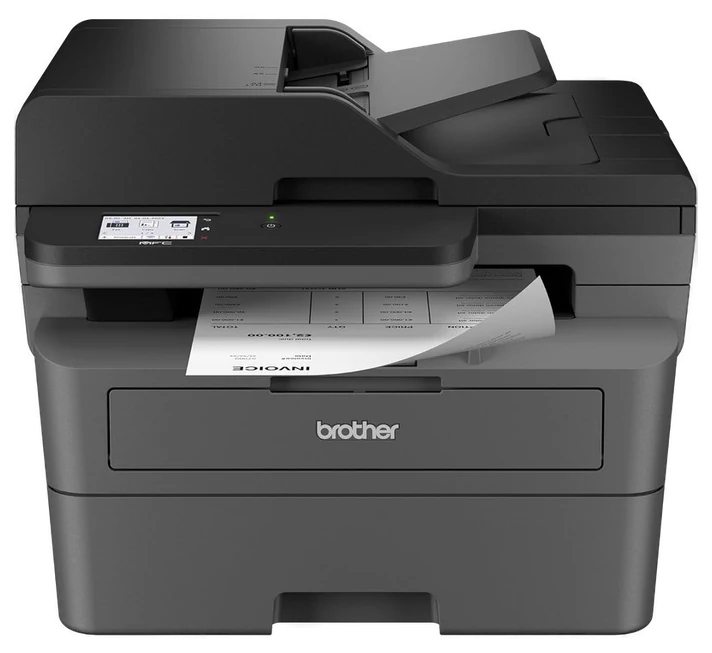
The home-office machine most people need does three things: prints documents cheaply, scans paperwork to a PDF, and copies without a computer involved. The Brother MFC-L2820DW does all three on the same low-cost laser platform, which is what separates it from the color inkjet all-in-ones sold at similar prices and far higher running costs.
The automatic document feeder is the feature that earns its keep. Scanning a twenty-page contract by loading a stack and pressing one button, rather than lifting a lid twenty times, changes whether you digitize paperwork at all. Scan-to-email and scan-to-cloud work from the control panel without a computer, and duplex printing plus a solid paper tray mean it handles genuine office volume; Consumer Reports notes the feeder itself scans one side at a time even though printing is auto-duplex, so a two-sided original still needs a manual flip partway through.
It remains black and white, it is noticeably larger than the printer above, and the flatbed scanner is fine for documents rather than photographs, so a dedicated photo scanner is a better answer for archiving old prints. At $200–280, it is the machine to buy if one device has to cover everything paper-related.
Strengths
Print, scan, copy and fax on one cheap-to-run platform
Automatic feeder makes multi-page scanning painless
Scan to email and cloud without a PC
Handles real office paper volume
Tradeoffs
Monochrome only
Large footprint
Scanner is document-grade, not photo-grade
Pick 3 of 5: No. 3Best for color
3
Epson EcoTank ET-2800
Best for color
Color printing without the cartridge subscription
Get it if you print color often enough that cartridges would add up — school projects, photos, color reports.
Skip it if your printing is almost all black text; the Brother laser above is cheaper to run.
The EcoTank line exists because Epson decided to sell the printer at a profit and the ink at a sane price, and the Epson EcoTank ET-2800 sits a step above Epson’s entry ET-2400, and both take the same 522 bottles. Instead of cartridges you fill four reservoirs from bottles, and Epson rates each replacement bottle set at roughly 4,500 black-and-white pages or 7,500 in color, a supply that would cost several times the printer’s price in traditional cartridges.
For households that print color, whether that is children’s projects, photographs, craft materials or color reports, this is the machine that removes the anxiety. There is no subscription, no chipped cartridge refusing to work, and no printing lockout because one color ran low. It scans and copies as well, and the tanks are visible, so you can see exactly how much ink you have rather than guessing from a warning.
It is an inkjet, with everything that implies: slower than laser, and the print head can clog if the machine sits unused for months, so print something in color occasionally. Buy genuine refill bottles, because third-party ink is the main cause of clogged EcoTanks. At $180–250, it is the only sensible way to print color at home.
Strengths
Ink bottles cost a fraction of cartridges
Included ink lasts thousands of pages
No subscription or cartridge chips
Visible tanks show real ink levels
Tradeoffs
Slower than a laser printer
Head can clog if left unused for months
Photo quality trails dedicated photo printers
Also on the shortlist
Two more, in brief
Pick 4 of 5: No. 4Best document scanner~$340–360
4
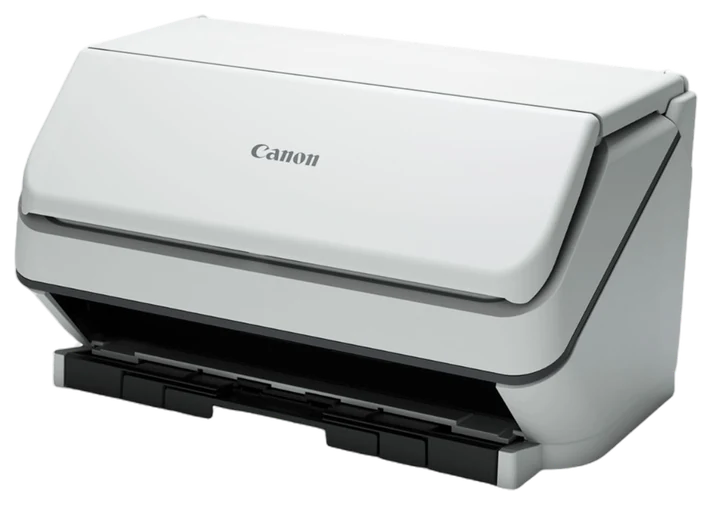
ScanSnap iX2400 Document Scanner
Upgrade pickBest document scanner
The machine that finally clears the paperwork drawer
Get it if you have drawers of paperwork you want digitized.
Skip it if you scan only a few pages a month — an all-in-one is enough.
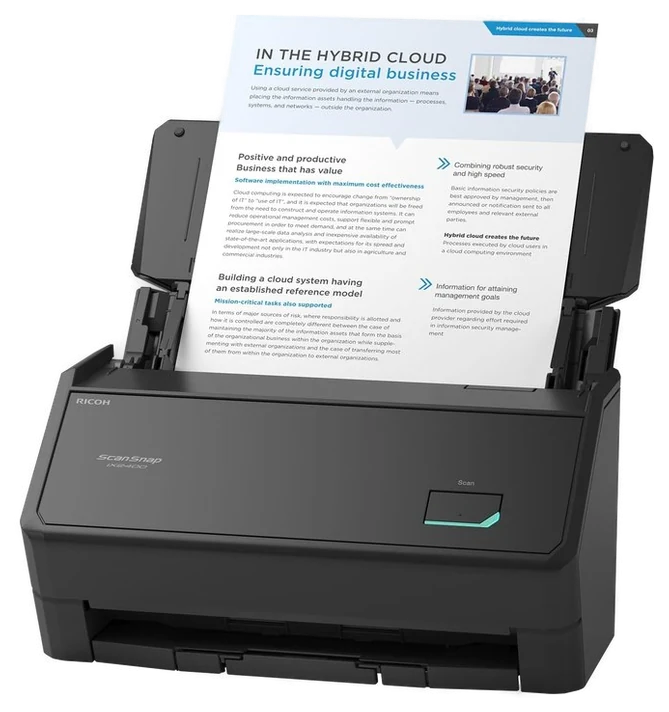
Every all-in-one printer can scan, and almost nobody uses it for volume because the workflow is tedious. The ScanSnap iX2400 solves the workflow rather than the scanning: load a stack, press the single large button, and both sides of every page are captured, straightened, de-skewed, blank-page-removed, and saved as a searchable PDF. It replaces the now-discontinued iX1400 as the current one-touch model in this tier.
Speed is the upgrade over the old model: duplex scanning runs up to 45 pages a minute, the 100-sheet feeder swallows a thick stack in one load, and the scanner is ready to go about three seconds after you switch it on. For anyone digitizing years of tax records, medical paperwork, or a small business’s receipts, that turns a weekend project into an afternoon.
It is built for one job — press the button, get a PDF — rather than the menus and settings of a touchscreen model. It also scans documents rather than photographs; delicate or irregular items still need a flatbed scanner. At $340–360, it only makes sense if you have real paper volume, but for those people it remains transformative.
Strengths
One-touch button scans straight to searchable PDF
Duplex scanning up to 45 pages a minute
100-sheet feeder handles long stacks
No ink or consumables at all
Tradeoffs
Expensive for occasional scanning
Single button only, no touchscreen controls
Not suitable for photos or fragile documents
Pick 4 of 5: No. 4Best document scanner~$340–360
ScanSnap iX2400 Document Scanner
The machine that finally clears the paperwork drawer
Get it if you have drawers of paperwork you want digitized.
Skip it if you scan only a few pages a month — an all-in-one is enough.
Every all-in-one printer can scan, and almost nobody uses it for volume because the workflow is tedious. The ScanSnap iX2400 solves the workflow rather than the scanning: load a stack, press the single large button, and both sides of every page are captured, straightened, de-skewed, blank-page-removed, and saved as a searchable PDF. It replaces the now-discontinued iX1400 as the current one-touch model in this tier.
Read the full case
Speed is the upgrade over the old model: duplex scanning runs up to 45 pages a minute, the 100-sheet feeder swallows a thick stack in one load, and the scanner is ready to go about three seconds after you switch it on. For anyone digitizing years of tax records, medical paperwork, or a small business’s receipts, that turns a weekend project into an afternoon.
It is built for one job — press the button, get a PDF — rather than the menus and settings of a touchscreen model. It also scans documents rather than photographs; delicate or irregular items still need a flatbed scanner. At $340–360, it only makes sense if you have real paper volume, but for those people it remains transformative.
Strengths
One-touch button scans straight to searchable PDF
Duplex scanning up to 45 pages a minute
100-sheet feeder handles long stacks
No ink or consumables at all
Tradeoffs
Expensive for occasional scanning
Single button only, no touchscreen controls
Not suitable for photos or fragile documents
Pick 5 of 5: No. 5Best value scanner
5
Canon imageFORMULA R40II Scanner
Best value scanner
Bundled software that turns scans into organized records
Get it if you want auto-filing software and Canon’s currently supported hardware.
Skip it if you want the ScanSnap’s more polished one-button scanning workflow instead.
The Canon imageFORMULA R40II is Canon’s current entry in this tier, replacing the original R40, which Canon has discontinued. It takes the same angle on the problem as the ScanSnap above: similar duplex sheet-fed hardware at a lower price, with document-management software bundled in that automatically files scans into folders based on rules you set, rather than dumping everything into one directory.
That bundled software is the reason to choose it. CaptureOnTouch handles the scanning and batch separation — by blank page, page count, zonal OCR, patch code or barcode — while bundled Readiris turns pages into searchable PDFs and Cardiris digitizes business cards. The R40II also scans faster than the model it replaces, up to 45 pages a minute simplex or 90 images a minute duplex, through the same 60-sheet feeder.
It runs on both Windows and Mac, correcting the old model’s Windows-only reputation, and Canon backs it with a one-year limited warranty and advance-exchange support. Both need a decent external drive or cloud backup behind them. At $230–280, it remains the better-value entry into serious document scanning.
Strengths
Bundled software files scans automatically
Faster than the outgoing R40 model
Works natively on Windows and Mac
Accurate text recognition for searchable archives
Tradeoffs
Scanning workflow is less polished than the ScanSnap
Only a one-year limited warranty
Still a single-purpose device
Pick 5 of 5: No. 5Best value scanner
Canon imageFORMULA R40II Scanner
Bundled software that turns scans into organized records
Get it if you want auto-filing software and Canon’s currently supported hardware.
Skip it if you want the ScanSnap’s more polished one-button scanning workflow instead.
The Canon imageFORMULA R40II is Canon’s current entry in this tier, replacing the original R40, which Canon has discontinued. It takes the same angle on the problem as the ScanSnap above: similar duplex sheet-fed hardware at a lower price, with document-management software bundled in that automatically files scans into folders based on rules you set, rather than dumping everything into one directory.
Read the full case
That bundled software is the reason to choose it. CaptureOnTouch handles the scanning and batch separation — by blank page, page count, zonal OCR, patch code or barcode — while bundled Readiris turns pages into searchable PDFs and Cardiris digitizes business cards. The R40II also scans faster than the model it replaces, up to 45 pages a minute simplex or 90 images a minute duplex, through the same 60-sheet feeder.
It runs on both Windows and Mac, correcting the old model’s Windows-only reputation, and Canon backs it with a one-year limited warranty and advance-exchange support. Both need a decent external drive or cloud backup behind them. At $230–280, it remains the better-value entry into serious document scanning.
Strengths
Bundled software files scans automatically
Faster than the outgoing R40 model
Works natively on Windows and Mac
Accurate text recognition for searchable archives
Tradeoffs
Scanning workflow is less polished than the ScanSnap
Only a one-year limited warranty
Still a single-purpose device
Cost per page, not sticker price, is what separates a good printer purchase from a bad one. Divide the price of a replacement cartridge or toner cartridge by its rated page yield to get a real number, then compare it against how much you print. If you print mostly black text, monochrome laser wins on almost every measure: toner doesn’t dry out sitting unused for weeks the way inkjet cartridges do, and cost per page is typically a fraction of inkjet’s. If you print photos or color documents regularly, a refillable ink-tank printer avoids the recurring cartridge cost that makes standard inkjets expensive to run.
Budget mono laser printers run $150-220 and cover most home offices that print text-heavy documents. All-in-one models with scanning and an automatic document feeder run $200-280. Dedicated document scanners ($200-400) are worth the extra device only if you’re digitizing an archive of paper — for occasional scanning, an all-in-one’s scan function is good enough.
The most common mistake is buying a cheap inkjet for occasional home use, then finding the cartridges have dried out between print jobs. The second is skipping the cost-per-page math entirely and judging printers on purchase price alone.
HP OfficeJet Pro 9125e — It’s a capable all-in-one, but HP’s dynamic-security firmware can block third-party ink and keeps nudging you toward Instant Ink, which is exactly the lock-in we steer you around.
Canon PIXMA MegaTank G3270 — It’s a fair refillable-tank rival to the EcoTank, but it prints noticeably slower (around 10 pages a minute for plain text), so the Epson wins on speed.
Fujitsu ScanSnap iX1600 — It’s the same great scanner as our iX2400 pick, but you’re mostly paying extra for a touchscreen and WiFi you may never use.
Epson WorkForce ES-500W II — It’s a solid wireless document scanner, but it overlaps heavily with our ScanSnap pick without pulling ahead on speed or software.
Printer and scanner FAQs
6 common questions, answered.
Laser or inkjet: which should I buy?
Count what you print. If it is overwhelmingly black text, meaning forms, labels, letters and schoolwork, buy a mono laser and stop thinking about it. Toner is cheaper per page, never dries out, and survives months of neglect. If you print color regularly, buy a refillable ink-tank machine rather than a cartridge inkjet. The only case for a traditional cartridge inkjet is occasional printing where the low sticker price outweighs everything, and even then the dried-head problem usually catches up with you.
What is cost per page and how do I work it out?
Divide the price of a cartridge or toner by its rated page yield. A toner cartridge at $70 with a 3,000-page yield costs about 2.3 cents per page. An ink cartridge at $30 with a 200-page yield costs 15 cents. Over 5,000 pages that is a difference of well over $600, far more than the price gap between the machines. Manufacturers publish yields based on a standard 5% page coverage, which is roughly a normal text document, so the figures are comparable across brands.
Are printer ink subscriptions worth it?
Rarely, and they carry a real catch. Subscription plans meter pages rather than ink, so unused pages often expire, over-printing triggers surcharges, and some plans have remotely disabled printing when a subscription lapsed, even with ink physically remaining in the cartridge. If you print predictably every month they can save money. If your printing is sporadic, a laser or refillable tank machine avoids the entire arrangement, which is why neither of the top picks here uses cartridges at all.
Can I use third-party ink and toner?
For laser toner, third-party cartridges from established remanufacturers are generally a safe saving, and using them does not void your rights under warranty law in most markets — per the FTC’s Magnuson-Moss guidance, a manufacturer must show the part caused the fault. For refillable ink-tank printers, stick to genuine ink, because third-party ink is the leading cause of clogged print heads and a clogged head usually ends the printer’s life. For cartridge inkjets, third-party options vary enormously in quality and are the most common source of streaking.
Do I need a separate scanner if my printer scans?
Only if you have volume. An all-in-one’s flatbed handles a few pages a month perfectly well, and the models here with an automatic feeder handle multi-page documents fine. A dedicated scanner earns its price when you are digitizing an archive, whether that is years of records, a business’s receipts or a household’s paperwork, because the speed, the reliable feeding of mixed paper sizes and the one-button searchable-PDF workflow turn a task you would abandon into one you finish.
When do printers go on sale?
Two reliable windows. The back-to-school period in late summer, when printers are heavily promoted, and the late-November sales period. Ink and toner follow a different pattern and are best bought in multi-packs whenever a high-yield version is discounted, since they do not expire in any practical sense. One warning worth repeating: a deeply discounted printer with expensive proprietary cartridges is not a bargain, so check the cartridge price before you check the printer price.
23Sep 2026Correction, 23 September 2026The ScanSnap iX1400 and Canon imageFORMULA R40 are discontinued. Their successors, the ScanSnap iX2400 at about $340–360 and the Canon imageFORMULA R40II at about $230–280, take their places.Every correction we’ve made ›
27Sep 2026Correction, 27 September 2026The EcoTank ink figures (about 4,500 black or 7,500 color pages) are Epson’s rated yields for a replacement bottle set; an earlier version credited them to a reviewer’s measurement of the included ink. The pick also now notes the ET-2400, Epson’s entry model, which takes the same bottles.Every correction we’ve made ›
Prices on this page are re-checked weekly — see the full Office price index for every product we cover.
Keep reading
Where to go next.
The close calls side by side, then related guides.
New guides, re-ranked picks and the month's notable changes. No weekly filler, ever.
Unsubscribe any time. Your address goes to our newsletter provider and nowhere else — see our privacy policy.
Manage Consent
To provide the best experiences, we use technologies like cookies to store and/or access device information. Consenting to these technologies will allow us to process data such as browsing behavior or unique IDs on this site. Not consenting or withdrawing consent, may adversely affect certain features and functions.
Functional
Always active
The technical storage or access is strictly necessary for the legitimate purpose of enabling the use of a specific service explicitly requested by the subscriber or user, or for the sole purpose of carrying out the transmission of a communication over an electronic communications network.
Preferences
The technical storage or access is necessary for the legitimate purpose of storing preferences that are not requested by the subscriber or user.
Statistics
The technical storage or access that is used exclusively for statistical purposes.The technical storage or access that is used exclusively for anonymous statistical purposes. Without a subpoena, voluntary compliance on the part of your Internet Service Provider, or additional records from a third party, information stored or retrieved for this purpose alone cannot usually be used to identify you.
Marketing
The technical storage or access is required to create user profiles to send advertising, or to track the user on a website or across several websites for similar marketing purposes.