The Best Desk Accessories of 2026:Everything Under $150
After the chair, desk, and screen are settled, a handful of sub-$100 accessories deliver the remaining comfort: monitor positioning, cable order, laptop ergonomics, and the light your eyes deserve.
By the BYB Editorial Team
Published July 28, 2026 · Updated · Prices checked OctoberOct 5, 2026
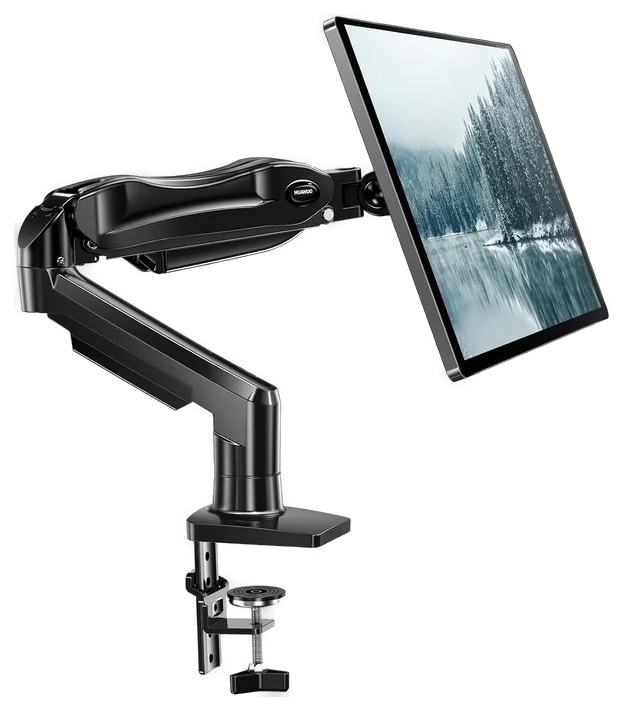
HUANUO Monitor Arm$30–60The HUANUO monitor arm, about $30–60 first — it fixes screen height permanently, for less than one visit to a physical therapist, and the rest can wait.Check price
Working past dark
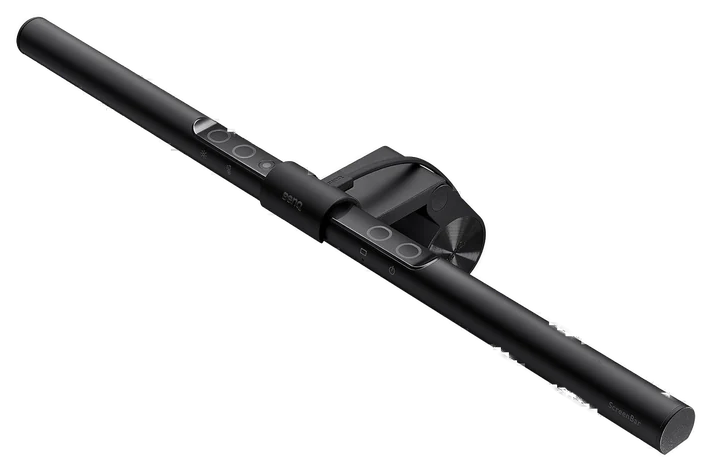
BenQ ScreenBar$109BenQ ScreenBar, about $109 — lights the desk without throwing glare at the screen.Check price
Round it out
Aothia Leather Desk Pad$16–36An Aothia desk pad, $16–36 by size — stops the desk wearing under your mouse.Check price
After the chair, desk, and screen are settled, a handful of sub-$100 accessories deliver the remaining comfort: monitor positioning, cable order, laptop ergonomics, and the light your eyes deserve.
How we choseWhat we compared, and how we rank
We compiled ergonomics guidance and long-term owner reviews, prioritizing the accessories people still use after the novelty fades. Prices are always moving, so every button and link pulls the live listing.
How we rank
Published specifications, verified owner reviews, and independent safety or standards data where it applies — weighted the same for every pick, never sponsored placement.
What changed1 dated note · latest 5 September 2026
CorrectedThe Aothia desk pad carried a “Best under $25” badge while its own range runs $16–36 by size; the badge now says under $40. Logged on the corrections page.
Dated notes already published on this page, newest first. Every correction we make is logged on the corrections page.
Monitor stands ship with every display and put the screen exactly where your neck does not want it, which is too low, on a pedestal that eats desk space. The HUANUO monitor arm fixes both problems with one clamp, and under $60 nothing else articulates this smoothly. PCWorld’s testing named it the best single-monitor arm in the budget tier, needing only three screws to mount the clamp, and rated the hardware to hold up to 20 lb, comfortably clearing the 13–32 inch range it is built for. The posture payoff is immediate and permanent.
The gas spring is the whole trick. The monitor floats to true eye level, tilts, rotates to portrait and pulls forward for detail work, then glides back with one hand. It clamps or grommet-mounts to the desk edge, fits 13 to 32 inch panels and routes cables through the arm itself, so pair it with the YECAYE channels below and the back of the desk goes quiet. The reclaimed square foot where the old stand sat is the bonus nobody expects to enjoy this much.
The catch lives at the edges of the spec sheet. Ultrawides over roughly 17 lb want HUANUO’s higher-rated arms, the tension screw needs an occasional quarter turn, and thin or glass desktops need the reinforcement plate seated carefully. If the monitor will sit in one position forever, a cheaper fixed mount does the job. At usually around $35 at Amazon, this is the rare ergonomic upgrade that costs less than a decent dinner.
Strengths
Gas-spring float to true eye level
Frees the desk space a stand eats
Cables route through the arm
Clamp install, no drilling
Tradeoffs
Heavy ultrawides need the higher-rated version
Tension may need occasional readjustment
Needs a solid desk edge to clamp
Pick 2 of 5: No. 2Best for laptops
2
Rain Design mStand
Best for laptops
The laptop dignity restorer
Get it if your laptop is your daily driver and you want a stand built to outlast the laptop itself.
Skip it if you need adjustable height, or the laptop is a secondary screen next to a real monitor.
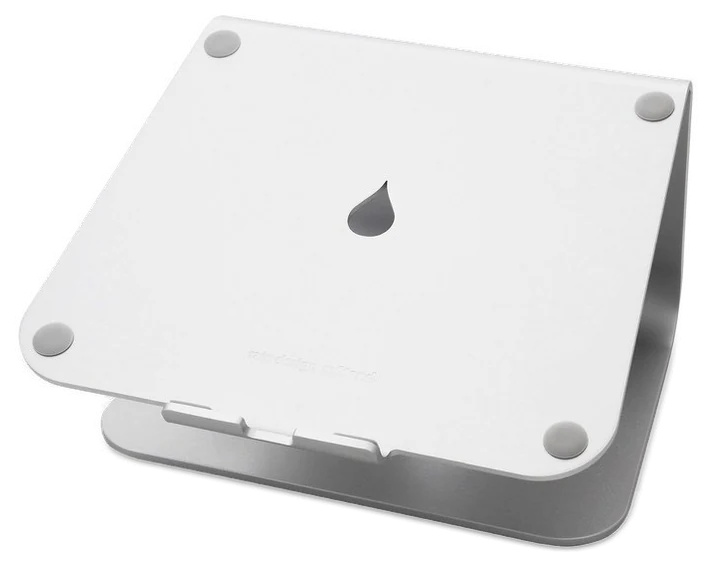
The Rain Design mStand has survived fifteen years of copycats because it got the design right the first time: one slab of sandblasted aluminum, no hinges, no plastic, nothing to wear out. It raises a laptop screen 5.9 inches toward eye level, which turns the laptop hunch, the defining posture of remote work, into something closer to sitting like a person.
Wirecutter’s Kimber Streams has run one for years as a stand for a secondary laptop screen next to a monitor arm and reports it still shows no wear, which lines up with owners elsewhere describing theirs outlasting two or three laptops.
The details are why it beats the $20 knockoffs. The aluminum matches a MacBook’s finish closely enough to read as an Apple accessory, the front lip holds the machine at a stable typing angle, and a cutout routes the charging cable out the back. The slab doubles as a passive heat sink, and it is heavy enough that a snagged cable will not drag your laptop off it.
If you work from an external display instead, the monitor arm is the same fix in a different form. One honest catch: raising the screen puts the built-in keyboard at an unusable angle, so an external keyboard and mouse are mandatory rather than optional. Height and angle are fixed. At around $50 at Amazon, it is the buy-once version of a product most people end up buying three times.
Strengths
Single-piece aluminum that outlasts the laptop
Raises screen 5.9″ toward eye level
Cable cutout keeps the desk clean
Doubles as a passive heat sink
Tradeoffs
External keyboard and mouse are mandatory
Height and angle aren’t adjustable
Costs double the plastic knockoffs
Pick 3 of 5: No. 3Best under $40~$16–36 by size
3
Aothia Leather Desk Pad
Budget pickBest under $40
The instant desk upgrade
Get it if your desk still looks like a workbench and you want an instant, wipeable upgrade for less than lunch.
Skip it if you specifically want real leather that develops a patina over time.
The Aothia desk pad is the highest aesthetics-per-dollar object on this list. For less than lunch it defines a warm, deliberate workspace on any desk surface, softens the edge under your wrists, quiets the clack of a keyboard and hides every scratch and coffee ring the desk has collected. Aothia’s own product listing names the surface as Faux Leather, the honest term for the same PU material used across this price tier, and the before-and-after difference once it is down is immediate enough that the purchase rarely needs debating.
The pad is dual-sided, a different color on each face, so flipping it is a free redecorate. The base grips, and the PU leather wipes clean with a damp cloth. Sizes run up to 36 inches wide, enough to sit under keyboard, mouse and forearms as one continuous surface, and mice track on it well enough that most people retire the mousepad.
The catch is material honesty. PU leather is polyurethane, not hide, so do not expect a patina. Expect it to stay exactly the same, which at this price is the point. It can arrive with roll-curl at the ends, which a day under some books fixes, and a hot mug can leave a mark, so use a coaster. At usually under $20 at Amazon, it is the cheapest transformation in the entire desk-setup genre.
Strengths
Instant visual upgrade for under $25
Dual-sided, two colors per pad
Softer wrists, quieter keyboard
Wipes clean with a damp cloth
Tradeoffs
PU leather, not real leather
Arrives with roll-curl that needs flattening
Hot mugs can mark the surface
Also on the shortlist
Two more, in brief
Pick 4 of 5: No. 4Best cable fix
4
YECAYE Cable Management
Best cable fix
The visual noise killer
Get it if your desk looks great until someone sees behind it, and you want a no-drill fix that travels with a sit-stand desk.
Skip it if you are routing a bulky power brick, or you would rather drill once for screw-mounted trays that hold everything.
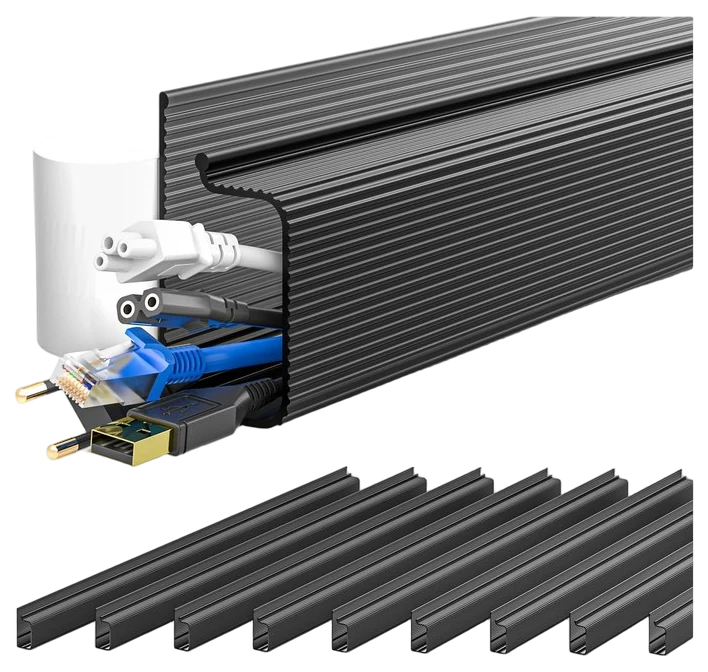
Cable chaos is the last boss of every desk setup, and the YECAYE cable management kit is the lazy-correct solution: adhesive J-channel raceways that press onto the underside of the desk lip, swallow the cables and disappear. There is no drilling, and no zip-tie archaeology six months later when you swap a monitor, because an open channel lets any cable lift out and reroute in seconds.
The design suits renters and standing-desk owners especially. Everything mounts with adhesive strips, so no holes go into the furniture, and on a sit-stand desk the channels ride the desktop, which means the whole loom travels with the lift. Mount the power strip in a channel and only one cable moves between wall and desk. YECAYE’s own spec sheet rates the channel’s adhesive at up to 6 lb of bearing capacity and calls for a 24-hour cure before loading cables, which lines up with owners reporting the bond holding through years of daily raises.
Two cautions. The adhesive is committed, and on laminate or veneer desks removal can pull finish with it, so warm it gently if you ever take it down. And the channel has a diameter budget, so power bricks and thick surge protectors need a strip mount or a tray instead. At around $25 at Amazon for a multi-channel kit, it is the cheapest way to make a desk look professionally installed.
Get it if your desk looks great until someone sees behind it, and you want a no-drill fix that travels with a sit-stand desk.
Skip it if you are routing a bulky power brick, or you would rather drill once for screw-mounted trays that hold everything.
Cable chaos is the last boss of every desk setup, and the YECAYE cable management kit is the lazy-correct solution: adhesive J-channel raceways that press onto the underside of the desk lip, swallow the cables and disappear. There is no drilling, and no zip-tie archaeology six months later when you swap a monitor, because an open channel lets any cable lift out and reroute in seconds.
Read the full case
The design suits renters and standing-desk owners especially. Everything mounts with adhesive strips, so no holes go into the furniture, and on a sit-stand desk the channels ride the desktop, which means the whole loom travels with the lift. Mount the power strip in a channel and only one cable moves between wall and desk. YECAYE’s own spec sheet rates the channel’s adhesive at up to 6 lb of bearing capacity and calls for a 24-hour cure before loading cables, which lines up with owners reporting the bond holding through years of daily raises.
Two cautions. The adhesive is committed, and on laminate or veneer desks removal can pull finish with it, so warm it gently if you ever take it down. And the channel has a diameter budget, so power bricks and thick surge protectors need a strip mount or a tray instead. At around $25 at Amazon for a multi-channel kit, it is the cheapest way to make a desk look professionally installed.
Strengths
No-drill adhesive install, renter-safe
Open channel, so cables reroute in seconds
Solves standing-desk cable travel
Multi-channel kits cover a full desk
Tradeoffs
Adhesive can pull laminate finish on removal
Power bricks won’t fit in the channel
Textured or oiled desks weaken adhesion
Pick 5 of 5: No. 5Best splurge~$109
5
BenQ ScreenBar
Upgrade pickBest splurge
The eye-strain eliminator
Get it if you work evenings and your eyes are worn out by 9pm, and the wireless dial and rear halo are worth paying up for.
Skip it if you work in a bright room by day, or the halo does not tempt you. BenQ’s standard ScreenBar does the core job for less.
The BenQ ScreenBar is the finishing touch on this list and the one purchase here that owners describe in cannot-go-back terms. It perches on top of the monitor and washes the desk in glare-free light, because its asymmetric optics aim the beam at your keyboard and paperwork and never at the screen.
That is the trick no ordinary desk lamp manages. Forbes reviewer Brad Moon described the lighting difference against an unlit room as night and day, and singled out the wireless control dial for freeing up desk space compared with the wired remote on the standard model. The pattern holds elsewhere too: you only notice what it fixed once it is gone.
The Halo earns its premium over basic light bars two ways. A rear-facing backlight throws a soft glow on the wall behind the monitor, killing the harsh screen-in-a-dark-room contrast of late-night work, and a wireless desktop dial adjusts brightness and color temperature without reaching up. It sits on flat and most curved monitors with a counterweighted mount, takes no desk space and draws power from a spare USB port.
The catch is arithmetic: at around $109 at Amazon it can cost more than everything else on this list combined, and if you work in a bright room by day the payoff shrinks. XDA Developers, reviewing the Halo as the best way to illuminate a desk, flagged the same monitor-top real-estate conflict: webcam owners should check mounting clearance before buying, since both accessories want the same strip of space. If the halo and the dial do not tempt you, BenQ’s standard ScreenBar delivers the core trick for less.
Get it if you work evenings and your eyes are worn out by 9pm, and the wireless dial and rear halo are worth paying up for.
Skip it if you work in a bright room by day, or the halo does not tempt you. BenQ’s standard ScreenBar does the core job for less.
The BenQ ScreenBar is the finishing touch on this list and the one purchase here that owners describe in cannot-go-back terms. It perches on top of the monitor and washes the desk in glare-free light, because its asymmetric optics aim the beam at your keyboard and paperwork and never at the screen.
Read the full case
That is the trick no ordinary desk lamp manages. Forbes reviewer Brad Moon described the lighting difference against an unlit room as night and day, and singled out the wireless control dial for freeing up desk space compared with the wired remote on the standard model. The pattern holds elsewhere too: you only notice what it fixed once it is gone.
The Halo earns its premium over basic light bars two ways. A rear-facing backlight throws a soft glow on the wall behind the monitor, killing the harsh screen-in-a-dark-room contrast of late-night work, and a wireless desktop dial adjusts brightness and color temperature without reaching up. It sits on flat and most curved monitors with a counterweighted mount, takes no desk space and draws power from a spare USB port.
The catch is arithmetic: at around $109 at Amazon it can cost more than everything else on this list combined, and if you work in a bright room by day the payoff shrinks. XDA Developers, reviewing the Halo as the best way to illuminate a desk, flagged the same monitor-top real-estate conflict: webcam owners should check mounting clearance before buying, since both accessories want the same strip of space. If the halo and the dial do not tempt you, BenQ’s standard ScreenBar delivers the core trick for less.
Strengths
Glare-free light, none of it on the screen
Rear halo softens late-night contrast
Wireless dial for brightness and warmth
Zero desk footprint, rides the monitor
Tradeoffs
Costs more than the rest of the list combined
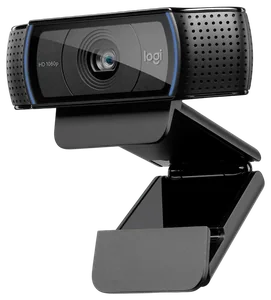
Competes with a webcam for monitor-top space
Overkill for bright daytime workspaces
Spend on the pieces that change how your body sits, and keep the rest simple.
Get your monitor to eye level: a monitor arm or laptop stand that lifts the top of the screen to your eyeline saves your neck more than any other accessory here.
Check clamp fit and desk depth: arms and screen bars grip a certain desk thickness, so measure your edge and make sure there’s room behind the desk for the mount.
Support your wrists and cut glare: a soft wrist rest and a light that sits in front of the screen (not behind it) keep long sessions comfortable and shadow-free.
The common mistake: filling the desk with organizers and gadgets before fixing screen height, so the clutter’s tidy but you’re still hunched over.
Elgato Stream Deck MK.2 — a useful macro pad, but it’s a productivity toy for streamers and power users, not an ergonomics upgrade like the rest of this list.
Grovemade Wool Felt Desk Pad — beautiful and well made, but it costs several times the leather pad we picked and does the same job.
Anker 341 USB-C Hub — a solid little hub, but its HDMI tops out at 4K/30Hz, which feels choppy for a main monitor; fine for a second screen or travel.
Kensington Duo Gel Wrist Rest — comfy and cheap, but the gel flattens over time and it’s a small fix next to getting your monitor and chair right.
Desk setup FAQs
6 common questions, answered.
What desk accessory improves ergonomics most?
Whatever brings the screen to eye level, which means the monitor arm for external displays and the mStand for laptops. Neck angle drives most of the desk-body complaints people blame on their chairs, and fixing screen height is the cheapest intervention with the biggest postural payoff.
Are monitor arms safe for heavy monitors?
Yes, if you check the weight rating first — the HUANUO handles a typical 27 inch panel under roughly 17 lb with ease, but 32 inch ultrawides want the higher-rated versions. Value arms like the HUANUO handle a typical 27 inch panel under roughly 17 lb with ease, but 32 inch ultrawides want the higher-rated versions. And clamp to a solid desk edge, because the arm is only as sturdy as the surface holding it. Thin or glass desktops need the reinforcement plate seated carefully.
How do I cable-manage a standing desk?
The cables have to move with the desk. Mount the power strip under the desktop, either in a J-channel or a tray, leave one service loop running from the wall, and everything else travels with the lift. One outlet cable moving instead of eight is the entire trick, and it is why adhesive channels beat wall-routed solutions on sit-stand desks.
Is a monitor light bar worth it over a regular desk lamp?
A desk lamp lights your desk and your screen, which adds glare. A light bar’s asymmetric optics light only the desk. If you work evenings, reviewers consistently report the difference in eye fatigue is real, and it is the upgrade owners say they would rebuy first. If you work in a bright room by day, a basic lamp covers most of the benefit, and BenQ’s standard ScreenBar delivers the core trick for less than the Halo.
How do I keep a PU leather desk pad looking new?
Wipe it with a damp cloth. That is the whole maintenance routine, plus a coaster under hot mugs, which can mark the surface. New pads often arrive with roll-curl at the ends, and a day flattened under a few books fixes it. Do not expect a patina, because polyurethane is not hide, so it wears evenly and stays the same color. Dual-sided pads give you a fresh second surface whenever the first one tires.
When do desk accessories go on sale?
Predictably. Prime Day in July and Black Friday through Cyber Monday are the deep-discount windows, and budget brands like HUANUO, Aothia and YECAYE run on-page coupons year-round, so check for the coupon checkbox under the price before paying list. The BenQ ScreenBar discounts less often and less deeply, which makes a modest cut on it worth taking. None of these are urgent purchases, so if you are within a few weeks of a sale window, wait.
5Sep 2026Correction, 5 September 2026The Aothia desk pad carried a “Best under $25” badge while its own range runs $16–36 by size; the badge now says under $40. Logged on the corrections page.Every correction we’ve made ›
Prices on this page are re-checked weekly — see the full Office price index for every product we cover.
Keep reading
Where to go next.
Related guides, then every guide in the department.
New guides, re-ranked picks and the month's notable changes. No weekly filler, ever.
Unsubscribe any time. Your address goes to our newsletter provider and nowhere else — see our privacy policy.
Manage Consent
To provide the best experiences, we use technologies like cookies to store and/or access device information. Consenting to these technologies will allow us to process data such as browsing behavior or unique IDs on this site. Not consenting or withdrawing consent, may adversely affect certain features and functions.
Functional
Always active
The technical storage or access is strictly necessary for the legitimate purpose of enabling the use of a specific service explicitly requested by the subscriber or user, or for the sole purpose of carrying out the transmission of a communication over an electronic communications network.
Preferences
The technical storage or access is necessary for the legitimate purpose of storing preferences that are not requested by the subscriber or user.
Statistics
The technical storage or access that is used exclusively for statistical purposes.The technical storage or access that is used exclusively for anonymous statistical purposes. Without a subpoena, voluntary compliance on the part of your Internet Service Provider, or additional records from a third party, information stored or retrieved for this purpose alone cannot usually be used to identify you.
Marketing
The technical storage or access is required to create user profiles to send advertising, or to track the user on a website or across several websites for similar marketing purposes.