Skip to content
Before You Buy Guide
Standing Desks

The Best Standing Desks: Decided by Stability and Warranty

Standing desks became a commodity, which moved the differences to stability at height, motor longevity and warranty terms. We compared the value leader, the enthusiast favorite, the office classic and the budget surprise.

Published July 28, 2026Prices checked August 25, 2026

We may earn a commission from links on this page. Affiliate disclosure

420+ prices trackedcorrections logged publiclyhow we verify

The short version

Get the FlexiSpot E7 at $300–500 by size. Its dual-motor frame is steady enough at standing height that you never notice the money you didn’t spend.

Want better? The UPLIFT Desk V3 at $600–900 configured buys a better frame, a longer warranty and a top worth looking at. If your current desk is fine, the Ergotron WorkFit-T converter at about $565 puts a standing option on top of it.

Top picks

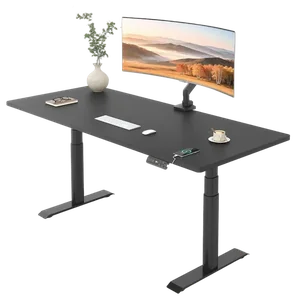
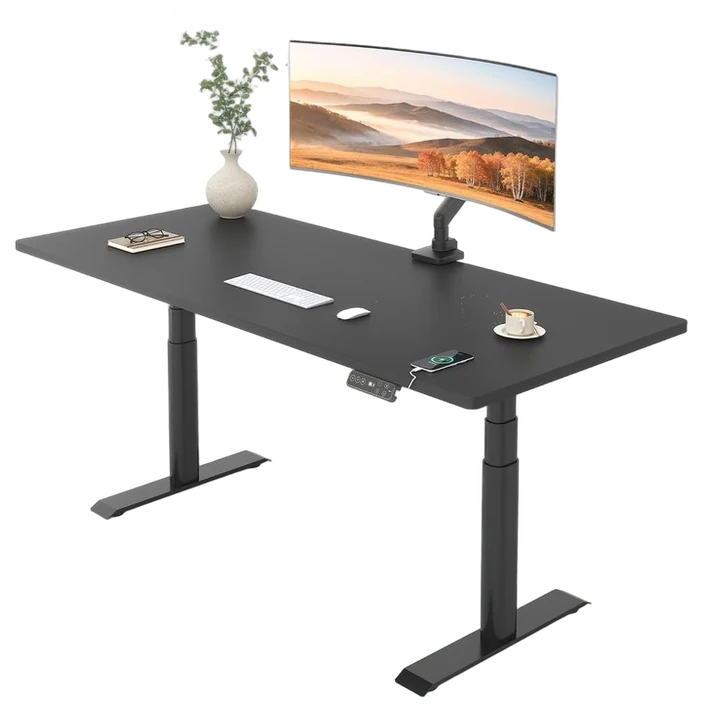
Best value FlexiSpot E7

FlexiSpot E7

Dual motors and a 15-year frame warranty at half boutique pricing.

Get it if you want the value-tier answer that just works.

  • FrameDual motor, 355 lb
  • Price rangearound $300–500
Best overall UPLIFT Desk V3

UPLIFT Desk V3

The desk that tops nearly every long-term review, stability and options unmatched.

Get it if this desk should be the last desk. Buy once.

  • StabilityBest-in-class at height
  • Price rangearound $600–900
Best just-works pick Vari Electric

Vari Electric

Contract-grade build and five-minute assembly. The just-works pick.

Get it if you want it working today with zero research.

  • Assembly5 minutes
  • Price rangearound $550–830

How we chose: We compiled wobble testing at full height, motor duty-cycle specs, warranty comparison, and multi-year owner reports. Prices are always moving, so every button and link pulls the live listing.

How we rankPublished specifications, verified owner reviews, and independent safety or standards data where it applies — weighted the same for every pick, never sponsored placement.

Compare the desks

Swipe the table sideways for the rest of the columns →

ProductBest forMotorsWarrantyStandoutPrice range
FlexiSpot E7Jump to FlexiSpot E7 in this guideCheck priceBest valueDual15 years frameUnbeatable spec-per-dollar~$300–500
UPLIFT Desk V3Jump to UPLIFT Desk V3 in this guideCheck priceBest overallDual + stability braces15 yearsRock-solid, endless config options~$600–900
Vari ElectricJump to Vari Electric in this guideCheck priceBest just-works pickDual5 years fullTool-light assembly, corporate polish~$550–830
FEZiBO Standing DeskJump to FEZiBO Standing Desk in this guideCheck priceBest under $300Single or dual3–5 yearsLowest real price, storage built in~$170–280
Ergotron WorkFit-TJump to Ergotron WorkFit-T in this guideCheck priceBest converter for existing desksNone, hand-brake lift5 yearsKeeps the desk you already have~$565
1Top pick

FlexiSpot E7

Best value

The value-tier standard

FlexiSpot E7
~$300–500 by size
Check today’s price

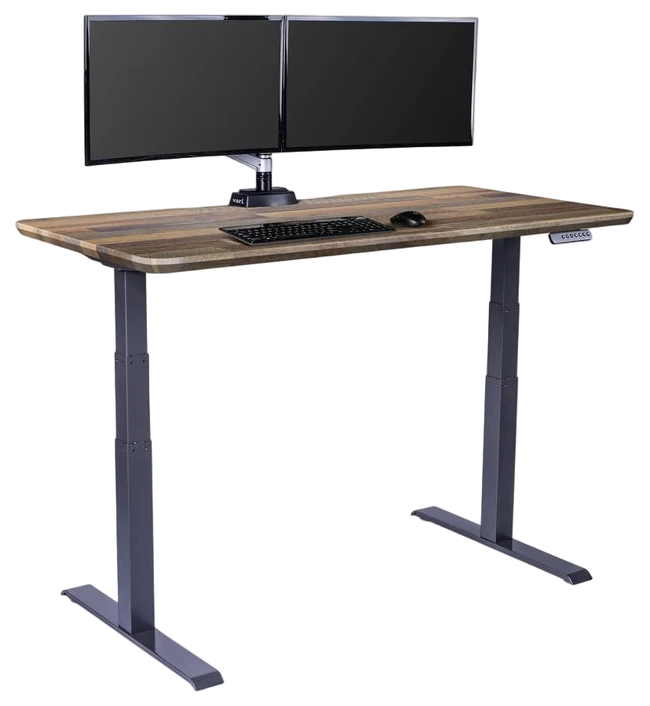
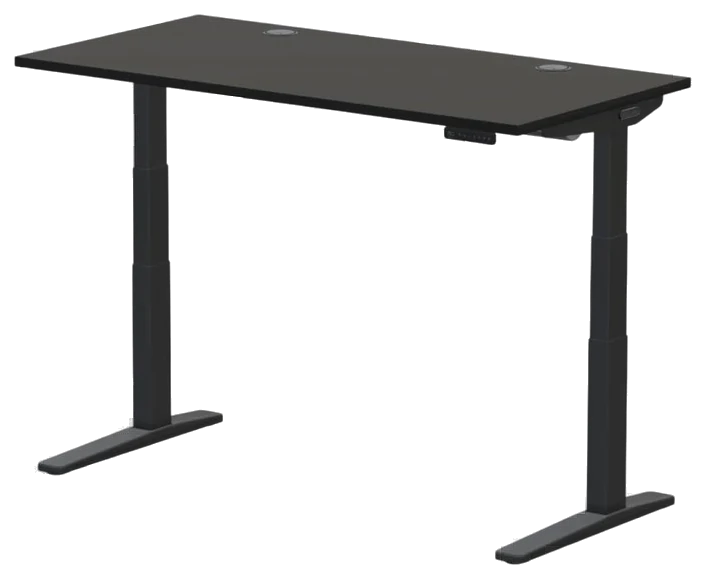
The FlexiSpot E7 is the tier king and the place most buyers should simply stop reading: dual motors that lift real multi-monitor setups smoothly, memory presets, and a frame warranty that runs fifteen years.

The configurator prices honest sizes at roughly half of what boutique brands ask, and the long-term review base confirms the motors and frame go the distance, the boring reliability that defines the category’s value winner.

Top options are decent rather than furniture-grade, and peak-height wobble exists if you push tall settings hard, the spec the UPLIFT premium buys away. At $300–500 by size on Amazon, it’s the rational default.

Strengths

  • Dual motors lift real setups
  • 15-year frame warranty
  • Half of boutique pricing
  • Memory presets standard

Tradeoffs

  • Tops are good, not furniture
  • Some wobble at max height
  • Configurator decision fatigue

Verdict

Get it if: you want the value-tier answer that just works.Skip it if: you type at full height all day and want zero wobble, which is what the UPLIFT tier’s extra few hundred buys.

Price position in this guide~$300–500 by sizeBudget
$170 · least expensive$900 · most expensive
2Upgrade pick

UPLIFT Desk V3

Best overall

The enthusiast consensus

UPLIFT Desk V3
~$600–900 configured
Check today’s price

Ask the desk-obsessed corners of the internet and UPLIFT is the answer: the stiffest frame at standing height, the spec that separates tiers, plus a configurator with dozens of tops, sizes, and accessories.

Years of reviews read like love letters: wobble-free typing at full height, tops from bamboo to solid hardwood, and an accessory ecosystem that grows with the desk. This is the buy-once pick when the budget allows. The commercial-grade frame rating also means future setups (monitor arms, drawers, a heavier top) never test its limits.

Configured honestly it costs real money, $600–900 on Amazon, and the options list is a rabbit hole. But per decade of stable service, it’s the category’s best-regarded spend.

Strengths

  • Stiffest frame at height
  • Enormous top/size selection
  • Accessory ecosystem
  • Years of devoted reviews

Tradeoffs

  • Real configured pricing
  • Options rabbit hole
  • Longer assembly session

Verdict

Get it if: this desk should be the last desk. Buy once.Skip it if: the E7 covers you for hundreds less. It usually does.

Price position in this guide~$600–900 configuredPremium
$170 · least expensive$900 · most expensive
3

Vari Electric

Best just-works pick

The office-grade turnkey

Vari built its name furnishing actual offices, and it shows in details home brands skip: an assembly that takes minutes not hours, drawer-tight fit and finish, and customer support that answers the phone.

Fewer configuration choices is the philosophy (pick a size and color, done) which is exactly what executive-simplicity buyers want: contract-grade build without a research project. The stability at height matches its office pedigree, and the memory presets and quiet motors carry over from the commercial line unchanged.

You pay for the simplicity: $550–830 on Amazon buys less customization than UPLIFT money. For offices ordering five at once or humans allergic to configurators, that trade is the entire point.

Strengths

  • Five-minute honest assembly
  • Contract-grade fit and finish
  • Support that answers
  • Zero decision fatigue

Tradeoffs

  • Premium for the simplicity
  • Limited top options
  • Fewer accessory hooks

Verdict

Get it if: you want it working today with zero research.Skip it if: customization is the fun part, UPLIFT’s configurator awaits.

Price position in this guide~$550–830Premium
$170 · least expensive$900 · most expensive
4Budget pick

FEZiBO Standing Desk

Best under $300

The budget gateway

FEZiBO answers the only question the budget tier gets asked. Can electric sit-stand cost under $300 and not be junk?, with a qualified yes: the lift mechanism itself earns solid multi-year reviews.

The visible savings are the spliced tops and lighter frames; the invisible good news is that the motor, the part that matters, holds up. Storage drawers at this price are a genuine bonus the premium tiers skip.

Loaded heavy at full height, it wobbles more than the tiers above, and the tops are laminate honesty. At $170–280 on Amazon, it’s the try-the-lifestyle desk, and for many, the lifestyle sticks at this price forever.

Strengths

  • Working electric lift under $300
  • Multi-year motor reviews
  • Drawers included, rare bonus
  • Cheapest credible entry

Tradeoffs

  • More height wobble
  • Spliced laminate tops
  • Lighter weight capacity

Verdict

Get it if: you want to try sit-stand without tier-two money.Skip it if: heavy setups or perfectionism. The E7 is the floor.

Price position in this guide~$170–280Budget
$170 · least expensive$900 · most expensive
5

Ergotron WorkFit-T

Best converter for existing desks

Turns the desk you already own into a standing desk

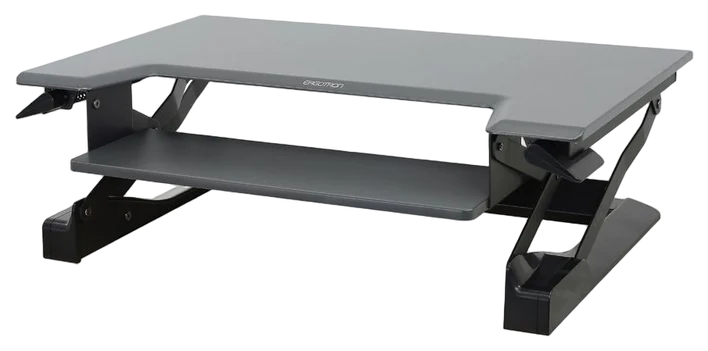
Unlike the other four picks here, the WorkFit-T sits on top of the desk you already have, the answer for a rental or an office where the furniture isn’t yours to change. Ergotron ships it assembled, and it lifts on hand-brake levers rather than a motor, so there’s no power cord or control box to fail, and no memory presets to lose if a motorized desk has already burned you that way.

Ergotron lists 15 inches of vertical lift, a 35 by 23 inch footprint, and a keyboard tray of about 25 by 9 inches that sits 4.5 inches below the worksurface and moves with it. The lift is rated for a 10 to 35 lb load of gear on the worksurface, not the unit itself, which resellers list at 49 lb; note the 10 lb floor, since a bare laptop sits under what the counterbalance is tuned for. Ergotron requires a desk at least 24 inches deep, supports screens up to 30 inches resting on the surface or on a separately sold monitor kit, and covers it for five years. It lists at $565.00 on Ergotron’s own store and the same $565.00 on Amazon, sold and shipped by Ergotron.

The keyboard tray is where the fine print matches the reviews: Ergotron recommends a keyboard no wider than 18 inches on the 25 by 9 inch tray, leaving about seven inches for a mouse, and BTOD calls it undersized for both side by side, while WorkWhileWalking notes keyboards deeper than 9 inches or with a built-in wrist rest overhang the front. Height adjustment isn’t infinite, just 20 discrete positions, and BTOD warns the top of the range can fall short for anyone over 6 foot 2. It also occupies 23 inches of desk depth whether sitting or standing, and at $565 it costs as much as some full motorized desks in this guide, so replace the desk if you can. For more surface, Ergotron’s WorkFit-TL runs $579 at both Ergotron and Amazon, just $14 more, with a 37.5 inch footprint, a 27.3 by 10.8 inch keyboard tray, and a 40 lb load rating.

Strengths

  • Ships assembled and needs no power
  • 15 inches of straight vertical lift
  • Five-year Ergotron warranty
  • Saves a desk you cannot replace
  • Keyboard tray rises and falls with the worksurface as one unit

Tradeoffs

  • Keyboard tray is only 25 by 9 inches
  • Load rating tops out at 35 lb
  • Occupies 23 inches of desk depth permanently
  • Twenty fixed height stops, not infinite
  • BTOD reports minor front-to-back rocking under load

Verdict

Get it if: the desk stays and only the working height needs to change.Skip it if: you can swap the desk, since a full motorized desk here can cost less than this riser.

Price position in this guide~$565Mid-range
$170 · least expensive$900 · most expensive

A good standing desk holds steady at full height and lifts your gear without groaning, so start with the frame and work outward.

  • Frame stability and legs: Judge the desk raised all the way up, not sitting down. Look for dual motors and three-stage (not single-stage) legs, since the extra leg segment is what kills the wobble when your monitor is at eye level and you’re leaning in to type.
  • Weight capacity: Add up your monitors, arms, and everything else on top, then leave headroom. Many desks quote 150-265 lb, and a dual-monitor setup eats into that faster than you’d think.
  • Desktop size and warranty: Make sure the top actually fits your space and your gear, and check that the frame carries a long warranty (5+ years is normal), since the motor is the part that eventually gives out.
  • The common mistake: Don’t buy on price alone and skip the frame specs. A cheap single-stage frame is the one thing you can’t fix later, and it’s the difference between a desk you forget about and one that annoys you every time you stand.

Standing desk FAQs

Is a standing desk actually better for you?

A Cochrane review found sit-stand desks meaningfully cut workplace sitting time with no evidence of harm from standing more, though evidence that switching actually reduces back discomfort is still rated low-quality — treat it as likely, not proven. All-day standing just trades sitting problems for standing ones. Memory presets matter because friction decides whether you actually switch.

Why do standing desks wobble, and does it matter?

Height is leverage, every desk wobbles more raised than lowered, and cheaper frames wobble first. It matters if you type standing at tall heights (monitor shake is maddening), which is precisely what the UPLIFT tier’s stiffer frames and crossbars buy you.

What size desk top should I get?

60×30 inches is the sweet spot for dual monitors with real workspace; 48-inch tops fit single-monitor setups and small rooms. Depth under 27 inches puts large monitors too close to your face, the dimension people regret skimping on.

How hard is standing desk assembly really?

Budget an hour solo, half with help. Frames arrive in heavy boxes and the work is mostly bolting rails and flipping the assembled desk upright (the two-person moment; protect your floor and your back). Vari’s five-minute claim is real and exceptional; FlexiSpot and UPLIFT run 45–90 minutes with clear instructions. The pro tips: assemble upside-down on the box cardboard, snug bolts before final tightening, and route cables before the flip.

What’s the right sit-stand routine?

The evidence favors alternating, not marathon standing: 30 (60 minute cycles, sitting for focus work, standing for calls and email) which is why memory presets matter more than they sound (friction decides whether you actually switch). An anti-fatigue mat converts standing from penance to neutral. Start with an hour or two of standing per day and build; day-one heroics produce day-two abandonment, the standing desk’s classic arc.

What accessories does a standing desk actually need?

Three earn the money: an anti-fatigue mat (the difference between standing and enduring), a monitor arm (eye height changes between sit and stand more than fixed stands allow), and under-desk cable management (a cable snag at full height is the classic first-week accident). A desk shelf and CPU hanger follow as clutter demands. Skip the treadmill until the standing habit survives a month, walking pads reward the converted.

Back to the top picks ↑