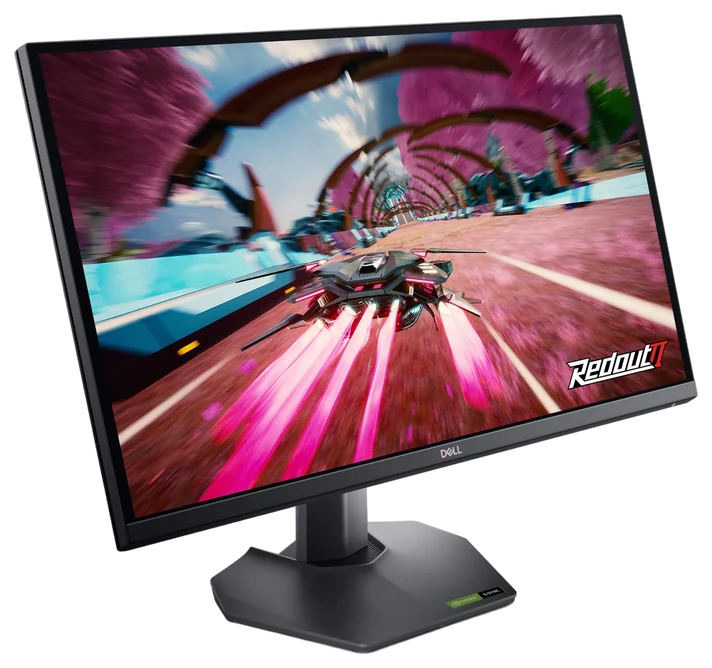
No. 1: Dell 27″ QHD Monitor (G2724D)
The Best Monitors and Docks: Fixing Desk Posture First
Our verdict
Buy a Chromebook Plus if the laptop is your main computer for school or work. Buy a standard Chromebook if it’s a second machine or a young kid’s laptop. At ASUS’s own prices the step up is about $110.
Best for school and work
~$600–670Estimated price
View on AmazonBest for browsing and Docs
~$560Estimated price
View on AmazonSame on both: Screen: 14" FHD.
Chip
Core 3 N355
Intel N150
Memory / storage
8GB / 128GB eMMC
8GB / 64GB eMMC
The price gap: ~$40–110 more for the ASUS Chromebook Plus CX14.
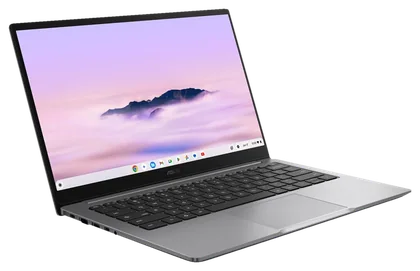
Best for school and work
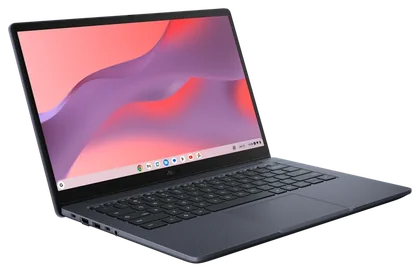
Best for browsing and Docs
Product 1 of 2: Best for school and work
The one to buy as your main laptop
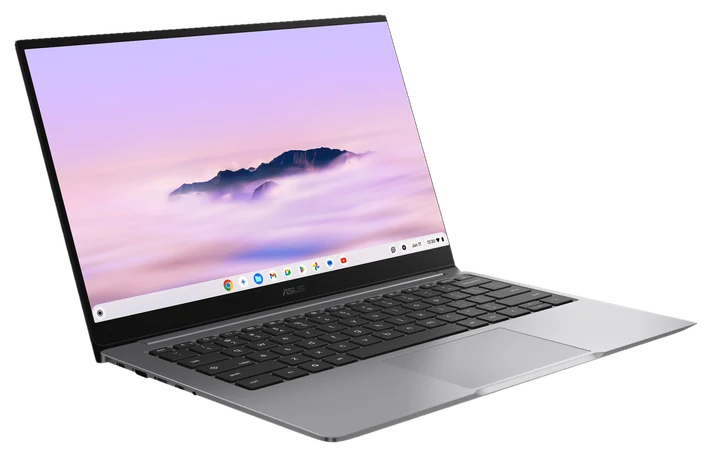
The ASUS Chromebook Plus CX14 is the Chromebook to buy when it’s your main laptop. ASUS’s US eShop lists an Intel Core 3 N355 (8 cores, up to 3.9 GHz), 8GB of LPDDR5 memory soldered to the board, 128GB of eMMC storage and a 14-inch Full HD anti-glare screen in a body that starts at 3.06 lb. That meets Google’s Chromebook Plus floor of 8GB of memory and 128GB of storage, which is what brings Google’s AI features such as Gemini and Help me read. The eShop lists the non-touch version at $669.99 and the touch version at $709.99, and CDW showed $615.99 for the same part number on 23 Nov 2026.
Two trade-offs are worth knowing. The storage is eMMC, which is slower than the SSD in most Windows laptops, and ASUS publishes no battery-hours figure for this model, so we won’t quote one. The touch listing includes one year of accidental damage protection on top of the one-year warranty, which suits a laptop that rides in a backpack. Big retailers often discount below ASUS’s own price, but we couldn’t read those pages, so compare before you pay list. Amazon’s results also mix in older and standard CX14 models, so make sure the listing says Core 3 N355, 8GB and 128GB.
Product 2 of 2: Best for browsing and Docs
Enough for browsing, Docs and streaming
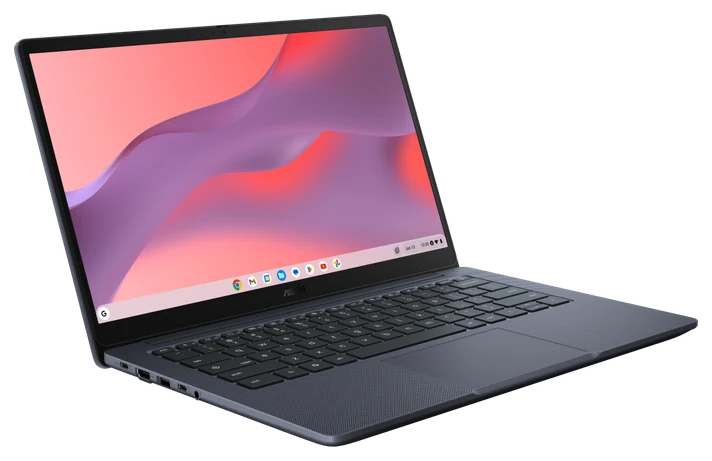
The ASUS Chromebook CX14 is the pick when the laptop’s job is browsing, Google Docs and streaming. The configuration we read on ASUS’s US eShop is the CX1405CTA-DS84F: an Intel N150 (4 cores, up to 3.6 GHz), 8GB of LPDDR5 memory, 64GB of eMMC storage, a non-touch 14-inch Full HD anti-glare screen at 300 nits, a 42Wh battery and a 3.06 lb body. ASUS lists it at $559.99 on 23 Nov 2026. Its 64GB of storage sits under Google’s Plus floor of 128GB, so it isn’t a Chromebook Plus.
The CX14 name covers a wide spread. ASUS’s spec page lists versions with 4GB, 8GB or 16GB of memory and 32GB, 64GB or 128GB of storage, and 4GB is thin for many open tabs, so check the memory before you buy. The listing we read has no accidental damage cover, and ASUS’s own price is high for this class, so shop it against other retailers. The Plus costs about $110 more at ASUS and adds the larger drive, a faster Core 3 chip and Google’s AI features. On Amazon, make sure the card isn’t the Plus model.
6 common questions, answered.
Google sets a hardware floor: 8GB or more of memory and 128GB or more of storage, a Full HD IPS display, a 1080p camera and a stronger processor. Newer Plus models use other chips Google lists on its product page, so treat these as Google’s published minimums, not a complete list. The Plus label also brings Google’s AI features, some of which need an internet connection.
Only if it’s on Google’s list of eligible models and meets the specs. Google says listed models that meet the requirements are eligible for the Chromebook Plus OS update; see Google’s Chromebook Help article for the list.
Yes if it’s your main computer; no if it’s for browsing and Docs. At ASUS’s own prices the non-touch Plus CX14 is $669.99 against $559.99 for the N150 model with 64GB, so you’re paying for double the storage, a faster chip and Google’s AI features. Big-retailer sale prices move that gap around, so check a few stores.
Not by the label. Every Chromebook has its own Auto Update Expiration date, set by Google, after which it stops getting updates, and that date matters more than any spec. ASUS’s spec page says each device has one, so look up the exact model on Google’s Auto Update Expiration list before you buy.
They do different jobs. ChromeOS runs web apps and Android apps, not Mac or Windows software. If you need Mac apps, the MacBook Neo at about $650–700 is the step up; see our MacBook Neo vs. MacBook Air comparison.
Google’s announcement presents Googlebook as a new laptop category that combines Android with ChromeOS, with first models from Acer, ASUS, Dell, HP and Lenovo. It doesn’t mention Chromebook Plus or say Chromebooks are going away, so nothing in it changes this comparison. Google said more would follow when devices arrive this fall.
We didn’t use either laptop.
We didn’t use either laptop. We compared ASUS’s US eShop and spec pages for the CX14 Chromebook Plus and the standard CX14, Google’s Chromebook Plus requirements and Google’s Googlebook announcement, and we name the source beside each figure. Prices are ASUS eShop list prices and one CDW listing, read on 23 Nov 2026. Retailer sales often run lower, but we couldn’t read those pages, so none are shown. Updated November 2026. Prices are always moving, so every button and link pulls the live listing.
How we rank
Published specifications, verified owner reviews, and independent safety or standards data where it applies — weighted the same for every pick, never sponsored placement.