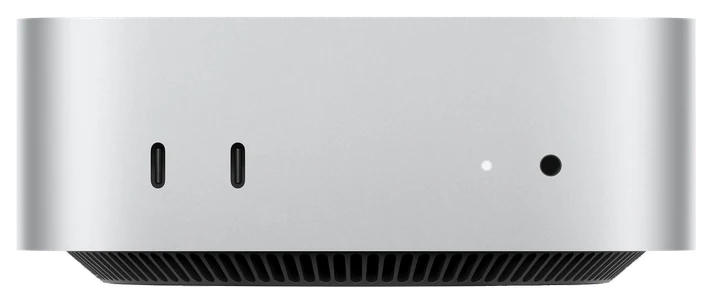
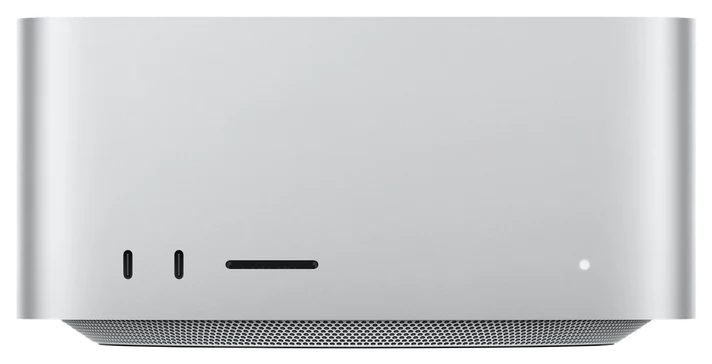
The Best Keyboards for Mac mini: Touch ID, Mechanical and Budget
Five Mac-layout keyboards for a Mac mini, from ~$30 to ~$160. The Mac mini ships without one and has no fingerprint sensor, so Apple's Magic Keyboard with Touch ID is the only way to add Touch ID. We compared the makers' spec pages and Amazon's listings, not keyboards on a desk.
No. 1 · Our pick · For most people
The Apple Magic Keyboard with Touch ID, ~$150, if you want Touch ID for logins and Apple Pay on the Mac mini.
~$150Estimated price
The shortlist: five picks.
Every difference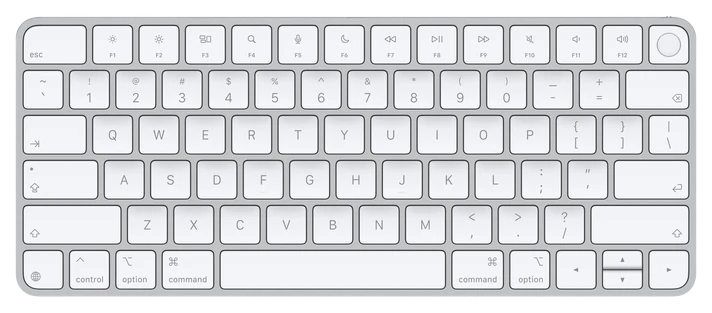 No. 1 · Best overallMagic Keyboard with Touch ID~$150View on Amazon
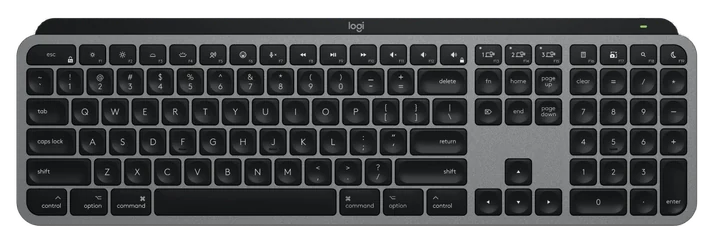 No. 2 · Best for multiple devicesMX Keys S for Mac~$125–130View on Amazon
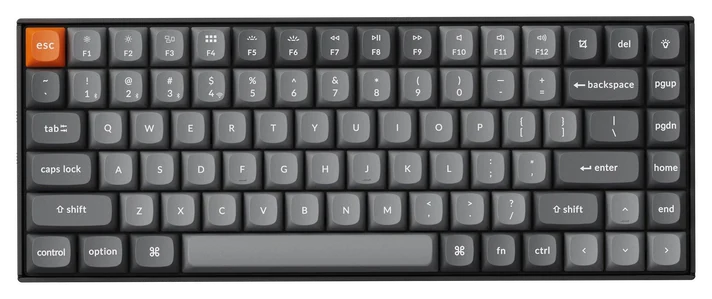 No. 3 · Best mechanicalKeychron K2 Max~$120–130View on Amazon
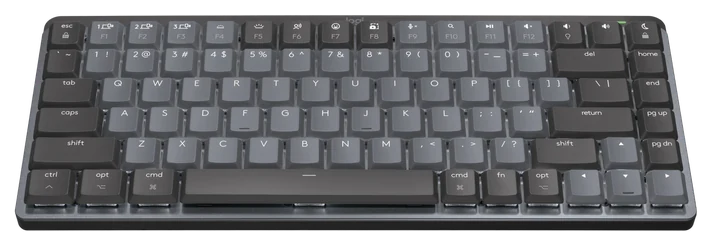 No. 4 · Best low-profile mechanicalMX Mechanical Mini for Mac~$150–160View on Amazon
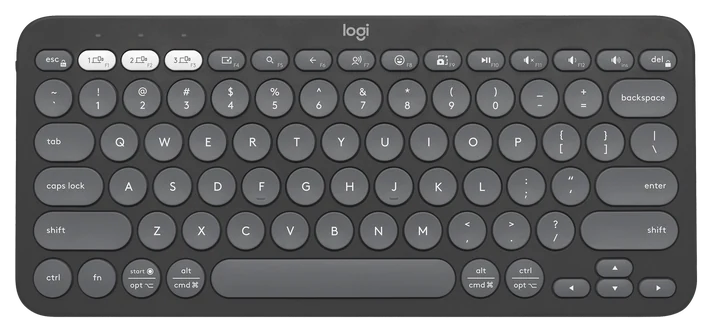 No. 5 · Best budgetPebble Keys 2 K380s~$30–40View on Amazon
Every difference, all five
| Differences | No. 1Magic Keyboard with Touch ID | No. 2MX Keys S for Mac | No. 3Keychron K2 Max | No. 4MX Mechanical Mini for Mac | No. 5Pebble Keys 2 K380s |
|---|---|---|---|---|---|
| Price range | ~$150 | ~$125–130 | ~$120–130 | ~$150–160 | ~$30–40 |
| Type | Low-profile | Low-profile, backlit | Mechanical, 75% | Low-profile mechanical | Low-profile, compact |
| Connects | Bluetooth, USB-C cable | Bluetooth (3 devices), Bolt optional | 2.4 GHz, Bluetooth (3), USB-C wired | Bluetooth (3 devices), Bolt optional | Bluetooth (3 devices), Bolt optional |
| Mac extras | Touch ID | Mac layout, backlight | Mac keycaps, toggle | Mac layout, backlight | Fn keys in Options+ |
From each pick’s review below. We compared maker specs and listings, not readings we took.
How this list was built
We compared each keyboard’s connection options, layout, battery and price using Apple’s, Logitech’s and Keychron’s own product pages and Amazon’s listings, read on 17 Nov 2026. We didn’t type on any of these keyboards ourselves. How we chose How we verify Corrections logged publicly
Pick 1 of 5: No. 1 · Best overall
Apple Magic Keyboard with Touch ID (USB-C, MJLY4LL/A)
The only way to add Touch ID to a Mac mini
- Get it if
- you want Touch ID on the Mac mini, or simply the keyboard that matches the Mac.
- Skip it if
- you type in the dark, switch between a Mac and a PC or iPad, or want mechanical keys.
- Type
- Low-profile
- Connects
- Bluetooth, USB-C cable
- Mac extras
- Touch ID
Strengths
- Touch ID for logins and purchases, the only pick here with it
- Works over Bluetooth or a USB-C cable
- Rechargeable, with about a month or more between charges, per Apple
- Matches the Mac mini’s finish
Tradeoffs
- No backlight
- No multi-device switching
- About $150 for a compact board
The Magic Keyboard with Touch ID is the pick because the Mac mini has no fingerprint sensor of its own, and this is the way to add one. Apple lists it for any Mac with Apple silicon on macOS 15.1 or later, which covers the M6 and M5 Pro minis, and Touch ID handles logins and Apple Pay purchases. It pairs over Bluetooth or the included woven USB-C cable, and Apple quotes about a month or more between charges. It measures 10.98 by 4.52 inches and weighs 0.54 pounds.
Apple and Amazon both showed $149.00 on 17 Nov 2026. The trade-off is what it leaves out: no backlight and no switching between devices. Watch the Amazon results, which also show an older Lightning model and numeric-keypad versions (Apple lists the keypad version at $179 in white keys and $199 in black); the button should land on the USB-C compact model. Apple describes the included cable as the way to pair and charge it.
Pick 2 of 5: No. 2 · Best for multiple devices
Logitech MX Keys S for Mac (920-011622)
Backlit, and it follows you across three devices
- Get it if
- one keyboard serves your Mac mini, a work laptop and an iPad, or you want backlit keys.
- Skip it if
- you want Touch ID (the Magic Keyboard) or mechanical keys (the Keychron).
- Type
- Low-profile, backlit
- Connects
- Bluetooth (3 devices), Bolt optional
- Mac extras
- Mac layout, backlight
The full review
Strengths
- Backlit keys that light as your hands approach, per Logitech
- Switches between three devices
- Mac layout
- USB-C charging, up to 5 months with the backlight off
Tradeoffs
- No Touch ID
- Bluetooth only out of the box, so FileVault needs Logitech’s Bolt receiver
- Full size takes desk space
The Logitech MX Keys S for Mac is the pick if one keyboard has to serve a Mac mini, a work laptop and an iPad. Logitech’s product page lists a Mac key layout, backlit keys that light as your hands approach, and Easy-Switch between up to three devices over Bluetooth. It’s a full-size board with a number pad, charges over USB-C for up to 10 days, or up to 5 months with the backlight off, and works with Logitech’s Logi Options+ app on macOS for key remapping and Smart Actions. Amazon showed $125.99 for the Space Grey model in two reads on 17 Nov 2026, against Logitech’s $129.99.
The catch is Bluetooth. Logitech’s spec page warns that with FileVault on, a Bluetooth keyboard may not connect before you log in, and recommends its Logi Bolt receiver, which isn’t in the box. A Mac mini has no built-in keyboard to fall back on, so this matters more than on a laptop. Logitech sells the receiver for $14.99 in USB-A and USB-C versions, and the Mac mini has no USB-A port, so order the USB-C one. Amazon’s results also show the Windows MX Keys S, so make sure the listing says for Mac. If you want the same board without a number pad, Logitech also sells the MX Keys Mini for Mac at $99.99 on its own site.
Pick 3 of 5: No. 3 · Best mechanical
Keychron K2 Max (QMK wireless mechanical, 75%)
Mechanical keys with a cable for the login screen
- Get it if
- you want mechanical keys with Mac keycaps and the option of a cable at the FileVault login screen.
- Skip it if
- you like flat, quiet laptop-style keys or need a number pad.
- Type
- Mechanical, 75%
- Connects
- 2.4 GHz, Bluetooth (3), USB-C wired
- Mac extras
- Mac keycaps, toggle
The full review
Strengths
- Wired USB-C mode works at the login screen
- Hot-swappable mechanical switches
- Mac keycaps and a system toggle in the box
- Up to 190 hours with the backlight off, per Keychron
Tradeoffs
- Tall and audible
- 75% layout has no number pad
- Heavier at 940 g than the low-profile boards
The Keychron K2 Max is the pick for mechanical keys. Keychron’s product page lists 2.4 GHz, Bluetooth for up to three devices and a wired USB-C mode, plus a Mac and Windows toggle with keycaps for both systems in the box. The switches are hot-swappable, so you can change them without soldering, and QMK firmware with the Keychron Launcher handles remapping. Keychron quotes a 4,000 mAh battery rated up to 190 hours with the backlight off. It’s a 75% layout that weighs 940 g, with three typing angles at 5, 9 and 12 degrees.
The wired mode is the reason it suits a Mac mini. Plug in the cable and the keyboard works at the FileVault login screen with no Bluetooth pairing, which is the problem Logitech warns about for its Bluetooth boards. Amazon and keychron.com both showed $124.99 on 17 Nov 2026. It’s tall and audible, so a wrist rest helps and anyone on a call near you will hear it. Amazon’s search also shows the older K2 and the newer K2 Ultra 8K; the button should land on the K2 Max.
Next: No. 4, MX Mechanical Mini for MacTorn? Compare it with No. 4
Pick 4 of 5: No. 4 · Best low-profile mechanical
Logitech MX Mechanical Mini for Mac (920-010831)
A flatter, quieter mechanical board
- Get it if
- you want mechanical feel but a flatter, quieter board than the Keychron, with Logitech’s Mac software.
- Skip it if
- price matters (the K2 Max is mechanical for less) or you need a number pad.
- Type
- Low-profile mechanical
- Connects
- Bluetooth (3 devices), Bolt optional
- Mac extras
- Mac layout, backlight
The full review
Strengths
- Mechanical feel in a low-profile body
- Tactile Quiet switches, per Logitech
- Mac layout and smart backlighting
- Three-device switching
Tradeoffs
- About $30 more than the Keychron K2 Max
- No wired mode listed, so FileVault needs the Bolt receiver
- No number pad
The Logitech MX Mechanical Mini for Mac is for people who want mechanical feel in a flatter, quieter board than the Keychron. Logitech’s product page lists a Mac key layout, low-profile Tactile Quiet mechanical switches and smart backlighting. It connects to up to three devices over Bluetooth, supports Logitech’s Bolt receiver (sold separately) and charges over USB-C from a 1,500 mAh battery that Logitech rates at up to 15 days, or up to 10 months with the backlight off. It has no number pad and weighs 612 g. Logitech’s Options+ app handles remapping on macOS.
It costs about $30 more than the K2 Max. Amazon showed $154.99 in two reads on 17 Nov 2026, against Logitech’s $159.99. Logitech lists Bluetooth and the optional Bolt receiver but no wired typing mode, so the same FileVault caution as the MX Keys S applies. Amazon’s results also include other listings at other prices from sellers we couldn’t verify, so check that the listing is the Mac model before you buy.
Pick 5 of 5: No. 5 · Best budget
Logitech Pebble Keys 2 K380s (Tonal Graphite)
A compact keyboard for about $35
- Get it if
- you need a keyboard for the Mac mini today for about $35, or a spare for a living-room Mac mini.
- Skip it if
- you type all day (the MX Keys S or K2 Max are better) or you use FileVault and don’t want to buy a Bolt receiver.
- Type
- Low-profile, compact
- Connects
- Bluetooth (3 devices), Bolt optional
- Mac extras
- Fn keys in Options+
The full review
Strengths
- About $35, the cheapest pick here
- Runs on two AAA batteries for up to 36 months, per Logitech
- Three-device switching
- Compact
Tradeoffs
- No backlight
- No cable mode; FileVault login needs Bluetooth or a Bolt receiver
- Multi-system key legends rather than a Mac layout
The Logitech Pebble Keys 2 K380s is the pick when you need a working keyboard for the Mac mini today and don’t want to spend more than about $35. Logitech’s product page lists Bluetooth for up to three devices, pairing with a Logi Bolt receiver (sold separately), macOS 11 or later and two AAA batteries rated for up to 36 months. The Fn keys can be customized in the Logi Options+ app on macOS. It’s compact with no number pad and weighs 415 g. Amazon showed $32.29 in three reads on 17 Nov 2026.
It’s a spare-room or living-room board, not a daily driver for long typing sessions. It has no backlight and no cable mode, and the keys carry legends for several operating systems rather than a dedicated Mac layout. With FileVault on, the same login-screen caution applies as for the MX Keys S, and the fix is the same Bolt receiver, which adds about $15 to a $35 board. It also suits a second Mac mini you only touch occasionally.
Still deciding between two?
Pick any two of the five. Rows that match say so once; the rest sit side by side, as each review states them.
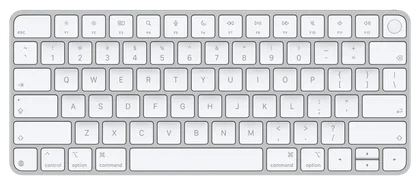
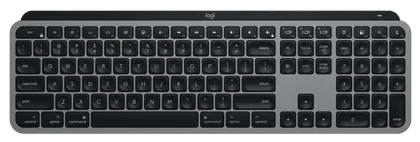
Price range
~$150
~$125–130
Type
Low-profile
Low-profile, backlit
Connects
Bluetooth, USB-C cable
Bluetooth (3 devices), Bolt optional
Mac extras
Touch ID
Mac layout, backlight
Best Keyboards for Mac mini FAQs
6 common questions, answered.
Does the Mac mini come with a keyboard?
No. Apple’s buy pages list the box contents as the Mac mini and a power cord. You need to buy a keyboard and mouse, and a display. See our Mac mini 16GB vs. 24GB guide for the computer itself.
Does Touch ID work on the Mac mini M6?
Yes, with Apple’s Magic Keyboard with Touch ID. Apple lists it for any Mac with Apple silicon on macOS 15.1 or later. No third-party keyboard in this guide has Touch ID.
Will a Bluetooth keyboard work at the Mac mini’s login screen?
Usually, but with FileVault on, Logitech’s spec pages warn its Bluetooth keyboards may not connect before you log in, and recommend its Logi Bolt receiver. A keyboard with a wired mode, like the Keychron K2 Max over USB-C, avoids the issue.
Do Windows keyboards work on a Mac mini?
Yes, but the Command and Option keys sit in different places. Logitech’s “for Mac” models print Mac legends, and Keychron ships Mac keycaps with a system toggle.
Do I need a USB-A adapter?
Only if the keyboard uses a USB-A receiver. The M6 Mac mini has USB-C and Thunderbolt 4 ports only, per Apple’s spec page. Logitech sells its Bolt receiver in a USB-C version, so buy that one and skip the adapter. The M5 Pro model has USB-C and Thunderbolt 5; see Mac mini vs. Mac Studio.
Mechanical or low-profile?
Low-profile boards like the Magic Keyboard and MX Keys S type like a MacBook and stay quiet. Mechanical boards like the K2 Max and MX Mechanical Mini give more feedback and more noise. It’s a matter of taste, and we didn’t type on any of them.
How we chose
We compared each keyboard’s connection options, layout, battery and price using Apple’s, Logitech’s and Keychron’s own product pages and Amazon’s listings, read on 17 Nov 2026. We didn’t type on any of these keyboards ourselves. Prices are estimated ranges, and the Mac mini M6’s USB-C-only ports and the FileVault login screen shaped the ranking. Updated November 2026. Prices are always moving, so every button and link pulls the live listing.
How we rank
Published specifications, verified owner reviews, and independent safety or standards data where it applies — weighted the same for every pick, never sponsored placement.
Where to go next.
Two products, one decision: a head-to-head goes further than a ranking can.