Gift finderFind a gift in three tapsNot sure this list fits? Say who it’s for and what you want to spend.OpenClose
Gift finder
Find a gift in three taps
Say who it is for and what you want to spend. You get three to six picks from our gift guides, each with the guide’s own reason.
The short answer
For most people
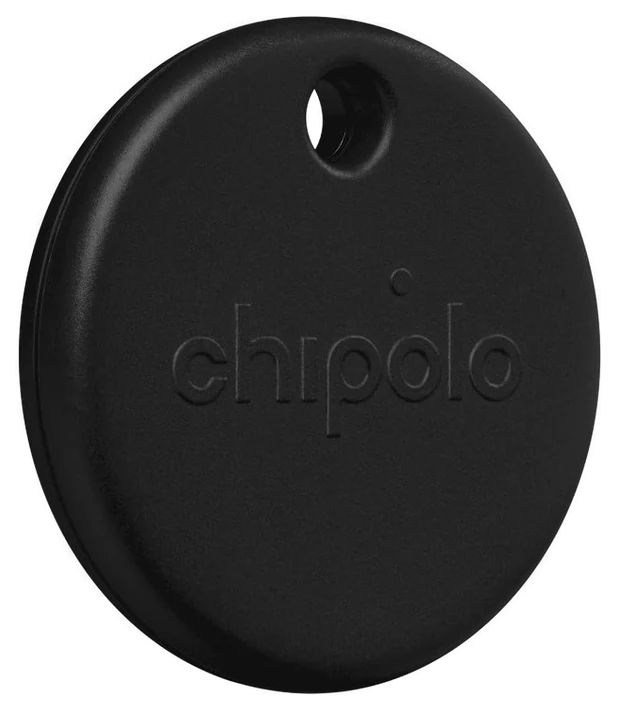
Chipolo Pop$29Start with the $29 Chipolo Pop — everyone loses keys and almost nobody buys a tracker for themselves, so it gets used before the week is out.Check price
Bigger budget
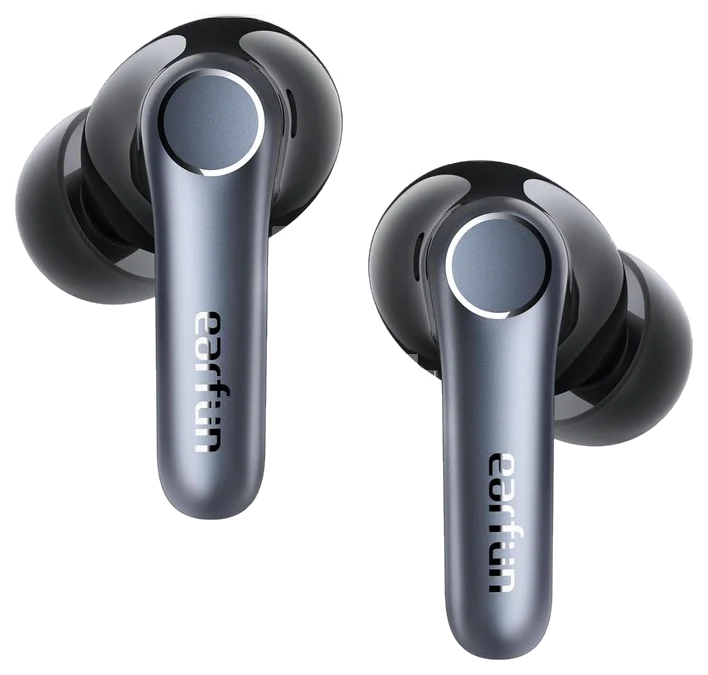
EarFun Air Pro 4$60EarFun Air Pro 4, about $60.Check price
For anyone who runs
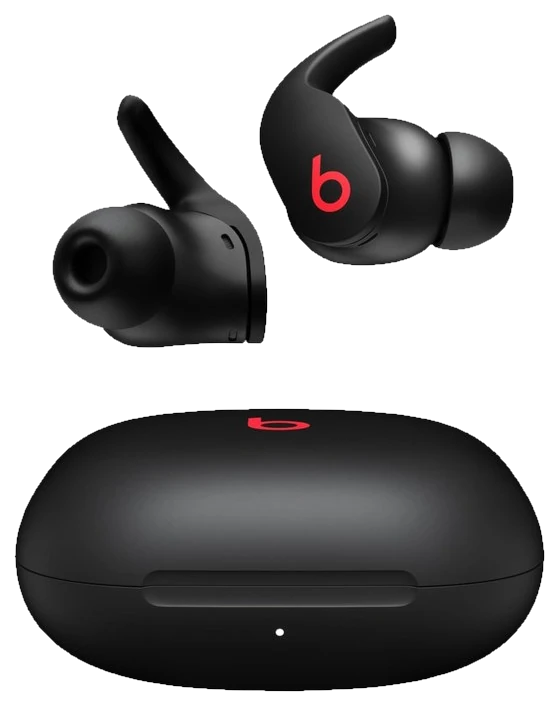
Powerbeats Fit$200Powerbeats Fit, around $200.Check price
The pattern that matters
Upgrade something already in the daily rotation, not the hobby he only talks about.
The gifts that land are upgrades to something already in daily rotation, not a gadget for a hobby he might start.
How we choseWhat we compared, and how we rank
Every product here already earned its place in one of our tech, audio or gaming guides. For gifting we then filtered for two things: does it replace something he uses daily, and does it work without knowing his exact setup. Anything needing a specific console, phone model or measurement was left out. Prices are always moving, so every button and link pulls the live listing.
How we rank
Published specifications, verified owner reviews, and independent safety or standards data where it applies — weighted the same for every pick, never sponsored placement.
CorrectedChipolo retired the ONE Spot when it rebuilt its lineup around dual-network trackers, so the pick this guide opened with is no longer sold new. The slot now belongs to its successor, the Chipolo Pop — same job, same price, and it now works with Android phones as well as iPhones.
Dated notes already published on this page, newest first. Every correction we make is logged on the corrections page.
Everyone loses the same three things, and the person who never buys a tracker for themselves is exactly who benefits most from one. The Chipolo Pop clips to keys or drops in a bag and shows up on a map when it wanders off — and unlike the Apple-only tag it replaced in this slot, it works on either side of the fence: set it up once with Apple’s Find My or with Google’s Find Hub, whichever phone he carries.
It works as a gift because setup is one tap and there is nothing to learn: it rides the same finding network as his phone. Chipolo rates the ring at up to 120 decibels for couch-cushion searches, the app can make his phone ring back even on silent, the battery is a user-replaceable coin cell rather than landfill, and it comes in actual colors — easier to spot on a crowded keyring.
Strengths
Works with Apple Find My or Google Find Hub — no guessing which phone he carries
Loud ring for close-range searching
User-replaceable battery
Built-in keyring hole, no extra holder needed
Tradeoffs
Joins ONE network at setup — Apple or Google, not both at once
One item per tag, not a whole keyring
Precision, direction-arrow finding stays exclusive to Apple’s and Google’s own tags
Price position in this guide~$29Budget
$27 · least expensive$200 · most expensive
Pick 2 of 6: No. 2Best value
2
EarFun Air Pro 4
Best value
Noise cancelling that undercuts the big brands badly
Get it if he commutes or works somewhere noisy, and ~$60 is the budget
Noise cancelling used to mean spending two hundred dollars. EarFun Air Pro 4 deliver most of that benefit for about sixty, which makes them the sensible pick when you are buying for someone else and do not want to gamble a flagship budget.
For a commute or an open-plan office the difference is immediate, and that is where earbuds earn their keep rather than in critical listening.
The caveat with any earbud gift is fit. Seal determines both bass and noise cancelling, so a set that transforms one person’s commute is merely fine for another. Multiple tip sizes are included, which improves the odds, but keep the receipt. This is the item on the list most likely to need an exchange. Tom’s Guide credited the Air Pro 4 with five effective ANC modes and well-balanced sound across genres, calling it a rare case of budget earbuds that don’t sound like a compromise.
Strengths
Genuine noise cancelling well under flagship prices
Multiple tip sizes improve fit odds
Battery life comfortably covers a commute
Tradeoffs
Fit determines how good they sound
Not flagship-level for critical listening
App required for the best settings
Price position in this guide~$60Budget
$27 · least expensive$200 · most expensive
Pick 3 of 6: No. 3Best cross-platform pad
3
GuliKit KingKong 3 (KK3 Max)
Best cross-platform pad
One controller that works on everything he owns
Get it if he games on more than one platform, or hates stick drift, for around $75–85
Skip it if he only plays PlayStation or Xbox, which need their own pads
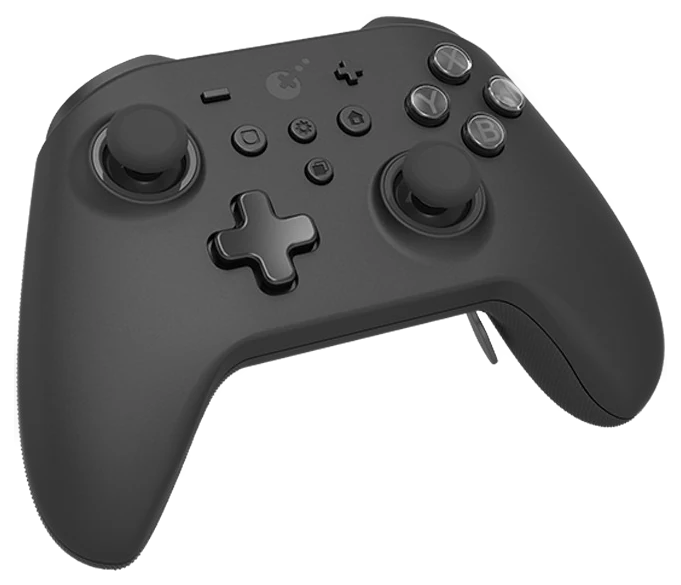
A controller is a safe gift only if it works on the thing he plays on, and most do not. The GuliKit KingKong 3 pairs with Switch, PC, Android, iOS and Steam Deck out of the box, so it is the rare pad you can buy without knowing his platform.
The reason to spend here rather than on a bundled pad is the sticks: contactless magnetic joysticks that do not develop the drift that kills cheaper controllers within a year. Rear paddles and swappable adapters push it toward the enthusiast end, but the everyday win is a pad that still centers perfectly long after a stock controller would need replacing. Tech4Gamers reviewer Abdul Hannan found the Hall-effect sticks calibrated tightly enough that even shaking the controller produced no drift, with no dead zone out of the box.
Strengths
Drift-proof magnetic sticks
Works across Switch, PC, mobile and Steam Deck
Rear paddles and low-latency wireless
Tradeoffs
Pricier than a basic wired pad
Feature depth is wasted on a casual player
Not an official first-party pad
Price position in this guide~$75–85Budget
$27 · least expensive$200 · most expensive
Also on the shortlist
Three more, in brief
Pick 4 of 6: No. 4Best portable
4
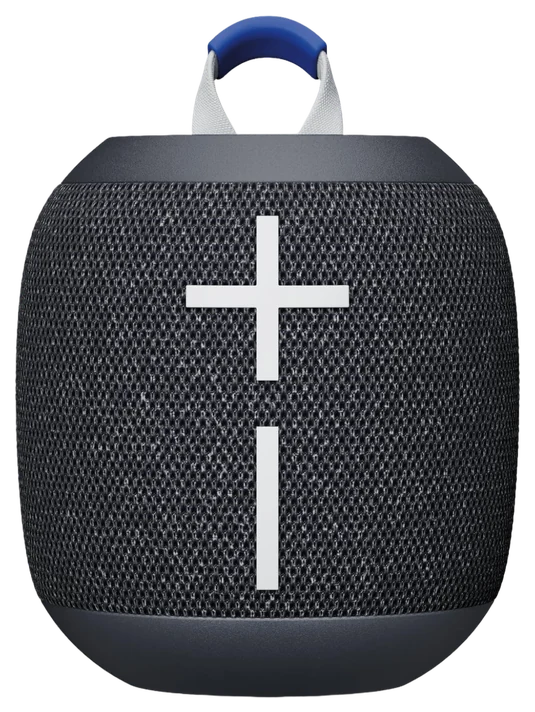
UE Wonderboom 4
Best portable
The speaker that survives being treated badly
Get it if he takes music outside, camping or into the shower, at $55–80
Skip it if he wants a serious listening speaker for a room
The UE Wonderboom 4 is louder than its size suggests, floats, and survives being dropped, which together explain why it outsells better-sounding rivals.
It is a good gift precisely because it does not need looking after. A speaker for a shower, a garden or a beach has a hard life, and the ones that get used are the ones nobody worries about.
Do not expect deep bass. Physics sets that limit and no amount of processing gets round a small enclosure. For a bigger sound at home there are better options at this money; for something that goes outside and gets knocked about, this is the one.
Get it if he takes music outside, camping or into the shower, at $55–80
Skip it if he wants a serious listening speaker for a room
The UE Wonderboom 4 is louder than its size suggests, floats, and survives being dropped, which together explain why it outsells better-sounding rivals.
Read the full case
It is a good gift precisely because it does not need looking after. A speaker for a shower, a garden or a beach has a hard life, and the ones that get used are the ones nobody worries about.
Do not expect deep bass. Physics sets that limit and no amount of processing gets round a small enclosure. For a bigger sound at home there are better options at this money; for something that goes outside and gets knocked about, this is the one.
Strengths
Waterproof and floats
Far louder than the size suggests
Survives drops without ceremony
Tradeoffs
Limited bass from a small enclosure
Better-sounding options exist for home use
No aux input
Price position in this guide~$55–80Budget
$27 · least expensive$200 · most expensive
Pick 5 of 6: No. 5Best desk gift~$27–35
5
Rocketbook Core
Budget pickBest desk gift
A notebook he writes in, wipes clean, and keeps for years
Get it if he takes notes and would use a tidy, reusable system, for around $27–35
Skip it if he has gone fully paperless and never writes by hand
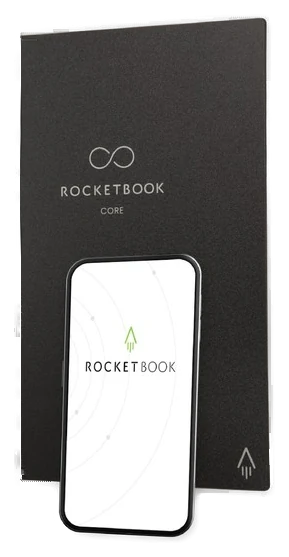
The safest desk gift is the one with a genuine use that is not another gadget to charge. The Rocketbook Core is a real notebook that wipes clean with a damp cloth, so one book lasts indefinitely, and its app scans each page straight to email or cloud before he erases it.
It works as a gift because it needs nothing about his setup to be right: everyone writes something down, and this replaces a drawer of half-used pads with one book. The only tie is that it wants the included erasable pens, which are cheap and easy to restock.
Strengths
Reusable — one notebook lasts for years
App scans pages to email or cloud
Useful, not another charger
Tradeoffs
Needs Pilot FriXion pens (usually included)
Pages need a moment to dry after writing
Fewer pages than a stack of paper pads
Price position in this guide~$27–35Budget
$27 · least expensive$200 · most expensive
Pick 5 of 6: No. 5Best desk gift~$27–35
Rocketbook Core
A notebook he writes in, wipes clean, and keeps for years
Get it if he takes notes and would use a tidy, reusable system, for around $27–35
Skip it if he has gone fully paperless and never writes by hand
The safest desk gift is the one with a genuine use that is not another gadget to charge. The Rocketbook Core is a real notebook that wipes clean with a damp cloth, so one book lasts indefinitely, and its app scans each page straight to email or cloud before he erases it.
Read the full case
It works as a gift because it needs nothing about his setup to be right: everyone writes something down, and this replaces a drawer of half-used pads with one book. The only tie is that it wants the included erasable pens, which are cheap and easy to restock.
Strengths
Reusable — one notebook lasts for years
App scans pages to email or cloud
Useful, not another charger
Tradeoffs
Needs Pilot FriXion pens (usually included)
Pages need a moment to dry after writing
Fewer pages than a stack of paper pads
Price position in this guide~$27–35Budget
$27 · least expensive$200 · most expensive
Pick 6 of 6: No. 6Best splurge~$200
6
Powerbeats Fit
Upgrade pickBest splurge
The splurge pick, and the one that stays in while running
Get it if he runs or trains and uses an iPhone, at around $200
Skip it if he listens mostly at a desk, where cheaper buds do the same job
Most earbuds fall out during exercise, and that single problem is what Powerbeats Fit solve with a flexible wingtip that locks into the ear without pressure.
They also carry proper noise cancelling and integrate tightly with Apple devices, which matters if he is already in that ecosystem, pairing, switching and battery display all behave the way an AirPods owner expects.
The Apple integration cuts both ways. On Android they work well but lose the easy pairing and some feature depth, so they are a better gift for an iPhone owner than a Pixel one. At this price the fit is the reason to choose them over cheaper sets, so they suit someone who trains rather than someone who mostly listens at a desk.
Strengths
Wingtips stay put during exercise
Effective noise cancelling
Easy pairing with Apple devices
Tradeoffs
Loses features on Android
Expensive next to budget ANC buds
Case is bulkier than most
Price position in this guide~$200Premium
$27 · least expensive$200 · most expensive
Pick 6 of 6: No. 6Best splurge~$200
Powerbeats Fit
The splurge pick, and the one that stays in while running
Get it if he runs or trains and uses an iPhone, at around $200
Skip it if he listens mostly at a desk, where cheaper buds do the same job
Most earbuds fall out during exercise, and that single problem is what Powerbeats Fit solve with a flexible wingtip that locks into the ear without pressure.
Read the full case
They also carry proper noise cancelling and integrate tightly with Apple devices, which matters if he is already in that ecosystem, pairing, switching and battery display all behave the way an AirPods owner expects.
The Apple integration cuts both ways. On Android they work well but lose the easy pairing and some feature depth, so they are a better gift for an iPhone owner than a Pixel one. At this price the fit is the reason to choose them over cheaper sets, so they suit someone who trains rather than someone who mostly listens at a desk.
Strengths
Wingtips stay put during exercise
Effective noise cancelling
Easy pairing with Apple devices
Tradeoffs
Loses features on Android
Expensive next to budget ANC buds
Case is bulkier than most
Price position in this guide~$200Premium
$27 · least expensive$200 · most expensive
The gifts that land are upgrades to what he already uses daily, not gear for a hobby he might start.
Upgrade the daily rotation: replace the worn-out earbuds or the keys he keeps losing, not something he’d have to make room for.
Don’t buy for a setup you don’t know: skip anything that needs his exact console, phone model, or measurements to be right.
Keep setup minimal: the best gift works out of the box, with nothing to learn or configure.
Fix something that’s failing: dying earbuds, a drifting controller, a lost tracker; solving a real annoyance beats a shiny extra.
Ties and novelty socks: the default fallback gift, which is exactly why it rarely feels like much.
Padded grooming kits: one thing he’ll use wrapped around several he won’t.
Hobby-starter gear: the smoker or golf gadget for a hobby you’re hoping he’ll take up usually sits there.
Gadget-of-the-month subscriptions: they lapse, they clutter, and the novelty wears off after the first box.
Questions about buying gifts for him
6 common questions, answered.
What is the safest tech gift if I do not know his setup?
A USB-C charger or a power bank. They work with any modern phone, tablet or laptop regardless of brand, and almost everyone is still using a slow charger that came free with something. Avoid anything tied to a specific console generation or phone model.
Are cheap noise-cancelling earbuds any good now?
Yes, in the sense that matters for commuting. A $60 set gets most of the way to a $250 one for blocking engine and office noise. The gap shows up in critical listening and call quality rather than in everyday use, so for a gift the budget option is usually the sensible bet.
How do I avoid buying the wrong controller?
Check the platform first, because they are not interchangeable. A controller for All platforms will not work on PlayStation or Xbox. If you are not certain what he plays on, choose something platform-neutral like a charger or a speaker instead.
Is it worth paying more for a massage gun, speaker or earbuds?
It depends on the failure mode you are solving. For earbuds, paying more buys fit and integration rather than dramatically better sound. For speakers it buys durability and volume more than fidelity. For chargers, paying more mostly buys size. The cheap ones charge as fast.
What about gifting something he will have to set up?
Everything on this list works right out of the box, so it’s a smaller risk than it sounds. Anything needing an app, an account or a firmware update converts a gift into a small chore. Everything on this list works out of the box; the controller and earbuds gain features from their apps but function fully without them.
He already has everything. What then?
Look at what is worn out rather than what is missing. Drifting controller sticks, an earbud case that no longer holds charge, a frayed cable. These are the things people tolerate for months. Replacing one is more useful than introducing a new category of object.
18Aug 2026Correction, 18 August 2026Chipolo retired the ONE Spot when it rebuilt its lineup around dual-network trackers, so the pick this guide opened with is no longer sold new. The slot now belongs to its successor, the Chipolo Pop — same job, same price, and it now works with Android phones as well as iPhones.Every correction we’ve made ›
Prices on this page are re-checked weekly — see the full Gifts price index for every product we cover.
Keep reading
Where to go next.
Related guides, then every guide in the department.
New guides, re-ranked picks and the month's notable changes. No weekly filler, ever.
Unsubscribe any time. Your address goes to our newsletter provider and nowhere else — see our privacy policy.
Manage Consent
To provide the best experiences, we use technologies like cookies to store and/or access device information. Consenting to these technologies will allow us to process data such as browsing behavior or unique IDs on this site. Not consenting or withdrawing consent, may adversely affect certain features and functions.
Functional
Always active
The technical storage or access is strictly necessary for the legitimate purpose of enabling the use of a specific service explicitly requested by the subscriber or user, or for the sole purpose of carrying out the transmission of a communication over an electronic communications network.
Preferences
The technical storage or access is necessary for the legitimate purpose of storing preferences that are not requested by the subscriber or user.
Statistics
The technical storage or access that is used exclusively for statistical purposes.The technical storage or access that is used exclusively for anonymous statistical purposes. Without a subpoena, voluntary compliance on the part of your Internet Service Provider, or additional records from a third party, information stored or retrieved for this purpose alone cannot usually be used to identify you.
Marketing
The technical storage or access is required to create user profiles to send advertising, or to track the user on a website or across several websites for similar marketing purposes.